Add MobilityArena as a preferred source on Google
Today, you can do almost anything from your phone. Resting in your pocket or sitting on the table is now a supercomputer that orders food, contacts friends, and finds you a date.
These devices have become so powerful that you can now manage your business entirely from your phone. You can take advantage of your phone’s powerful tools to manage customer service, communication between staff, human resources, etc.
So, if you’re ready to make managing easier, try these three ways to run your business entirely through your phone.
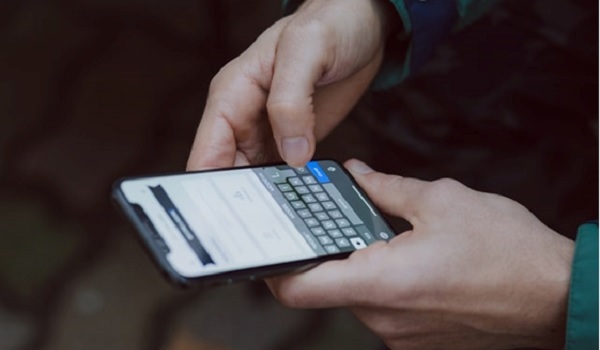
1) Getting Paid, Sending Invoices And Making A Payment
There’s nothing more important for a business owner or a freelancer than getting paid. However, it’s become inconvenient to wait for a check in the mail.
For example, an app like Paylinks enable you to create payment requests and share them through your preferred medium. It doesn’t matter if it is in a text, email, Slack or social media — all you have to do is share a link with your client or customer and await payment. Your phone speeds up the process and keeps track of your payment information in one spot.
No more invoices on Microsoft Word or Excel; you can send invoices from your phone, detailing your preferred payment method. You can also send regular reminders if and when your customers don’t respond.
And naturally, it is just as easy to make payments, too, so you never have to worry about outstanding bills.
2) Download Apps You Can Use Across Platforms
This is crucial if you like to work on the go. Say you’ve been working at home, and you want to squeeze in some work on the bus or the train. You can pick up where you left off if you’ve ensured you have all the same apps on your phone as you do on your computer.
Google Suite , Slack, Office 365, and many more office staples offer mobile app versions you can download. These mobile-friendly options allow you to keep working; changes will update right away on your mobile device.
Downloading the apps you need across all of your devices is vital to enable collaboration, too. This is the fastest way to receive files and communicate while you’re out of the office. You will never slow down work because a colleague can’t reach you. And if that colleague wants your input on some work, you can easily jump into a Google Doc on your phone.
3) Use Voice Technology
Responding to emails and messages consumes a lot of time — and it doesn’t feel that productive when it becomes overwhelming and you need to do other work.
Many people find that by using voice technology like Siri or another virtual assistant, they can save loads of time by dictating their emails. They can reply more efficiently to emails and save time for work. You speak faster than you text, so take advantage of your phone’s ability to speed up communication on-the-go.
Final Thoughts
Using your phone to handle communication with employees, get paid, and work on-the-go only improves business operations. It might seem like a hassle to download programs, create accounts, and organize your phone to allows for more app space. However, you’ll love how much working from your phone increases your productivity over time.
Consider making your phone your mobile office to make your life as a business owner easier. This is also a good opportunity to remove clutter on your phone; delete any apps you don’t use to make way for software that improves your business!
Author:Content Partner
Add MobilityArena as a preferred source on Google
Samsung phones are some of ther most popular smartphones sold and used here in the United States of America. After Apple’s iPhones, the most commonly used cell phones are made by Samsung and sold unlocked or via different carriers across the country.
Wireless charging is not exactly wireless. It is a feature that allows you to charge a phone without plugging the charging cable directly into the phone. You place the phone on a charging plate, which is then plugged into a wall socket via a cable. A wire is involved; it just does not plug directly into the phone. This is the sense in which it is called “wireless”.
Do Samsung Galaxy phones have wireless charging? Of course, some of them they do. The technology has been around for years now – as far back as 2012 – and has matured quite a bit. As such there are a number of Samsung phones with wireless charging available in the market.
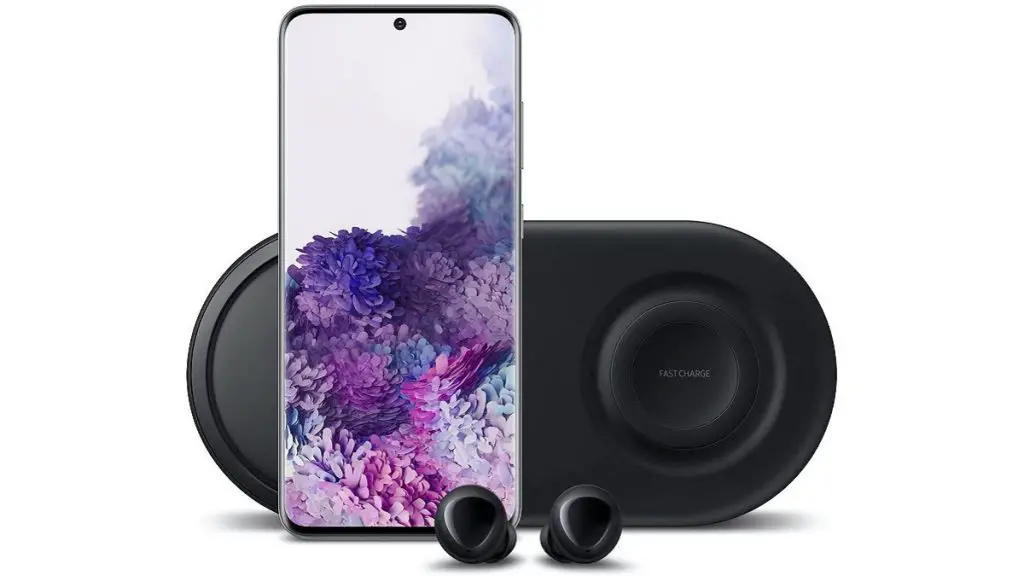
Samsung phones with wireless charging
Here are available Samsung phones with wireless charging:
- Samsung Galaxy S20,
- Samsung Galaxy S20+,
- Samsung Galaxy S20 Ultra,
- Samsung Galaxy Z Flip,
- Samsung Galaxy Note10,
- Samsung Galaxy Note10+,
- Samsung Galaxy Fold,
- Samsung Galaxy S10e,
- Samsung Galaxy S10,
- Samsung Galaxy S10+,
- Samsung Galaxy Note9,
- Samsung Galaxy S9,
- Samsung Galaxy S9+,
- Samsung Galaxy Note8,
- Samsung Galaxy S8,
- Samsung Galaxy S8+,
- Samsung Galaxy S7,
- Samsung Galaxy S7 edge,
- Samsung Galaxy Note5,
- Samsung Galaxy S6 edge+,
- Samsung Galaxy S6 edge,
- Samsung Galaxy S6.
Other phones with wireless charging that are sold in the USA
Of course, Samsung is not the only mobile brand in the USA with phones that have wireless charging. All of the following phone models have wireless charging as well.
- Apple iPhone 8
- Apple iPhone 8 Plus
- Apple iPhone X
- Apple iPhone Xs
- Apple iPhone Xs Max
- Apple iPhone Xr
- Apple iPhone 11
- Apple iPhone 11 Pro
- Apple iPhone 11 Pro Max
- Apple iPhone SE (2020)
- Apple iPhone 12 Mini
- Apple iPhone 12
- Apple iPhone 12 Pro
- Apple iPhone 12 Pro Max
- OnePlus 8 Pro
- Google Pixel 4
- Google Pixel 4 XL
- Motorola Edge+
- LG V60 ThinQ
- LG G6
Do wireless chargers work on all phones?
Cwertainly not. Wireless chargers only work with phones that have compatible wireless charging technologies built-in. If a phone does not gave wireless charging capabilities, it won’t work with a wireless charger.
Do wireless chargers have fast charge?
Similar to how it works with wired charging, there are normal wireless chargers and fast wireless chargers offering various fast charging speeds. Note also that for you to be able to wirelessly fast charge your phone, it must have the technology built in and you must use a compatible fast wireless charger.
Do wireless chargers come in the phone box?
As of 2020, manufacturers do not include wireless chargers in phone sales boxes. If you want to use wireless charging with your phone, you have to buy a wireless charger as a separate accessory.
What kind of phones have wireless charging?
While the technology has been around for about a decade now, it is still a premium feature. As such, if you want a phone with wireless charging, you have to search among upper budget or mid-range and premium smartphones. There are no entry-level smartphones with wireless charging.
How do I enable wireless charging?
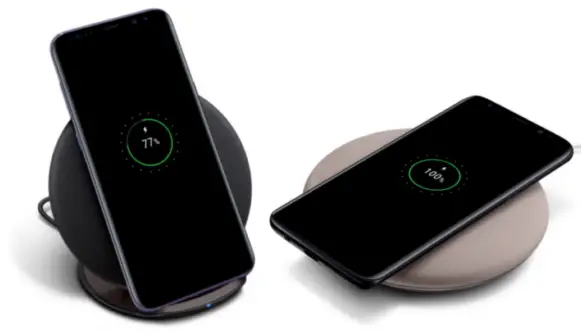
- Connect your wireless charger to a wall socket or portable battery.
- Place the wireless charging plate or pillow on a level surface or other location recommended by the manufacturer.
- Place your smartphone on the wireless plate or pillow with the display facing up and it will start charging.
- Your can pick up your phone to use as needed and drop it back on the plate when you are done.
Author:MobileChic
That motivated, gadget-loving geeky chic who tries to stay on top of things. Unapologetic iFan.
