Add MobilityArena as a preferred source on Google
The Google Pixel 10 and 10 Pro are packed with cutting-edge features and serious performance, but the real magic happens when you know how to unlock their hidden tricks. From sharper photos and smoother streaming to next-level gaming and effortless multitasking, there’s so much more your Pixel can do once you dig a little deeper. If you’re looking to maximize Google Pixel performance, boost your everyday productivity, and get the most out of every tap and swipe, these tips are for you. With the right shortcuts and smart features, you’ll discover new ways to maximize Google Pixel efficiency while keeping things fun and simple. So, if you’re ready to maximize Google Pixel power and truly own your device, let’s dive in.

- 10 Steps to Maximize Google Pixel 10 Series
- Master the Camera Like a Pro
- Customize Your Display to Keep Your Eyes Happy
- Optimize Battery Life Like a Champ
- Get Hands-Free with Google Assistant
- Keep Your Digital Life Organized with Call Screen and Hold for Me
- Boost Security with Titan M2 and Privacy Features
- Take Advantage of Material You’s Expressive UI
- Make Multitasking a Breeze with Split-Screen and Quick Switch
- Enjoy the Enhanced Connectivity and Fast Downloads
- Set Up Smart Replies and Message Scheduling in Messages
- Conclusion

10 Steps to Maximize Google Pixel 10 Series
1. Master the Camera Like a Pro
- Use the Magic Eraser to clean up unwanted photobombers or clutter effortlessly — because who has time to explain to your friends they ruined your shot?
- Explore Real Tone enhancements that capture skin tones beautifully, making every selfie a celebration.
- Enable Cinematic Blur while recording videos to add that movie-like depth of field. Everyone loves a personal Spielberg moment.
2. Customize Your Display to Keep Your Eyes Happy
- Switch on Adaptive Brightness but fine-tune it in Settings to avoid the dreaded “phone too bright in bed” scenario.
- Enable the smooth 120Hz refresh rate on Pro (or 90Hz on vanilla) for buttery scrolling — and goodbye to choppy animations that make you question life.
3. Optimize Battery Life Like a Champ
- Use the built-in Adaptive Battery feature tuned to your usage habits. Your Pixel learns your favorite apps and restricts background activity for the rest.
- Activate Extreme Battery Saver mode when you’re close to panic mode. It trims down your phone’s functions but keeps essentials alive, like those urgent texts!
4. Get Hands-Free with Google Assistant
- Say “Hey Google” (or “Ok Google” if you’re feeling retro) to launch apps, get directions, or control smart home devices without lifting a finger.
- Combine with Scheduler and Routines to automate your morning alarms, coffee makers, or lighting.
5. Keep Your Digital Life Organized with Call Screen and Hold for Me
- Use Call Screen to let Google’s AI handle robocalls and telemarketers with sass while you relax.
- Try Hold for Me so your Pixel waits on hold in your place, alerting you as soon as a human picks up. Your new best friend for customer service marathons.
6. Boost Security with Titan M2 and Privacy Features
- Turn on the Privacy Dashboard to monitor which apps access your camera, mic, and location to prevent sneaky peeking.
- Use Titan M2 chip protection that secures your lock screen and sensitive data from crafty hackers.
7. Take Advantage of Material You’s Expressive UI
- Tweak your phone’s color palette and accent by copying your wallpaper tones — your Pixel becomes a mini fashion designer for your home screen.
- Customize widgets on your home and lock screens for quick info access like weather, calendar, or fitness stats.
8. Make Multitasking a Breeze with Split-Screen and Quick Switch
- Need two apps open at once? Use split-screen mode by long-pressing the recent apps button and dragging your second app to the other half.
- Master Quick Switch gestures — swipe up and hold, then tap the app to jump between your most recent apps like a pro juggler.
9. Enjoy the Enhanced Connectivity and Fast Downloads
- With support for WiFi 6E and 5G, connect to blazing-fast internet. Remember to check your Network & internet settings to toggle the best connection.
- Use Nearby Share like Apple’s AirDrop for ultra-fast local filesharing with fellow Pixels and Android devices.
10. Set Up Smart Replies and Message Scheduling in Messages
- Enable Smart Reply to reply with AI-generated short messages that save typing time. Helpful for “On my way” or “Sounds good!”
- Schedule texts for later like a boss — perfect for birthday wishes that hit the inbox exactly at midnight.
Conclusion
The Google Pixel 10 and 10 Pro in 2025 aren’t just loaded with features — they’re designed to grow with you. When you learn the right shortcuts and settings, it feels less like a phone and more like a smart extension of your daily life. These tips will help you maximize Google Pixel in ways that boost convenience, productivity, and fun. So don’t just use your Pixel — maximize Google Pixel to unlock its full potential, and remember, the more you explore and personalize, the more you’ll see how much you can truly maximize Google Pixel.
Author:Ifeoluwa Adeleke
Add MobilityArena as a preferred source on Google
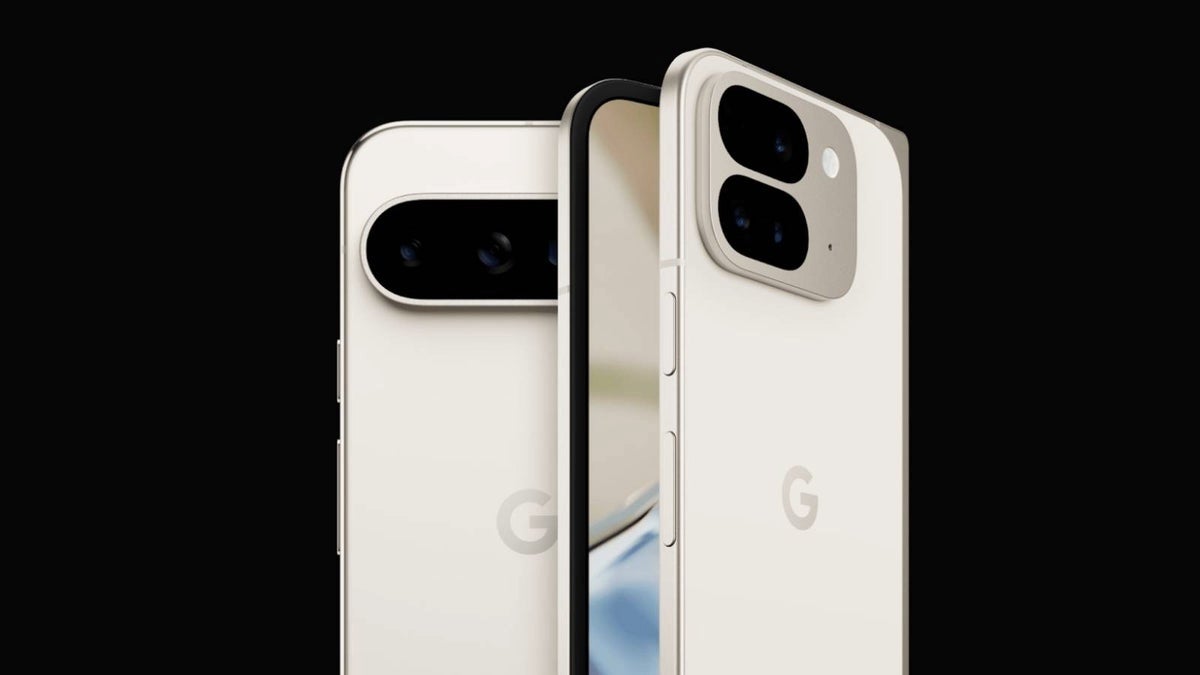
The Google Pixel 9 Pro Fold pushes Google’s foldable lineup forward in a big way. Powered by the new Tensor G4 chip, it delivers smooth performance wrapped in a sleek, premium folding design. The Google Pixel 9 Pro Fold opens up into a stunning OLED display that feels more like a tablet than a phone, giving you extra room for work, play, and everything in between. With improved cameras, smarter AI tools, and the reliable software experience Google is known for, the Google Pixel 9 Pro Fold is built for anyone who wants the latest innovation without giving up performance or photography quality.
- Google Pixel 9 Pro Fold Specifications
- Price Range:
- Release Date:
- Network Type:
- eSIM:
- aptX Bluetooth:
- IR Blaster / Infrared Port:
- 3.5mm Headphone Jack:
- Fingerprint Sensor:
- Fast Charging:
- Wireless Charging:
- Mobile Wireless Network and Software
- Design, Form Factor, Appearance
- Internal Hardware Specs
- Photography, Video Recording
- Audio, Video Playback
- Phone Sensors
- Connectivity Options
- Miscellaneous Specs and Features
- Model Version/Number:
- Launch/Release Dates and Information
- Prices

Google Pixel 9 Pro Fold Specifications
Price Range:
Starting around $1,799 USD for 256GB, $1,919 for 512GB variant
Release Date:
Announced and released in September 2024
Network Type:
GSM / CDMA / HSPA / EVDO / LTE / 5G
eSIM:
No
aptX Bluetooth:
Not supported (supports standard Bluetooth codecs)
IR Blaster / Infrared Port:
No
3.5mm Headphone Jack:
No
Fingerprint Sensor:
Under-display optical fingerprint sensor
Fast Charging:
Yes, supports 45W wired fast charging
Wireless Charging:
Yes, Qi-certified wireless charging supported
Mobile Wireless Network and Software
- 2G mobile network bands: GSM 850 / 900 / 1800 / 1900 MHz
- 3G mobile network bands: UMTS bands 1, 2, 4, 5, 8
- 4G mobile network bands: Broad LTE band support, including bands 1, 2, 3, 4, 5, 7, 8, 12, 13, 17, 20, 25, 26, 28, 30, 38, 39, 40, 41
- 5G mobile network bands: Extensive sub-6 GHz and mmWave support including n1, n2, n3, n5, n7, n8, n12, n20, n25, n28, n38, n41, n66, n71, n77, n78, n258, n260, n261
- SIM Type: Nano SIM and eSIM (dual SIM hybrid supported)
- Software / OS: Ships with Android 14
- Software Updates: 5 years guaranteed updates
Design, Form Factor, Appearance
- Dimensions: 155.2 x 150.2 x 5.1 mm (unfolded), 155.2 x 77.1 x 10.5 mm (folded)
- Weight: 257 grams
- Display Size: Main internal 8.0 inches, external 6.3 inches
- Screen Resolution: 2152 x 2076 pixels (folded), 2076 x 2152 pixels (unfolded)
- Refresh Rate: 60 to 120 Hz adaptive
- Screen Type: OLED, with Corning Gorilla Glass Victus 2 protection
- Frame: Satin metal frame with aerospace-grade aluminum cover on hinge
- Back/Rear Cover: Silky matte glass
- Ingress Protection/IP Rating: IPX8 water resistance
- Colorways: Obsidian, Porcelain
Internal Hardware Specs
- CPU: Google Tensor G4 custom octa-core chipset
- Chipset: Google Tensor G4 (4 nm)
- GPU: Immortalis-G715 MP10
- RAM: 16GB LPDDR5
- Extended/Virtual RAM: Supported, specifics not detailed
- Internal Storage: 256GB or 512GB UFS 3.1
- External Storage: Not supported (no microSD slot)
Photography, Video Recording
- Main Camera: Triple setup – 48MP quad-pixel wide (ƒ/1.7, OIS), 10.5MP ultrawide (ƒ/2.2), 10.8MP telephoto (5x optical zoom, OIS)
- Front Camera: 10MP wide (ƒ/2.2) with dual autofocus
- Features: Pro camera controls, Macro Focus, Night Sight Video with AI noise reduction
- Video: Supports 4K video recording at 30/60fps, 1080p up to 120fps
Audio, Video Playback
- Music Support: Wide format support with spatial audio and head tracking
- 3.5 mm Audio Jack: No
- Loudspeaker: Stereo speakers with immersive sound tuning
- Video Support: HDR and 4K UHD video playback
- FM Radio: No
Phone Sensors
- Digital Compass: Yes
- Accelerometer: Yes
- Proximity Sensor: Yes
- Ambient Light Sensor: Yes
- Barometer: Yes
- Pedometer: Yes
- Heart Rate Monitor: No
- Gyroscope (G-Sensor): Yes
- Fingerprint Scanner: Optical under-display
- Face Unlock: Supported via front camera
- Iris Scanner: No
- Motion Sensing / Gesture Control: Supported
- Voice Control: Google Assistant integration
- Intelligent Digital Assistant: Google Assistant
- Infra-red/IR Blaster: No
Connectivity Options
- Bluetooth Version: 5.3
- aptX Bluetooth Codecs: Not supported
- WiFi: WiFi 7 (802.11 a/b/g/n/ac/ax/ay) tri-band
- GPS: Yes, dual-band with A-GPS, GLONASS, GALILEO, QZSS, BDS
- USB: USB Type-C 3.2 with Power Delivery 3.0
- NFC: Yes
Miscellaneous Specs and Features
- Battery Type: Non-removable Li-Ion
- Battery Capacity: 4650 mAh typical (minimum 4560 mAh)
- Battery Charging: 45W fast wired charging, wireless charging supported
- Reverse Charging: Supported (Wireless Battery Share)
Model Version/Number:
Pixel 9 Pro Fold (GVU6B or regional variants)
Launch/Release Dates and Information
- Announced: September 2024
- Released: September 2024
Prices
- USA: Starting at approx. $1,799 for 256GB
- UK: Around £1,699
- EU: Approximately €1,799 – €1,999
- Australia: Estimated AUD 2,499
- Canada: Approx. CAD 2,399
