Add MobilityArena as a preferred source on Google
Switching from an Android smartphone to an Apple iPhone usually meant worrying about how to transfer your WhatsApp data from your Android phone to iPhone. It was a huddle, and I recall a number of acquaintances complain about it. However, there is good news: Android users who need to switch to iPhone can now do so and carry their WhatsApp data over easily – and for free.
This new method of moving your WhatsApp data from your Android phone to iPhone works by using a free app developed by Apple. The app is called Move to iOS . According to WhatsApp, the transfer will only work on factory reset or new iPhones. This is the same restriction the process has when transferring from iPhone to Android.
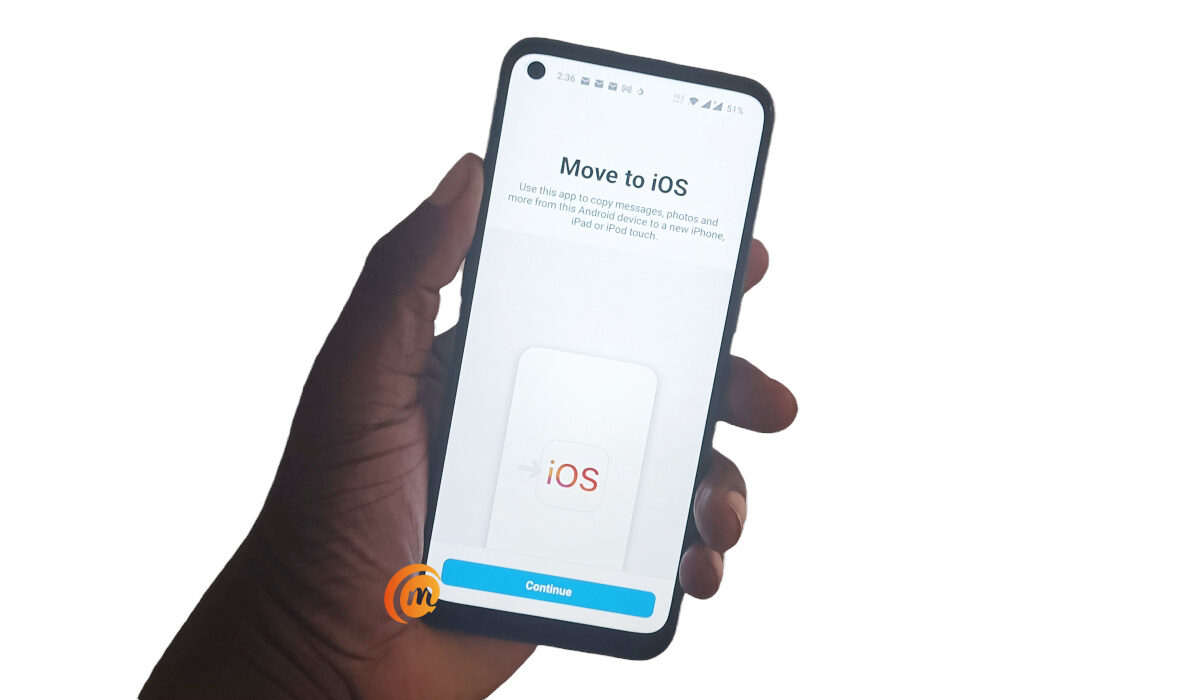
You can transfer your WhatsApp data from your Android phone to iPhone using Move to iOS app
The Move to iOS app supports Android phones running Android 5 and newer, and iPhones running iOS 15.5 and newer, so make sure you have both your devices updated to meet these requirements. Psst : If you are still using an Android 5 phone, you really need to get rid of it already. Come on.
How to transfer WhatsApp data from your Android phone to iPhone
To get started, you’ll have to download, install, and open the Move to iOS app on your Android phone. Next, follow these steps:
- Grant the requested permissions
- Accept the terms and conditions
- Next, you will need to find a 6-digit Single-Use Code displayed on your iPhone and enter it in the app in your Android phone. Tap the blue Continue bar at the bottom of the screen, and punch in the Single-Use Code.
- The app now connects to your iPhone and is ready to begin the transfer process.
- On the Transfer Data screen, select WhatsApp ”, and then press “ Start .” WhatsApp will then prepare a copy of your data and begin the transfer process from Android to iPhone.
- Download and install WhatsApp on your iPhone, enter your number, and tap Restore .
- On the “Import chats” page, tap Start , to begin the transfer.
Depending on the size of your chats, they will be moved over to your iPhone in a matter of a few or many minutes. Congratulations; you now know how to transfer WhatsApp data from your Android phone to iPhone.
Download Move to iOS mobile app, to transfer WhatsApp data from your Android phone to iPhone
- Don’t miss our reviews .
- Follow our news on Google News .
- Join our WhatsApp Group , to be notified of the most important articles and deals,
- Follow us on Instagram , Facebook , Twitter , and YouTube .
Author:MobileChic
That motivated, gadget-loving geeky chic who tries to stay on top of things. Unapologetic iFan.
Add MobilityArena as a preferred source on Google
BlackBerry’s smartphones are now history, but if you loved the BlackBerry KeyOne and Key2 form factor, Unihertz is a phone brand that has got your back. The new Titan Slim has a narrow width display and hardware QWERTY keyboard. The major advantages of the narrow display are that it makes for excellent handling and better software compatibility.
It is safe to call it a variant of the Unihertz Titan , another Android phone with a QWERTY keyboard, but which has a wider form and a squarish display. Let’s have a look at the key specs of the Titan Slim.
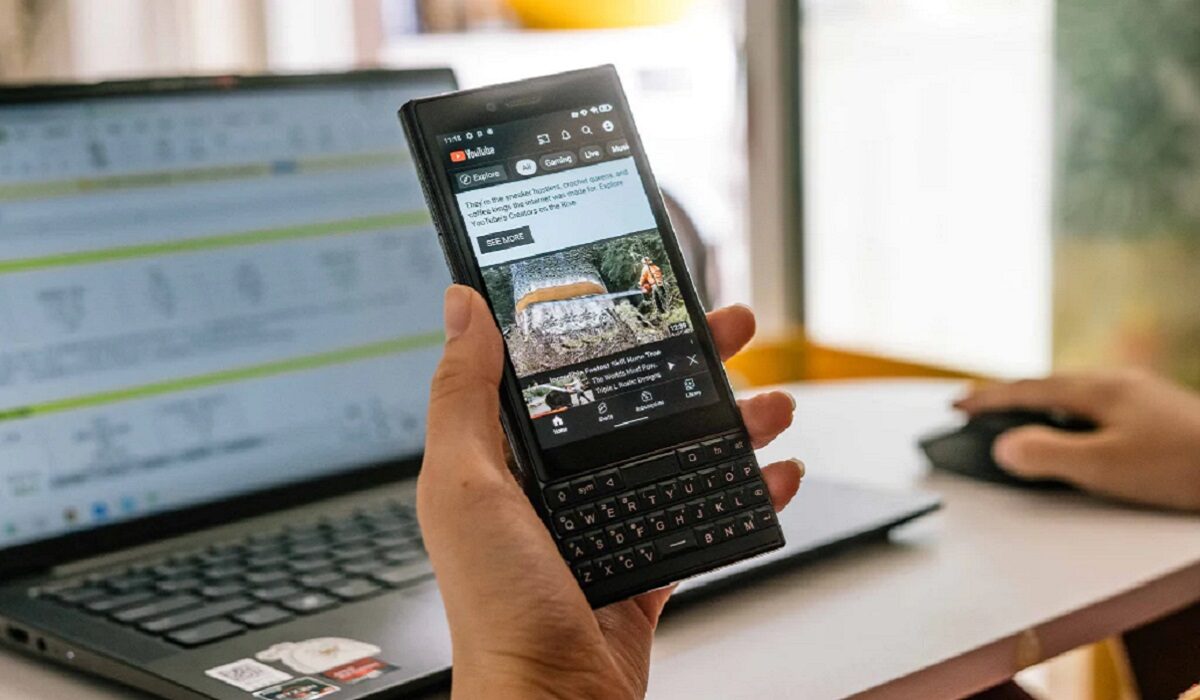
Unihertz Titan Slim Specs
- 4.2-inch, 768×1280 pixels display
- Dual Nano-SIM slots
- 48-megapixel dual camera at the back
- MediaTek Helio P70 chipset
- 6 GB RAM
- 256 GB storage memory
- Front fingerprint reader
- USB Type-C port
- 4100 mAh battery
- Android 11
- FM Radio
The Titan Slim is an interesting proposition: there is an infra-red blaster, something that is very rare on modern smartphones. And there is a front fingerprint reader too. There is no memory card slot, but then the 256 GB built-in storage is large enough for most users. You can read the full specs here .
It will be available in only one colour – Black. Release date isn’t clear yet, but it won’t be long. If the departure of BlackBerry left a hole in your heart, love has found you again – in the form of the Titan Slim. Buy Unihertz Titan Slim .
- Don’t miss our reviews .
- Follow our news on Google News .
- Join our WhatsApp Group , to be notified of the most important articles and deals,
- Follow us on Instagram , Facebook , Twitter , and YouTube .
Author:Mister Mobility
Digital Skills and Communication Coach | Mobile Phone Connoisseur since 2001 | Tech Blogging since 2004
