Add MobilityArena as a preferred source on Google
Twitter has been working on this feature for quite a while now and finally it is here for all web clients. What does this feature do?
Sometimes it might be rude to outrightly block your follower on Twitter or any other social media platform, well “remove this follower” solves that problem.
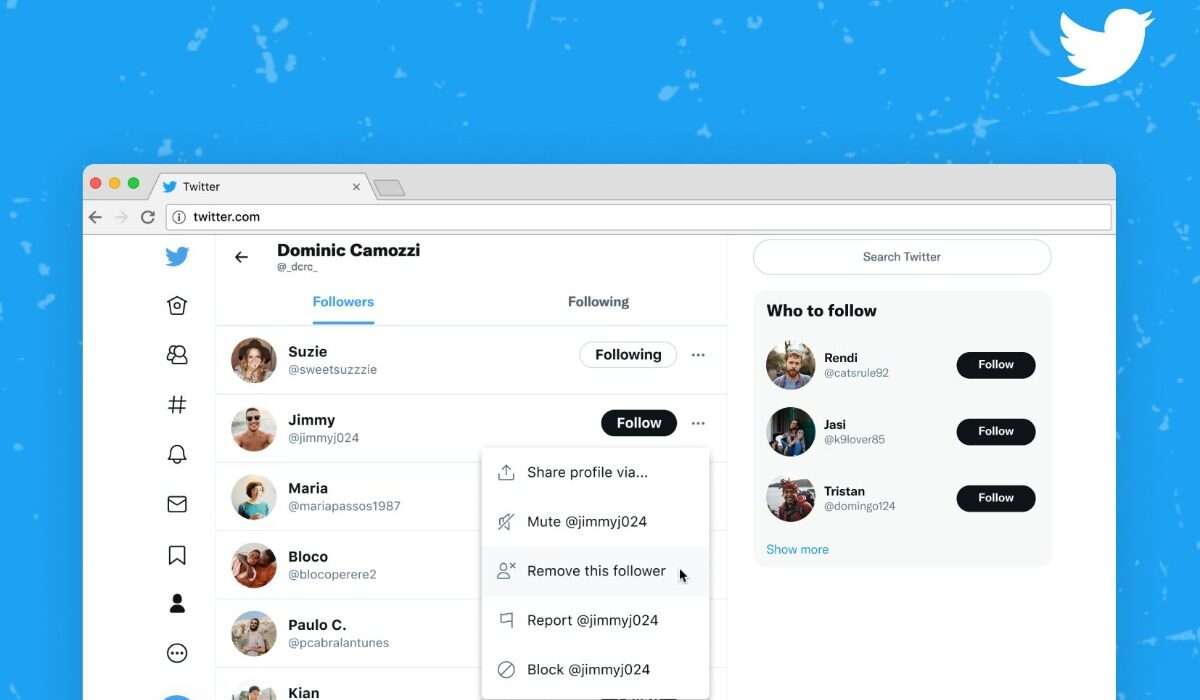
Instead of blocking a follow that might have annoyed you just head over to your follower section on Twitter (web) and tap on the three dots next to the follow button then select “remove this follower”.
After you must have followed the steps above Twitter will in turn remove the individual from your follower list without notifying the person thereby keeping it private. This action does not entirely stop the person from following you as they can later on follow your Twitter page again, but it certainly gives you a good level of control over who follows you.
For now, this feature is only available on Twitter for web clients though it may find its way to the Twitter mobile application sooner than later. So if you are a Twitter mobile user and want to try out the remove this follower feature simply login to your Twitter account on a web browser like Chrome or Safari.
- Source
- Source
Author:KittysTech
Tech analyst, Collins Eshiet, writes about technology. Follow me on Twitter @KittysTech.
Add MobilityArena as a preferred source on Google
Monday the 4th of October 2021 saw a 7 hour long outage on all three of Facebook’s social media platforms. This outage affected a lot of people using these applications for various reasons (for fun or for business ). As a result of this Instagram has announced a new “Outage Alert” feature that informs users of the state of technical issues on the application.
Instagram will perform the test of this feature only in the U.S, there is a good chance that other regions will get this feature after the test is completed. The actual usage of the Outage Alert feature is quite simple and straight to the point.
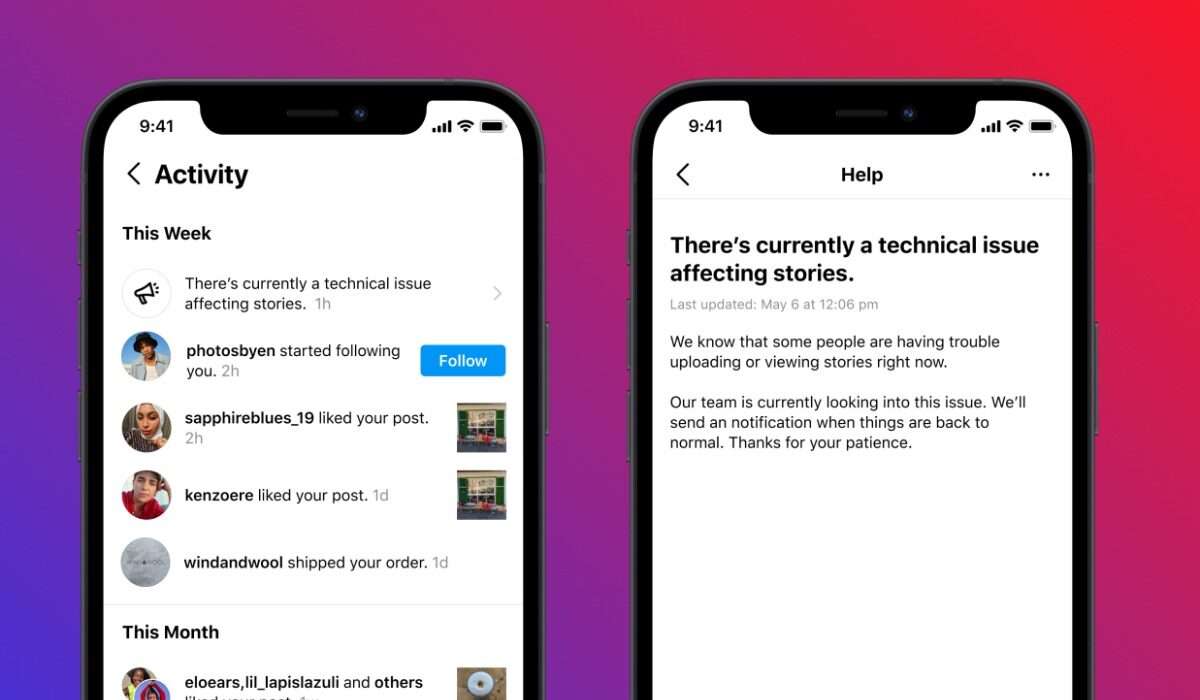
By means of the activity feeds on the Instagram application users can now be informed of any technical issues affecting any part of the application. This feed will come with detailed information about the issue and what is being done to rectify it at the moment.
This update does not mean that users should wave goodbye to future outages on the application but instead it helps prepare users ahead of time for any outage caused by technical issues from Instagram.
Source
Source
Author:KittysTech
Tech analyst, Collins Eshiet, writes about technology. Follow me on Twitter @KittysTech.
