Add MobilityArena as a preferred source on Google
Have you ever had the thought of the possibilities that Augmented Reality (AR) and Virtual Reality (VR) could give. Imagine stepping into a world where the boundaries between the digital and physical realms blur, where you can explore ancient ruins without leaving your living room or try on clothes without ever stepping foot in a store. That’s the power of AR & VR. I Welcome you to the fascinating universe of Augmented Reality (AR) and Virtual Reality (VR). These technologies are not just futuristic concepts; they are reshaping and renewing the way we interact with the world around us today. Let’s take a journey through this digital frontier, exploring how AR and VR are revolutionizing various industries and enhancing our everyday experiences.

- The Magic of Augmented Reality
- The Immersion of Virtual Reality
- Bridging the Gap Between Learning and Experience
- Gaming Experience
- The Future Ahead with Augmented Reality (AR) and Virtual Reality (VR)
- Conclusion
The Magic of Augmented Reality

Just take a moment think about you being at a museum, and instead of just reading about the artifacts, you point your phone at an ancient statue, and suddenly, a 3D animation brings its history to life. That is exactly the power of AR. By superimposing digital information onto the real world, AR enriches our surroundings with interactive elements that enhance our understanding and engagement. One of the beautiful applications of AR is in retail. Imagine using an app that allows you to visualize how a piece of furniture will look in your home before making a purchase. Companies like IKEA have embraced this technology, enabling customers to see how their products fit into their spaces, making shopping not only easier but also more enjoyable.
The Immersion of Virtual Reality

Now, let’s dive into the world of VR. Unlike AR, which enhances reality, VR immerses you or should I say soaks you completely in a computer-generated environment. With a VR headset, you can explore distant planets, walk through historical landmarks, or even practice surgery in a risk-free environment. For instance, in healthcare, VR is being used for surgical training. Surgeons can practice complex procedures on virtual patients, allowing them to refine and polish their skills without any risk to real patients. This innovative approach not only enhances training but also improves patient outcomes. This is beautiful right?
Bridging the Gap Between Learning and Experience
Both Augmented Reality (AR) and Virtual Reality (VR) are making waves in the education sector as well. Imagine students learning about the solar system by actually “visiting” different planets or exploring human anatomy by walking through a virtual body. These immersive experiences make learning more engaging and effective. A recent study shows that students who experienced lessons through VR retained information better than those who learned through traditional methods. This shift towards experiential learning is transforming classrooms into dynamic environments where students can truly connect with their subjects.
Gaming Experience
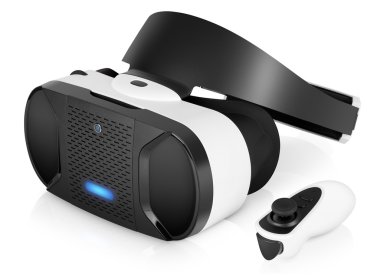
It’s not possible to talk about Augmented Reality (AR) and Virtual Reality (VR) without mentioning gaming. In fact, you will find VR in most gaming houses these days. These technologies have revolutionized how we play. Games like Pokémon GO have shown us how AR can turn our neighborhoods into playgrounds filled with digital creatures waiting to be captured. Meanwhile, VR gaming offers an unparalleled level of immersion that transports players into fantastical worlds where they can interact with their surroundings in ways never before possible. Think of battling dragons or racing cars as if you were there for real — this is not just gaming; it’s an experience that engages all your senses.
The Future Ahead with Augmented Reality (AR) and Virtual Reality (VR)
As these technologies emerge and we look ahead into future, the potential applications for Augmented Reality (AR) and Virtual Reality (VR) seem broad and limitless. From real estate agents offering virtual tours of homes to architects creating immersive walkthroughs of their designs, these technologies are set to redefine industries across the board. More so, as hardware continues to improve and become more accessible, we can expect even broader adoption of Augmented Reality (AR) and Virtual Reality (VR) in everyday life. The question isn’t whether these technologies will become mainstream; it’s how they will shape our future interactions with the world around us.
Conclusion
In conclusion, it’s time to EMBRACE THE CHANGE. Augmented Reality (AR) and Virtual Reality (VR) are not just buzzwords; they are powerful tools that are changing our reality in profound ways. Whether enhancing our shopping experiences or transforming education and healthcare, these technologies invite us to engage with our world like never before. How ready are you to step into this new reality? The future is here, and it’s time to embrace it!
Author:Ifeoluwa Adeleke
Add MobilityArena as a preferred source on Google
The battery life of Samsung Galaxy Z Fold 6 can be properly maintained and preserved, only if users will follow the steps to optimize and maximize the battery usage. This device is a technological marvel, but even the most advanced devices can face battery challenges. The Z Fold 6 has garnered many user complaints because of the battery drain issue. While the Z Fold 6 boasts impressive features, its unique design with a large foldable display can be power-hungry. However, with the right settings and usage habits, you can significantly extend your battery life without compromising on performance. From adjusting display settings to managing background apps, we’ll explore various strategies to help you get the most out of your Galaxy Z Fold 6’s battery throughout the day. This article is for you if you’re experiencing rapid battery drain on your new foldable, don’t worry – I’ve got you covered with practical solutions to maximize your device’s power efficiency.
- Optimize Your Device Performance
- Manage Background App Usage to Enhance Battery Life
- Optimize Display Settings
- Utilize Power Saving Mode
- Monitor and Manage App Battery Usage
- Update Your Software
- Adjust Connectivity Settings
- Conclusion
Optimize Your Device Performance

If you will enjoy and preserve the battery life of your device, then you need this. One of the most effective ways to preserve and extend battery life is by adjusting your phone’s performance settings. Follow these steps to that:
- Go to Settings > Battery and Device Care > Battery
- Tap on More Battery Settings
- Select Performance Profile
- Choose “Light” to prioritize battery life over processing speed
This simple change can significantly reduce power consumption without noticeably impacting daily use.
Manage Background App Usage to Enhance Battery Life
Uncontrolled background processes can silently drain your battery. Here’s how to put them to check:
- Navigate to Settings > Battery > Background Usage Limits
- Enable “Put unused apps to sleep”
- Tap on “Deep sleeping apps” and add any apps you rarely use
This prevents unnecessary background activity, preserving your battery for essential tasks.
Optimize Display Settings
The Galaxy Z Fold 6 has an impressive display and can be power draining. Adjust these settings for better efficiency:
- Lower screen brightness or enable adaptive brightness
- Reduce screen timeout duration
- Enable Dark Mode, which is particularly effective on AMOLED displays
Utilize Power Saving Mode
In order to stretch your device’s battery life, Power Saving Mode is your ally. Simply follow these steps.
- Go to Settings > Battery > Power Saving
- Toggle on “Power Saving Mode”
- Customize options to balance performance and battery life
For extreme situations, consider using the “Maximum Power Saving” option.
Monitor and Manage App Battery Usage
Deliberately be on the lookout and identify power-hungry apps and take action. Simply:
- Go to Settings > Battery > Battery Usage
- Review which apps are consuming the most power
- For problematic apps, consider uninstalling, updating, or restricting their background activity
Update Your Software
Make sure your Galaxy Z Fold 6 is running the latest software. Simply check for update by:
- Go to Settings > Software Update
- Tap “Download and Install” if an update is available
Samsung frequently releases optimizations that can improve battery performance.
Adjust Connectivity Settings

Unnecessary connections can drain your battery. Manage them wisely:
- Turn off Wi-Fi, Bluetooth, and GPS when not in use
- Use Airplane Mode in areas with poor cellular coverage to prevent constant signal searching
Conclusion
In conclusion, by implementing these strategies, you can significantly improve the battery life of your Samsung Galaxy Z Fold 6. Remember, it may take a few days for your device to learn your usage patterns and optimize battery performance. If severe battery drain persists after trying these solutions, consider contacting Samsung support for further assistance. With these power-saving techniques, you’ll be able to enjoy your Galaxy Z Fold 6’s innovative features for longer periods without constantly worrying about battery life. Embrace the full potential of your foldable device and stay connected throughout your day!
