Add MobilityArena as a preferred source on Google
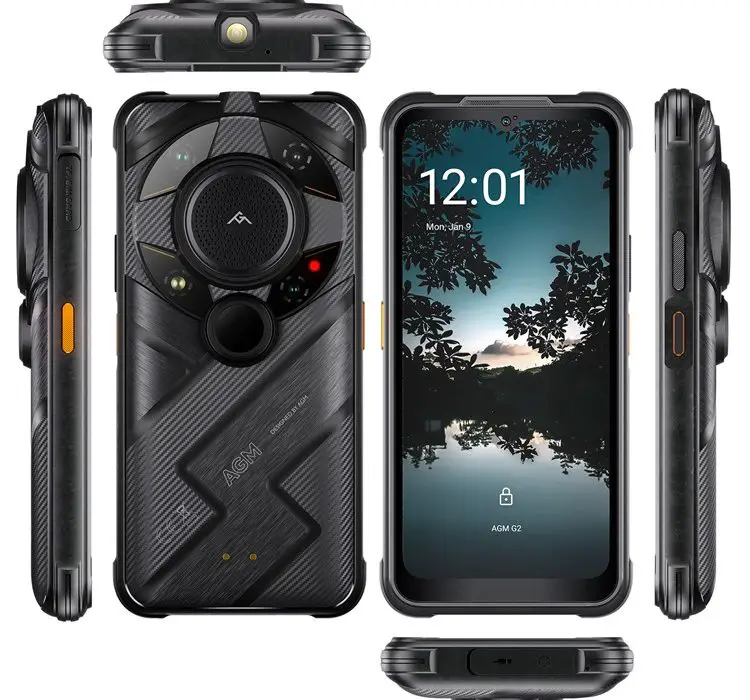
The AGM G2 Guardian is a rugged-sophisticated smartphone that has made waves in the tech market with its innovative features and robust design. However, like any cutting-edge device, it’s not without its quirks. Let me walk you through some common user concerns and explore how to transform your experience with this powerful gadget.
- Mastering the Thermal Camera of AGM G2 Guardian
- Camera Performance Optimization
- Audio Experience Enhancement
- Maximizing Battery Life
- Navigating the Software
- Adapting to the Rugged Design
- Conclusion
Mastering the Thermal Camera of AGM G2 Guardian
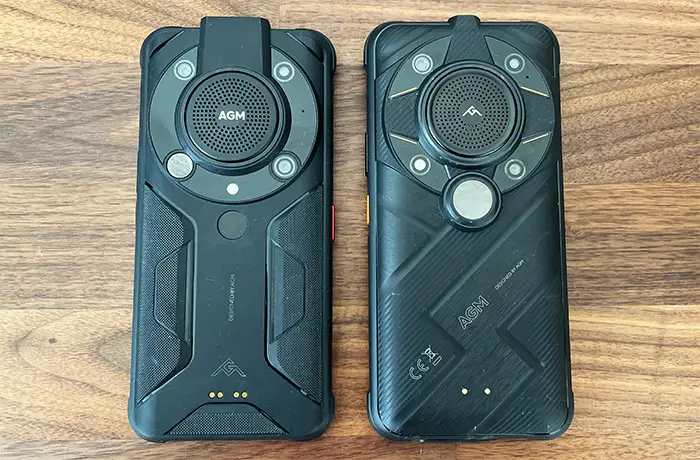
One of the G2 Guardian’s standout features that I personally love is its thermal imaging capability. Highly impressive, but some users have reported challenges in getting the most out of this feature. I have put together below simple solutions to help you get the most out of it:
- Explore the dedicated Thermal AGM application, which has been completely redesigned for enhanced customization.
- Experiment with different modes and settings to find what works best for your specific needs.
- Remember, the thermal camera is designed for long-range detection (up to 500m), so adjust your expectations for close-up imaging.
Camera Performance Optimization
The 108MP main camera of the AGM G2 Guardian can capture stunning images, but some users have reported issues with image stabilization and moving subjects. To get a better result with the camera:
- Use a steady hand or tripod for sharper images, especially in low light conditions.
- Experiment with the Pro mode (if available) to manually adjust settings for moving subjects.
- For macro shots, ensure you’re using the dedicated 2MP macro camera for best results.
Audio Experience Enhancement

The AGM G2 Guardian boasts a powerful 109dB speaker, but its positioning can sometimes lead to muffled sound when the phone is laid flat. To enjoy a quality sound production from this device:
- When using the speaker, prop the phone at an angle to prevent sound obstruction.
- Consider using Bluetooth speakers for an even better audio experience outdoors.
- Explore the phone’s audio settings to fine-tune the sound output to your liking.
Maximizing Battery Life
One major part of smartphone users usually look forward to is the longevity of the battery life. While the 7000mAh battery of the AGM G2 Guardian is substantial, power users might find themselves needing a charge before the day is out. These steps below will help you maximize your device’s battery:
- Utilize the phone’s power-saving modes for extended battery life.
- Take advantage of the 18W fast charging when you need a quick boost.
- Consider carrying a power bank for those long outdoor adventures.
Navigating the Software
Some users have expressed concerns about future Android updates and the stock Android experience. You might just have to work around and maximize the OS on your device./ Simply do the following:
- While future Android versions might not be available, keep your current OS and apps updated for optimal performance and security.
- Explore the Google Play Store for apps that can enhance your user experience without cluttering your device.
- Embrace the clean, bloatware-free Android experience as a feature, allowing for smoother operation.
Adapting to the Rugged Design
The G2 Guardian’s robust build can take some time to get used to, especially for those new to rugged phones. I recommend you:
- Embrace the added weight as a sign of durability and protection.
- Explore ergonomic grips or cases that can enhance comfort during extended use.
- Remember that the rugged design allows you to take your phone on adventures where others fear to tread!
Conclusion
The AGM G2 Guardian is a unique device that offers features rarely seen in mainstream smartphones. By understanding and adapting to its quirks, you can unlock its full potential. Remember, its thermal imaging, night vision, and rugged design make it an unparalleled companion for outdoor enthusiasts and professionals working in challenging environments. With these tips and solutions, you’re now equipped to make the most of your AGM G2 Guardian . Embrace its unique capabilities, and you’ll find it’s not just a phone – it’s a powerful tool ready for any adventure or challenge you throw its way. And do not forget to watch our review on YouTube .
Author:Ifeoluwa Adeleke
Add MobilityArena as a preferred source on Google
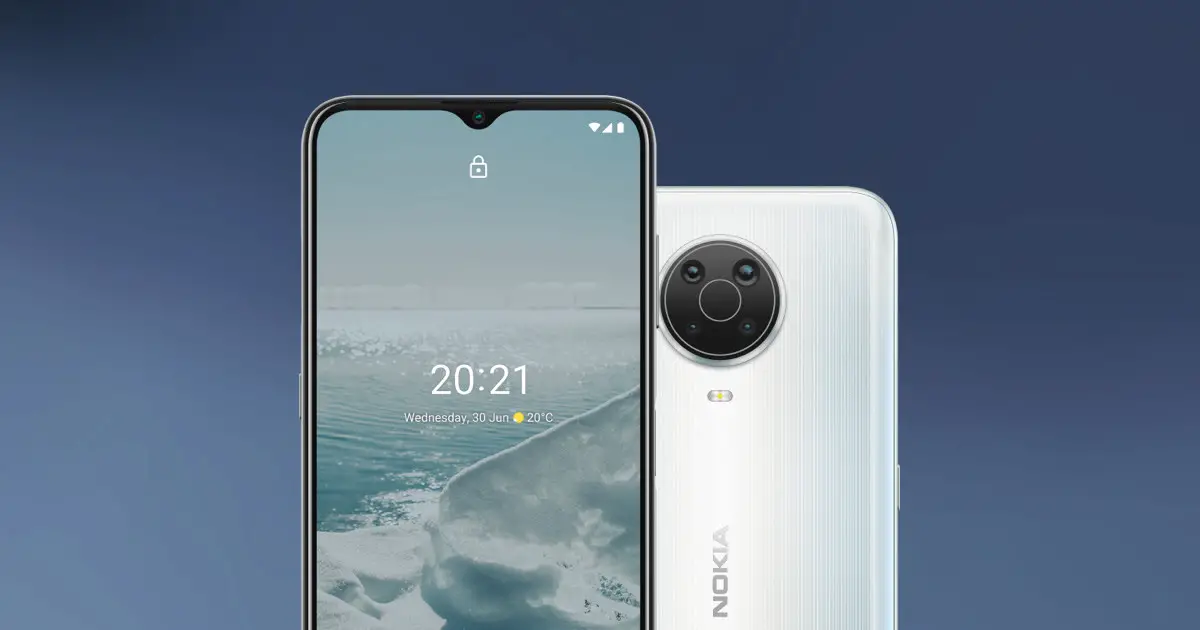
The Nokia G20 is one of the budget friendly smartphones that the tech company (NOKIA) has released in recent times into the smartphone market with its impressive battery life and clean Android experience. However, like any device, it comes with tons of challenges based on users’ reports. Let’s dive into some common user concerns and explore how to transform your Nokia G20 experience into something truly exceptional.
- Performance Hiccups
- Enhancing Camera Quality
- Maximizing Battery Life
- Wi-Fi and Connectivity Issues
- Update-Related Problems
- Touch Responsiveness
- Conclusion
Performance Hiccups
Many users of the Nokia G20 have reported sluggish performance, especially after updating to Android 12 or 13. You can quickly get over this by doing the following:
- Clear cache and unnecessary apps regularly to free up system resources.
- Use the built-in “Device Maintenance” feature to optimize your phone’s performance.
- Consider a factory reset after major OS updates, ensuring you backup your data first.
- Disable or uninstall unused apps to reduce background processes.
Enhancing Camera Quality

While the Nokia G20 boasts a 48MP main camera, some users find the photo and video quality lacking. If a device with that kind of megapixel, then it should give a better picture quality. You should do the following to enhance your camera quality:
- Ensure you’re using the camera in well-lit conditions for best results.
- Experiment with third-party camera apps that might offer better processing.
- Use HDR mode for high-contrast scenes to improve dynamic range.
- Clean the camera lens regularly to ensure clear shots.
Maximizing Battery Life
Although the Nokia G20 is known for its impressive battery life, some users have reported that it can be better. To maximize the battery life of your device, I recommend the following solutions:
- Enable battery saver mode when you’re running low on power.
- Adjust screen brightness and timeout settings to conserve energy.
- Turn off unnecessary features like Bluetooth and GPS when not in use.
- Use dark mode to save battery on the LCD screen.
Wi-Fi and Connectivity Issues

Some users have reported Wi-Fi connectivity problems, particularly after updates. Do the following to get the best of your Wi-Fi/connectivity:
- Ensure your router firmware and phone software are up to date.
- Forget and reconnect to your Wi-Fi network.
- Reset network settings if problems persist.
- Consider using a Wi-Fi analyzer app to find the best channel for your network.
Update-Related Problems
Several users have experienced issues after system updates, including boot loops and app crashes. When you experience such, you can put the following to use:
- Always ensure your phone is fully charged before starting an update.
- If stuck in a boot loop, try booting into safe mode and clearing the cache partition.
- For persistent issues, consider a factory reset as a last resort.
- Keep apps updated to ensure compatibility with the latest OS version.
Touch Responsiveness
Some users of the Nokia G20 have noted issues with screen sensitivity, particularly around the edges, especially when there littles cracks here and there. Simply:
- Remove any screen protectors that might be interfering with touch sensitivity.
- Adjust touch sensitivity settings if available in your device settings.
- Ensure your hands are clean and dry when using the touchscreen.
- Consider using a stylus for more precise input.
Conclusion
In conclusion, the Nokia G20 may have its quirks, it remains a solid choice in the budget smartphone category. Its long battery life, clean Android experience, and regular security updates make it a reliable companion for many users. By implementing these solutions, you can significantly enhance your Nokia G20 experience. Remember, every device has a learning curve, and with a little patience and optimization, you can unlock the full potential of your Nokia G20. Embrace these tips, and you’ll find that your Nokia G20 isn’t just a phone – it’s a powerful tool ready to tackle your daily digital needs with renewed vigor and efficiency. With its sturdy build and improved performance, you’ll be ready to take on whatever the day throws your way!
