Add MobilityArena as a preferred source on Google
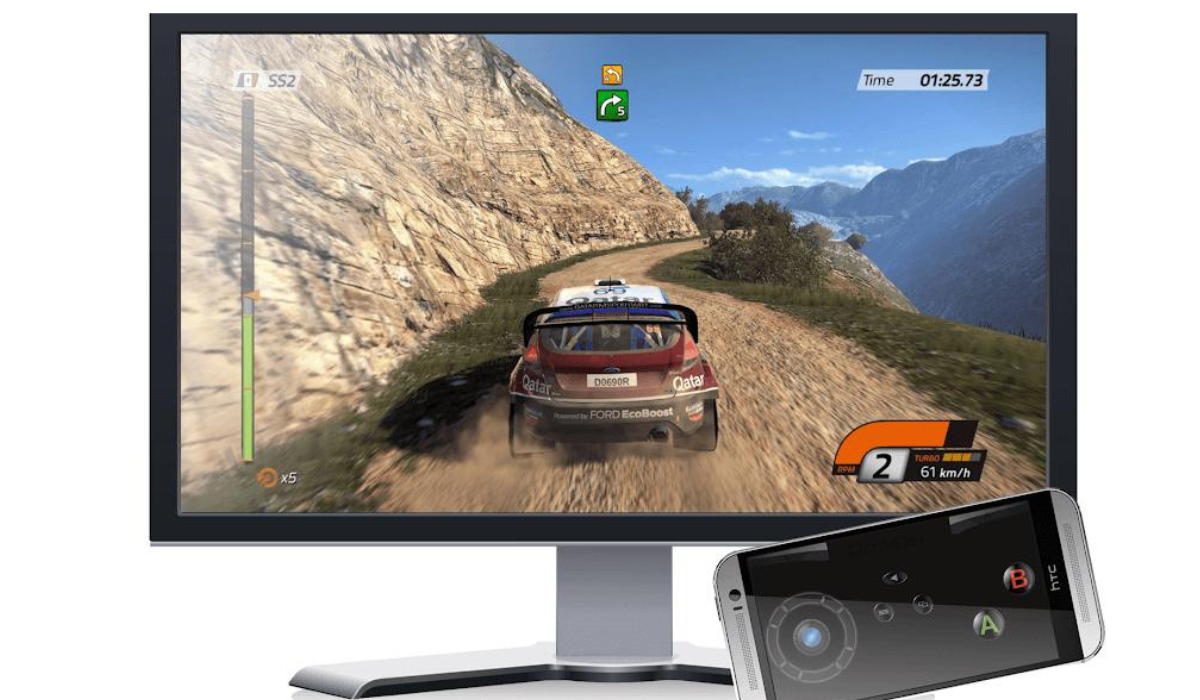
Playing video games with a good control system will always improve your gaming experience. While a keyboard and mouse are the standard controls for PC gaming, some games are best played with a gamepad.
In this article, I’ll demonstrate how to use Android as a gamepad for PC gaming. So don’t be concerned if you lack a dedicated controller, the instructions in this guide will devise you find a useful alternative.
Advantages to Expect When You Use Android As A Gamepad For PC Gaming
Your gaming experience improves greatly when you use an Android as a gamepad for PC gaming. Here are major advantages you’ll enjoy:
- As you won’t need to acquire new equipment, using your Android saves you money
- An Android allows for touch control, providing a more tactile experience than a keyboard and mouse.
- Androids enable the use of sensors such as a gyroscope and accelerometer for improved control—you can play games simply by tilting your phone.
- An Android provides complete control customization, allowing you to configure your virtual gamepad however you see fit.
- Bluetooth, Wi-Fi, USB, and QR code are the four pairing modes available. You can also use a Bluetooth or Wi-Fi connection to play.
How I Use Android as a Gamepad for PC Gaming
You must first connect your Android phone to your PC in order to use it as a gamepad. You’ll need two apps for this purpose — the PC Remote Receiver app for your Windows computer and the Android app PC Remote . Both apps are free, but you’ll have to pay to get rid of ads, unlock higher-quality broadcasts, and access more features.
After installation, open the programs, and confirm that both devices are linked to the same Wi-Fi network. Now, on your phone, perform the following actions to use Android as a gamepad for PC gaming:
- Press the Connect button on the home screen.
- If your desktop and mobile are on the same network, you should see your device under the Local PC area.
- Select your PC’s name to connect the two devices.
If you’re experiencing problems connecting to Wi-Fi, there are a few alternatives to try.
How to Setup and Use Android as a Gamepad Using Bluetooth
Bluetooth is the another option available to set up and use Android as a gamepad for PC gaming. Follow these steps:
- Turn on Bluetooth on both your PC and phone, and then launch the apps on both.
- Tap the Connect button in the mobile app and select Bluetooth mode .
- The phone will now display a list of available devices. When you click your PC’s name, the phone becomes available for use as a controller.
How to Setup and Use Android as a Gamepad Using a USB Cable
If you have a USB cable, the steps to set up and use Android as a gamepad for PC gaming are quick and simple:
- Start the app on both devices and connect your phone to the PC using the USB cord.
- Open the app on your phone and press the Connect button.
- When you tap on the USB icon, you will be prompted to Enable USB tethering .
- Enable USB tethering in the phone’s settings to successfully connect the two devices
How to Setup and Use Android as a Gamepad Using a QR Code
If none of the above work, you can connect and use Android as a gamepad for PC gaming by scanning a QR code.
- Open the app on your computer and, on the home screen, select the Generate QR Code option.
- When the QR code appears on your device, go to the mobile app and select the Connect option.
- Tap Connect to PC in the pairing selection option, and then open the QR scanner in the app.
- Then, scan the QR code, and the connection between phone and computer should become complete.
How to Select a Controller Layout
You’re now prepared to use Android as a gamepad for PC gaming after successfully connecting your Android phone and computer. Now click the game you wish to play to access the layouts section of the Android app and select your preferred gamepad layout. After making your selection, start the game on your desktop.
The Xbox 360 controller layout can be used instead if there isn’t a layout specifically for the game you’re playing. This works because it is compatible with the most video games. Touch the gamepad icons in the top left of the layout menu to further customize your controller.
Summarily, I hope you can now enjoy full control on racing or driving games, simply by following the tips above to use Android as a gamepad for PC gaming.
Author:Joan Agie
Add MobilityArena as a preferred source on Google
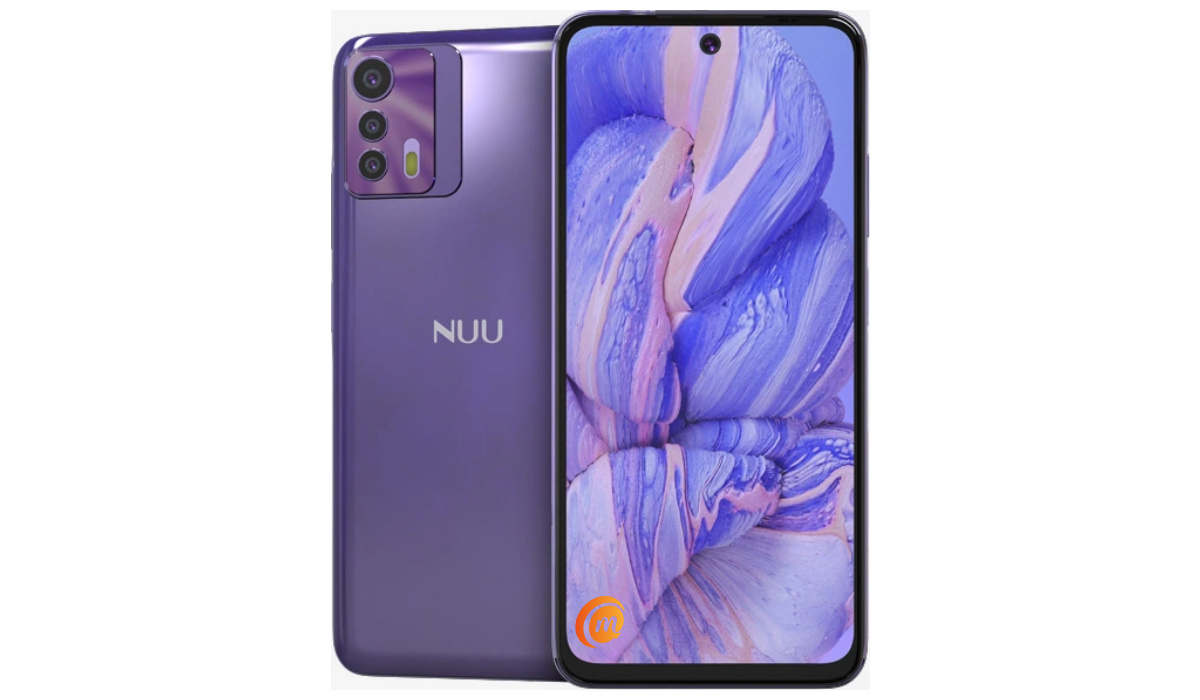
The B20 5G is the latest top device from American phone brand, NUU Mobile. As is typical of the brand, this is a mid-range Android smartphone. It offers 5G support and is equipped with a 6.5-inch display, a Helio 700 chipset, a robust 5000mAh battery, and 18W fast charging.
Welcome to our complete guide to the NUU B20 5G. On this page, we cover everything you need to know about this mobile device, including its specifications, price, release date, and more.
NUU B20 5G : brief information
- OS: Android 12
- Release Date: 2022
- Network Type: 2G/3G/4G/5G
- Display: 6.5-inch, 1080 x 2400 pixels resolution
- Processor: MediaTek Helio 700
- Selfie Camera: 8 MP
- Rear camera: 48 MP triple
- RAM: 8 GB
- ROM: 128 GB
- Battery: 5000 mAh
- Detailed specifications
- Prices in the USA, UK, and EU Does NUU B20 5G have Google Play Store? Will NUU B20 5G work in the USA?
Detailed specifications
Mobile Wireless Network and Software
- 2G mobile network bands : GSM, GPRS, EDGE 850 / 900 / 1800 / 1900 MHz.
- 3G mobile network bands : UMTS, WCDMA, HSDPA 850 / 900 / 2100 MHz
- 4G mobile network bands : LTE.
- 5G mobile network bands : NSA/SA N2 / N5 / N25 / N41 / N66 / N71
- SIM Type : Nano-SIM, Dual SIM
- Software / OS : Android 12
Design, Form Factor, Appearance
- Dimensions : 161 x 75.1 x 9.85 mm
- Weight : g
- Display : 6.5 inches, 1080 x 2400 pixels, 90 Hz refresh rate, 20:9 aspect ratio, IPS LCD screen
- Colours : Stardust Blue. Daydream Purple.
- Physical Build : Plastic frame; plastic rear panel.
Internal Hardware Specs
- CPU/ Processor : 64-bit, 2.2 GHz Octa-core
- Chipset : MediaTek Helio 700
- GPU/ Graphics Processing Unit : ARM Mali-400 MP
- RAM : 8 GB
- Extended/Virtual RAM :
- Internal Storage : 128 GB
- External Storage : microSD, up to 512 GB (dedicated slot)
Photography, Video Recording
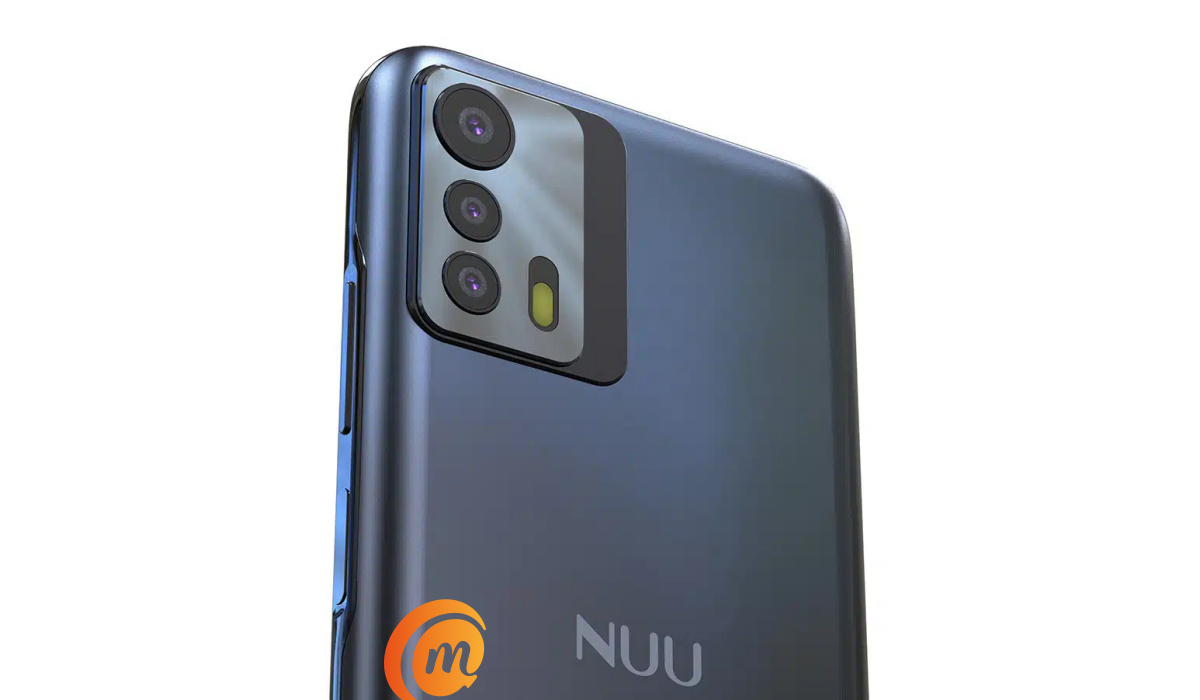
NUU B20 5G smartphone In colour blue
- Main Camera : 48 MP main sensor + 16MP ultrawide lens + 2MP macro lens, autofocus, LED flash, 1080p@30fps video recording
- Front Camera : 8 MP, fixed focus, Face Recognition, 1080p@30fps video capture
Audio, Video Playback
- Music Support : PCM, AAC / AAC + / eAAC + / MP3 / AMR – NB / WB / APE
- Audio : 3.5 mm audio jack
- Loudspeaker : Mono speaker
- Video Support : H.264/MP4/MPEG4 player
- FM Radio :
Phone Sensors
- Digital Compass : Yes.
- Accelerometer : Yes.
- Proximity Sensor : Yes.
- Ambient Light Sensor : Yes.
- Barometer : No.
- Pedometer : No.
- Heart Rate Monitor : No.
- Gyroscope (G-Sensor) : Yes.
- Fingerprint Scanner : Yes; side-mounted.
- Face Unlock : Yes.
- Iris Scanner : No.
- Motion Sensing / Gesture Control : No.
- Voice Control : No.
- Intelligent Digital Assistant : Yes; Google Assistant.
- Infra-red Blaster : No.
Connectivity Options
- Bluetooth Version : 5.1
- Bluetooth Profiles : A2DP
- WiFi : Wi-Fi 802.11 a/b/g/n/ac, hotspot
- GPS : Yes, A-GPS
- USB : microUSB v2.0. Type-C. USB-OTG.
- NFC : Yes.
Miscellaneous Specs and Features
- Battery Type and Capacity : Non-Removable Lithium-Polymer 5000 mAh
- Battery Charging : 18W fast charging
- Wireless Charging : No.
- Reverse Charging : No.
- Model Version/Number :
Launch/Release Dates and Information
- Announced : November 2022
- Release Date : November 2022
Pricesin the USA, UK, and EU
- USA : $187.40
- United Kingdom (UK) : £
- European Union (EU) : €
The above prices may change with time from country to country, as market forces and economic policies influence product price movements.
Does NUU B20 5G have Google Play Store?
It supports Google Services and software applications, including Play Store and Maps, Gmail, YouTube, and others.
Will NUU B20 5G work in the USA?
This is a GSM phone and is supported on US GSM carriers like AT&T and T-Mobile and other networks riding on their networks. It does not support CDMA networks. Do make inquiries from your carrier to know what bands/frequencies are supported on their service.
MobilityArena Buyer’s Guide Verdict
Not available.
Our Buyer’s Guide Verdict is a recommendation based on the specifications of the device and a general guide to help you understand how much value a device offers for its price. It is not an endorsement of the device. Ask questions and use your judgement when buying any device; MobilityArena takes no responsibility for your buying decisions .
