Add MobilityArena as a preferred source on Google
You might be hearing it for the first time, but Samsung phones have a Liquid Indicator built into them. It is also called a water damage indicator . What is the job of the Samsung Water Damage Indicator? To tell you if water got into your phone, so you can have it fixed before massive damage is done.
Water or liquid damage is one of the most common problems that smartphone users dread. One minute, you are having fun around the pool or at the beach. The next, your beloved smartphone drops and takes a dunk in the water.
Of course, you freak out and fish it out as fast as possible. How do you determine the extent of the damage, if any? Aha! That is where the built-in indicator comes in. After your Samsung phone gets wet, all you have to do is check the indicator to see whether water got into it.
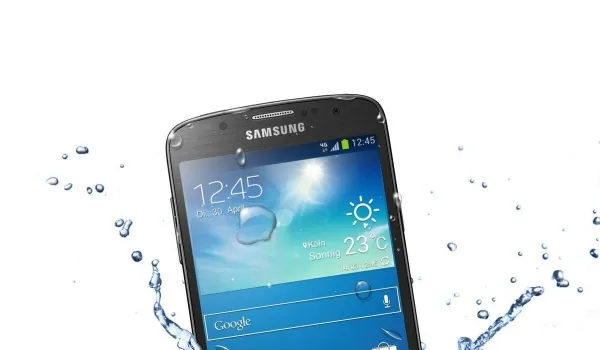
- How to Check Your Phone for Liquid Damage, using the Samsung Water Damage Indicator
- How to locate the Samsung Water Damage Indicator
- Samsung tablets too
- If your phone gets water damaged
How to Check Your Phone for Liquid Damage, using the Samsung Water Damage Indicator
The indicator is a white strip under normal circumstances. If it has turned pink or red, that is a sign that water got into your phone.
As a rule, the Samsung water damage indicator is located inside your phone in a spot where water and other liquids should not normally get to. So, it isn’t visible from the outside. Let’s explore where it is located.
How to locate the Samsung Water Damage Indicator
Newer Samsung smartphones have the liquid indicator located as a sticker underneath the SIM card tray. So, to inspect it, you have to eject the tray and then look inside the tray slot to see the sticker. You might need a flashlight for this.
Shine your flashlight into the SIM/MicroSD slot. If your smartphone has been exposed to moisture, the indicator will be pink, purple, or red.
If it has not been exposed to moisture, the indicator will be solid white or solid white with pink or purple Xs.
On older Samsung smartphones with removable batteries, should you still own one of those dinosaurs, the sticker is located on the battery. Remove the battery to check.
Samsung tablets too
Samsung water damage indicators can also be found in Samsung tablets as well, and all of the above information and instructions apply the same way.
If your phone gets water damaged
Lastly, should your phone get wet , here are 5 things not to do by way of first aid before sending it to an authorized service centre.
Whatever you do, make sure that only authorised personnel open up your Samsung smartphone or tablet, especially if it is still under warranty. Having non-certified or non-authorised persons up it up can void your device’s warranty.
Author:InfoDesk
Add MobilityArena as a preferred source on Google
Rooting your Android phone used to be as simple as downloading Kingroot APK , installing and clicking one button. But Kingroot has run into troubled times in recent years. Plus, rooting has got more difficult for devices running Android 6 Marshmallow and newer. But there are alternatives like SuperSU Pro and Kingo Root .
We are recommending only rooting methods that do not require a PC. This is because we understand that many people interested in rooting their devices have little access to a PC. All three apps are free.
What of device support? It varies from one root app to another. Some will work on some devices, but not others. Some root devices running Android 8 Oreo, while others are stuck on support for Android 7 Nougat.
What are the pros and cons of rooting your phone?
Rooting gives you deeper control over your phone. If your device manufacturer has uninstallable apps pre-installed on the phone, rooting gives you access to uninstall bloatware. You will also be able to prevent unwanted apps from starting on boot. This can greatly improve the performance of your device.
If you want to boost the performance of your phone, rooting lets you overclock it. This will drain your battery faster, but your phone will handle tasks better. On the flip side, you can also under-clock your phone. You might have a powerful phone but desire better battery life. Under-clocking is the way to go then.
In addition, if you love to play around with different firmware, rooting is the way to go. This is also useful and great if your device manufacturer is slow with software updates. You can install ported versions of the most up-to-date software to your rooted device. And don’t forget custom ROMs. If you are a lover of those, rooting is something you want to do.
Note that MobilityArena and its principals take no responsibilities for any apps you download and use as a result of reading this article. If you choose to root your phone, it is all on you. Your Android phone can easily get damaged during rooting. Plus, rooting voids your device’s warranty. Even google is not a fan of rooted devices and so offer no support for them. Proceed at your own risk.
Download KingRoot APK
You came here looking for KingRoot APK, so we shall present that to you first. You can download it from the official website . If you run into trouble using it and would like to try out alternatives, jump to the sections below.
Download SuperSU Pro
This is another free root app you can use without the need for a PC. You can download the SuperSU Pro APK file directly from the developer’s website and install on your mobile device.
Download Kingo Root
Kingo Root says it has a success rate of over 60%. The app also offers Kingo SuperUser, a superuser access management tool for rooted Android devices. It is a fine alternative for SuperSU to manage root permission after rooting your Android. Get it from the developer’s website .
How to root your phone
All the apps listed here are one-click root apps. That means after installing KingRoot APK, SuperSU Pro APK or Kingo Root APK files, all you have to do is launch the app and click the “Root” button. You may need to reboot your phone after that, and that is it. Enjoy your root privileges.
How to unroot your phone
Unrooting your phone is quite easy. With many of these apps, just uninstall the root app to unroot your smartphone.
May the force be with you
- Don’t miss our reviews .
- Follow our news on Google News .
- Join our WhatsApp Group , to be notified of the most important articles and deals,
- Follow us on Instagram , Facebook , Twitter , and YouTube .
