Add MobilityArena as a preferred source on Google
This v9 Bluetooth headset review has a very interesting background story. My son was digging around the house about 2 weeks ago and came running to me to ask, “Daddy, is this yours?” In his hand was a slightly worn but impressive-looking Bluetooth headset – the V9. I have no recollection of ever buying one, receiving one as a gift, borrowing one, or stealing one.
Mrs. Mo is not a gadget person and rarely buys these things. I am her plug for her gadgets. We are agreed that the v9 doesn’t belong to her either. So, honestly, I have no idea what it was doing in our things or our home. But an opportunity to play with a mobile accessory had presented itself and what else could be the outcome if not a review here on Mobility Arena?
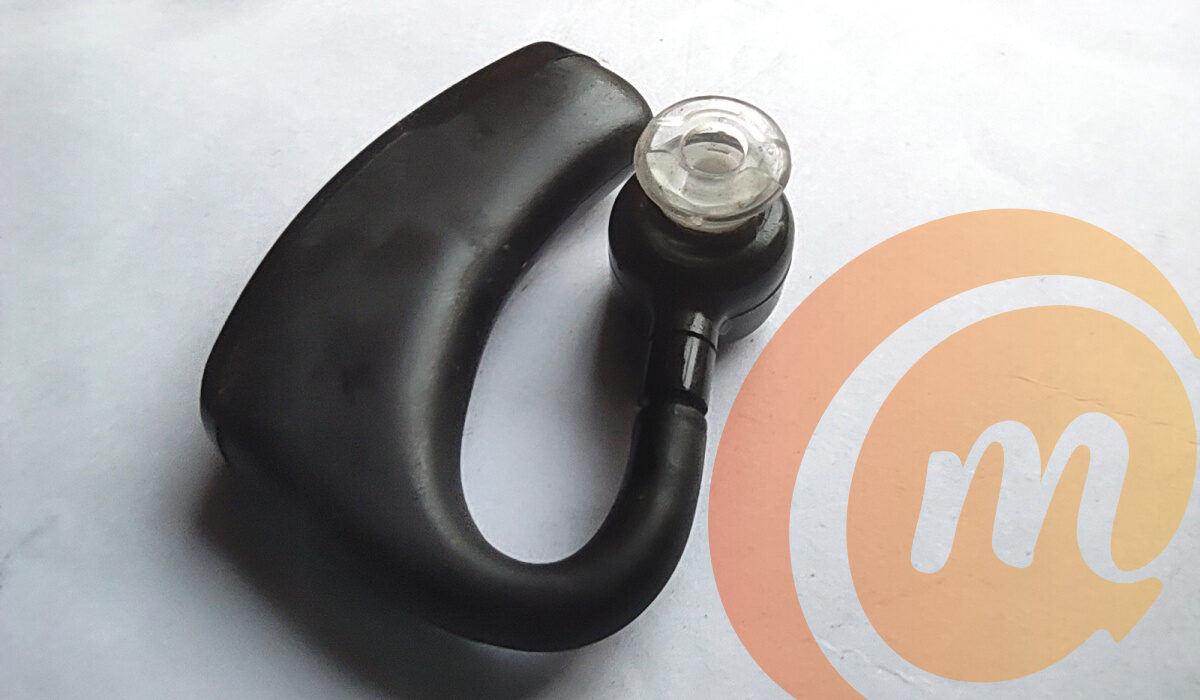
If my findings on Google are anything to go by, the V9 Wireless Bluetooth Earphone was released in 2017 or thereabout, so it doesn’t exactly qualify as new in the market. But it looks great and is packed full of nifty features. And it is still on sale, so why not? It just might be the Bluetooth wireless headset you are looking for.
Let me walk you through the key specs and features of this interesting Bluetooth wireless headset.
- v9 Bluetooth headset review: quick specs
- v9 Bluetooth headset review: Design
- How to pair v9 Bluetooth headset
- v9 Bluetooth headset review: In Use
- v9 Bluetooth headset review: Audio
- v9 Bluetooth headset review: Battery Performance
- v9 Bluetooth headset review: Conclusion
v9 Bluetooth headset review: quick specs
- Bluetooth 4.1
- Noise Cancelling Technology: Triple Mic Technology cancels background and wind noise when in crowds.
- HD Voice quality
- Battery: Li-ion 90mAh
- Can pair and connect with 2 devices at a time
- Auto-reconnect
- Caller ID Report: Announce Coming Caller’s Phone Number
- Voice control: Answer/cancel calls with your voice
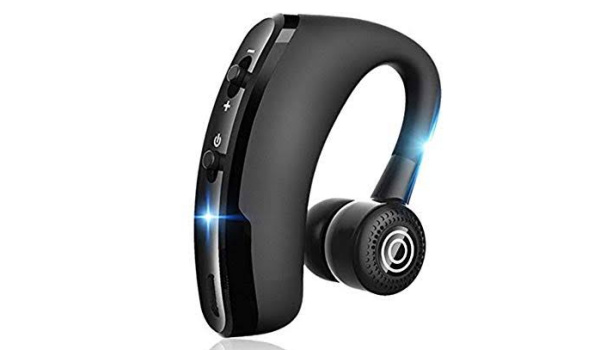
- 180 degree flip-boom arm: rotate the earpiece 180° for left and right ear wear
I couldn’t find a pack for the v9 and so cannot provide you with first-hand information about what is in the sales box. But e-commerce sites list the package contents as follows:
- the earphone itself,
- USB charging cable,
- an earcap,
- English user manual
v9 Bluetooth headset review: Design
The V9 headset itself has an ear hook (or flip-boom) that wraps over your ear and an in-ear earpiece. This gives it a very badass, high-tech look. The design is such that you can rotate the flip-boom 180 deegrees, which means you can use the V9 headset with either ear. So, whether you prefer it on your right ear or the left one, it is a matter of simply rotating the ear piece.
The V9 Bluetooth headset doesn’t feel heavy but its presence is felt when it is on. I wondered why the ear hook has to be that big though. I figured that one reason for the size must be the battery, and I will come to that later in this review.
The earbud is made of silicone and is comfortable in the ear.
How to pair v9 Bluetooth headset
To pair the V9 headset, I long pressed the power button for a few seconds till the indicator light flashed blue and red alternately, and then went into the Bluetooth mode of my phone (Xiaomi Mi Note 10 Pro this time) to initiate a search for a new device. Shortly, the name “V9” shoed up and tapped on that to pair. Voila. All set up.
A quick look at the device info in my phone’s Bluetooth menu indicated that the V9 supports not just phone calls but also media playback (Yay!) and contact sharing (which should mean support for Caller ID).
v9 Bluetooth headset review: In Use
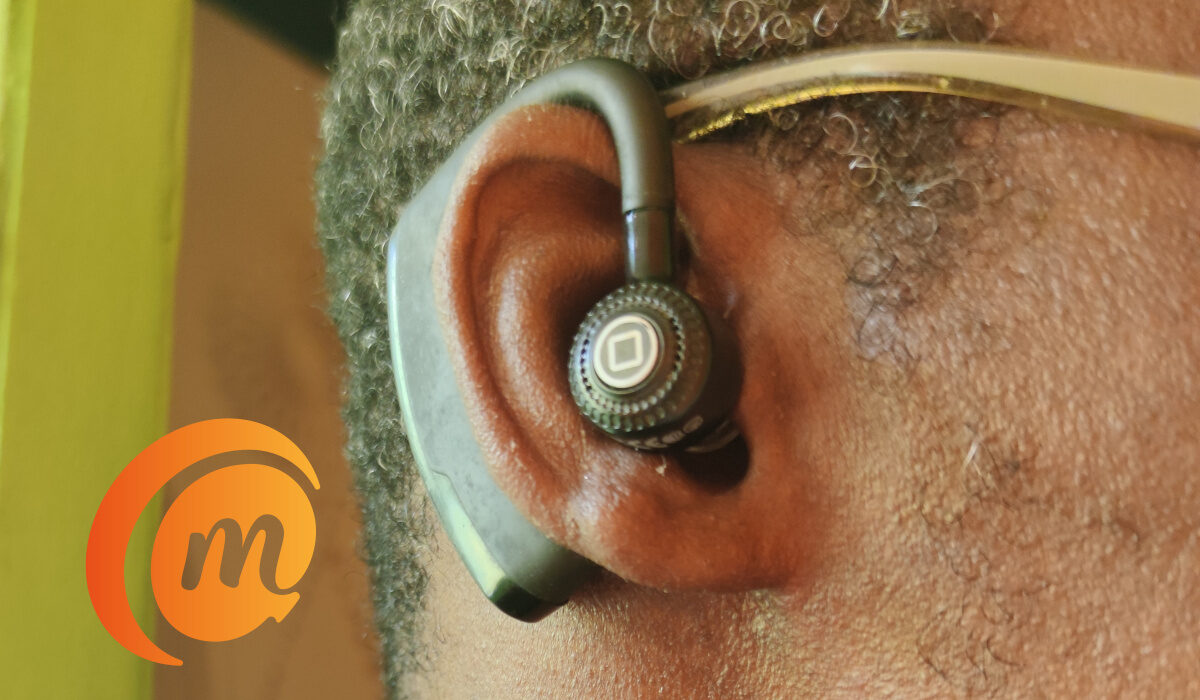
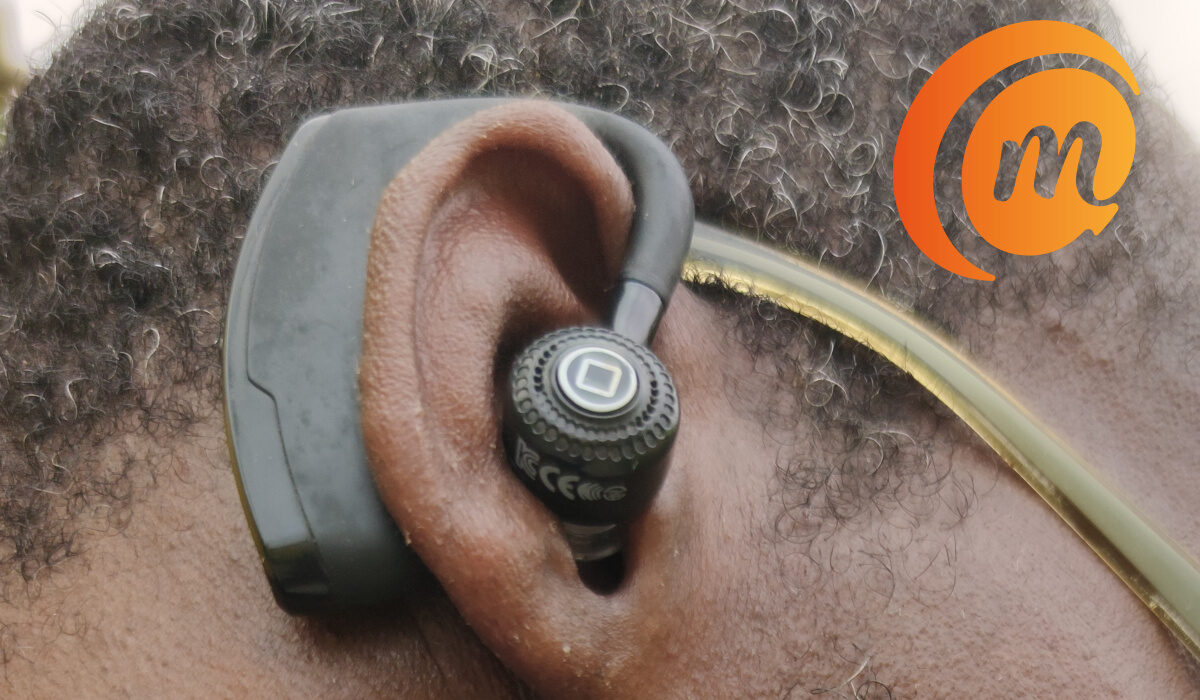
In use, the v9 fits comfortably wrapped around my ear. I can feel its presence when on, and I half expected that it would begin to weigh me down after a while. So far, that is yet to happen. Being that the ear hook wraps around the ear though, it is a mild obstruction when I have my glasses on. It isn’t anything huge: just a mild distraction.
v9 Bluetooth headset review: Audio
In use, volume is loud and more than adequate. The quality of audio is also very good. The V9 does a good job of keeping things clean and clear.
You can control the volume of your music playback or in-call audio from the headset itself by short pressing the button up or down. If you long press the volume button during music playback, it skips to the choose next/previous song on your play list.
The voice control is a nifty feature for when driving or other situations where you need your eyes and hands free. Just say “Yes” to answer an incoming call or “No” to cancel it.
When an active call is terminated, the V9 Bluetooth headset tells you, “Phone has hang up,” so you are not in doubt. It is poor English (indicating that this is a Chinese product, if you were in doubt), but this is one headset that is designed to help you keep distractions away.
v9 Bluetooth headset review: Battery Performance
The product listings say the V9 has a 90mAh battery and that it will deliver 20 days of standby time and 10 hours talk time. I have used it on a single charge for a few days of driving and it is yet to die out on me.
In all, the battery performance is much better than what the Xiaomi Mini earbud offers, a little better than what the Jabra Talk5 offers, and just about at par with what the Oraimo Bluetooth Necklace offers. So, one reason for the size must be the battery.
Charging time is a little less than 2 hours, and the V9 has a feature that reminds you to charge the headset when it is low on battery power.
v9 Bluetooth headset review: Conclusion
Meanwhile, if you are my friend and your V9 Bluetooth headset is missing, perhaps it is with me! Holla at your boy. Getting me to actually return it might be difficult though.
Author:Mister Mobility
Digital Skills and Communication Coach | Mobile Phone Connoisseur since 2001 | Tech Blogging since 2004
Add MobilityArena as a preferred source on Google
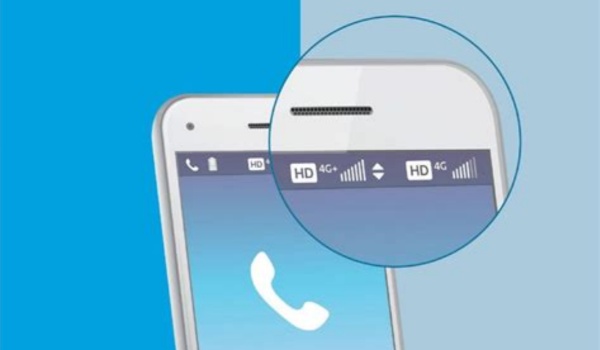
What is the meaning of VoLTE on your phone? What are VoLTE calls, how does it work, and what are the benefits? VoLTE is an acronym for Voice Over LTE. Simply put, Voice over LTE occurs when a mobile network allows you to place a phone call over your 4G LTE connection instead of on 2G and 3G networks. It is voice calls made over a 4G LTE network. VoLTE has up to three times more voice and data capacity than 3G technology and up to six times more than 2G.
Voice over LTE enables you to make very clear voice calls with reduced background noise on the 4G LTE network. Which is why is also called HD Voice, 4G Calling, or VoLTE calls depending on where you are asking.
- What are VoLTE calls?
- How do VoLTE calls work?
- What Are The Benefits of Voice Over LTE?
- Does VoLTE drain battery?
- How to use Voice over LTE
- Onwards Voice Over LTE
- What phones are VoLTE-enabled?
- Does AT&T have VoLTE?
- Does Verizon have VoLTE?
- Does T-Mobile have VoLTE?
- How to enable or turn on VoLTE on an Android
- How to enable or turn on VoLTE on iPhone/iOS Device
- Voice over LTE In Summary
What are VoLTE calls?
VoLTE calls are telephone voice calls that are routed over a 4G LTE network.
How do VoLTE calls work?
4G LTE networks are data only, meaning that traditional network voice cannot happen over LTE. Voice over LTE is a technology that carries voice over an LTE network, similar to the way VoIP works. On traditional mobile networks, voice is handled via a circuit switched (CS) system. Voice over LTE is the replacement for that.
But the problem is that Circuit Switched and Voice over LTE networks have some incompatibility issues. As such, whenever a traditional voice call is initiated/received on a 4G smartphone, the phone has to switch to 2G/3G to handle it. This is called CS fallback (CSFB). This is also why pegging your 4G smartphone to 4G-only mode means you are unable to receive and make calls.
In future, all mobile network calls will be handled by VoLTE, but only after 2G and 3G have been phased out. For now, the two technologies exist side-by-side on your Voice Over LTE smartphones.
What Are The Benefits of Voice Over LTE?
The benefits of Voice over LTE include better audio quality and lower expenses on voice calls, because the calls happen over your 4G data connection. Voice over LTE or HD Voice also allows you to continue internet usage on the phone whilst making a phone call at the same time, without any interruptions.
Does VoLTE drain battery?
VoLTE is optimized technology to not consume battery any more than EDGE, GPRS, UMTS, and WCDMA do. If you are using a 3rd party app for Voice over LTE though, depending on how well optimized the app is, you might experience increased battery drain. Also, as with all wireless technology, if you are in an area with poor network coverage, your battery will drain faster as your phone does more work to stay connected.
How to use Voice over LTE
If your smartphone supports Voice over LTE, you can activate it by going to the phone Settings. Generally, you need to find the Cellular networks or Calls settings in your phone, under which you will find the Voice over LTE or HD Voice or 4G Calling settings, and toggle it on there. Down this article, I have included more specific directions to guide you in enabling it on your different Android phones and iPhones.
Once done, your smartphone can receive voice calls that are transmitted over the 4G LTE network. If your 4G smartphone does not support the technology, you can still do VoLTE calls by using a 3rd party app, usually provided by your network operator or carrier.
Onwards Voice Over LTE
Obviously, VoLTE/4G Calling/HD Voice is a new technology. It is already available in countries like Singapore, USA, UK, China, Canada, and others.
What phones are VoLTE-enabled?
There are a number of modern smartphones out there with support for Voice Over LTE. They include:
- Apple iPhone 6 and iPhone 6 Plus and newer.
- Samsung Galaxy S4 and newer and Galaxy Note 3 and newer
- the most recent Sony Xperia flagships
- Phantom X and newer
- Infinix Zero X, Infinix Zero X Pro, and newer
- a few devices from Motorola, LG, HTC and others
This is a very short list and has only been compiled to provide examples. The catalogue of 4G smartphones and 4G feature phones that support Voice over LTE is much bigger and constantly growing at a fast pace with each passing year.
Does AT&T have VoLTE?
Yes, AT&T supports VoLTE, or Voice over LTE, which allows you to make high-quality phone calls over your 4G LTE connection instead of the older 3G network. VoLTE also enables you to use voice and data simultaneously during a call.
To use VoLTE on AT&T, you need a compatible device that has been certified by the carrier. You can check the list of compatible devices on AT&T’s website. You also need to enable VoLTE on your device settings.
Does Verizon have VoLTE?
Yes, Verizon supports VoLTE, or Voice over LTE, which allows you to make high-quality phone calls over your 4G LTE connection instead of the older 3G network. VoLTE also enables you to use voice and data simultaneously during a call.
To use VoLTE on Verizon, you need a compatible device that has been certified by the carrier. You can check the list of compatible devices on Verizon’s website. You also need to enable VoLTE on your device settings, as detailed in another section further down in this article
Does T-Mobile have VoLTE?
Yes, T-Mobile supports VoLTE, or Voice over LTE, which allows you to make high-quality phone calls over your 4G LTE connection instead of the older 3G network. VoLTE also enables you to use voice and data simultaneously during a call.
To use VoLTE on T-Mobile, you need a compatible device that has been certified by the carrier. You can check the list of compatible devices on T-Mobile’s website. You also need to enable VoLTE on your device settings.
How to enable or turn on VoLTE on an Android
The specific steps for enabling Voice over LTE or HD Voice on an Android smartphone varies from one manufacturer to another, because of the customisations they make to the operating system. Here are guides for a few options.
- Go to Settings .
- Click on Network & Internet .
- Tap Call .
- Enable VoLTE / HD Voice/ Enhanced calling.
Or:
- Go to the dial pad of your phone.
- Tap the 3 dots/menu in the top right.
- Click on Call Settings .
- Tap to enable VoLTE / HD Voice / Enhanced calling.
Or:
- Go to Settings
- Select SIM & Network settings
- Select the SIM you want to use for HD Voice or 4G Calling and scroll down to “ Preferred network type ”
- Select 2G/3G/4G auto as the preferred network type.
- Toggle on “ 4G Calling ”
- Restart your device to complete the provisioning process to start making VoLTE calls.
How to enable or turn on VoLTE on iPhone/iOS Device
- Go to Settings .
- Click on Cellular.
- Go to Cellular Data Options.
- Tap Voice & Data .
- Select LTE
- Toggle the VoLTE slider on
Voice over LTE In Summary
In summary, Voice over LTE is the transmission of voice calls over a 4G data connection. It is the way that voice calls on mobile networks will be handled in the future after all 2G and 3G networks are shut down. Many countries have begun that migration already and are already shutting down 2G and 3G networks.
Author:Mister Mobility
Digital Skills and Communication Coach | Mobile Phone Connoisseur since 2001 | Tech Blogging since 2004
