Add MobilityArena as a preferred source on Google
The Vivo Y51A has launched in India as the latest addition to the company’s increasing number of Y-series smartphones. This new entrant is rather similar to the Y51 which launched last month and features triple rear cameras and has the Qualcomm Snapdragon 662 SoC under the hood.
The dual-SIM (Nano) Vivo Y51A launched with the Funtouch OS 11 based on Android 11 and brings 128GB of onboard storage to the table (that is expandable via microSD to 1TB). It is built around a 6.58-inch full-HD+ (1,080×2,408 pixels) LCD display with a 20:9 aspect ratio.

Under the hood, the octa-core Qualcomm Snapdragon 662 SoC is hooked to 8GB of RAM and keeps this device ticking, also offering 4G support.
In the camera department, this smartphone’s triple-rear camera setup consists of a 48MP primary sensor assisted by an 8MP ultra-wide-angle sensor and a 2MP sensor. Up front, a 16MP sensor takes care of selfies and video calls.
The Vivo Y51A launched with two color options, Crystal Symphony and Titanium Sapphire color schemes. It also brings a 5,000mAh battery that supports 18W fast charging. It is currently limited to India with no details yet telling us when this smartphone will reach other markets.
It is available in a lone storage variant, an 8GB+128GB variant which costs $245. It weighs 188 grams and measures 163.86×75.32×8.38mm.
Vivo Y51A Price and Specs
- OS: Android 11 with FunTouch OS 11
- Release Date: January 2021
- RAM: 8GB
- ROM: 128GB
- Network Type: 3G/4G
- Selfie Camera: 16MP
- Rear camera: 48MP+8MP+2MP
- Display: 6.58-inch full-HD+ (1,080×2,408 pixels) LCD display with a 20:9 aspect ratio
- Battery: 5,000mAh with 18W fast charging
- Processor: Qualcomm Snapdragon 662 SoC
- Price: $245
References
- Source ;
- Source .
Author:Alfa Baye
Staff Writer
Add MobilityArena as a preferred source on Google
The iPhone has gone on to become one of the more popular brands of smartphones ever since its debut in 2007, going on to sell millions of units worldwide. As good as these devices are, they suffer a number of glitches, with one of the more popular ones causing the device to overheat. In this article, we will examine why your iPhone overheats and how to take care of this issue yourself.
The iPhone was built to operate optimally in temperatures ranging between 0 0 C and 35 0 C (typical ambient temperature or room temperature), with the device notably struggling to function properly at temperatures outside of this range.
Just before we go into why your iPhone overheats, please know that there is a difference between a warm device and a hot device. It is not unusual for your iPhone to be warm, especially as most smartphones do not have the technology to dissipate heat like laptop computers do. But when your device flashes a temperature warning message or feels too hot to handle, then you should take these steps to cool it down and avoid any serious damage.
- Check your iPhone charger: Sometimes, using a charger that is not a good fit for your smartphone can overload the battery, making the device heat up unnecessarily.
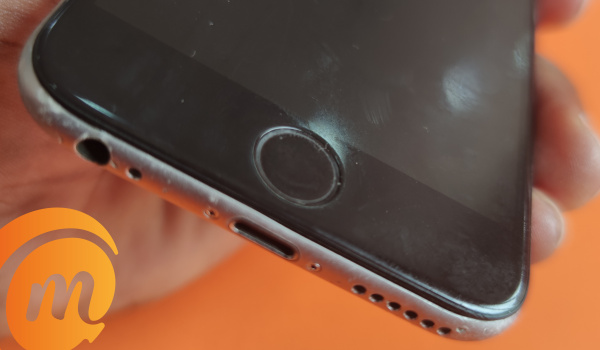
Turn off Background refresh: Background refresh helps you stay up to date with your apps, constantly refreshing apps on your device. While this feature has its upside, it can work up your battery too much, making your device a bit too hot especially on hot days. If you iPhone overheats already and you want to turn off Background Refresh, go to App Settings and toggle it off from there.
Take off your phone case: While this seems like a no-brainer, certain people do tend to forget that an extra layer of insulation around a device can make it feel warmer, as the metal case will be unable to dissipate heat as fast as possible. So, when next your iPhone overheats, remove its case (or pouch) and see if it improves.
Check out your apps for any suspicious apps: When your iPhone overheats at cooler room temperatures, it may be a direct result of a malicious app hidden somewhere on your iPhone. What you should do is, go to Settings , then click on General . Choose iPhone storage to see a list of your apps alongside how much storage it takes up, if you notice any suspicious app (especially third-party apps), uninstall it, restart your iPhone and see if your iPhone overheats.
If you have tried these tips above and your iPhone still overheats, then I recommend you see a specialist to check out your iPhone’s battery.
Author:Alfa Baye
Staff Writer
