Add MobilityArena as a preferred source on Google
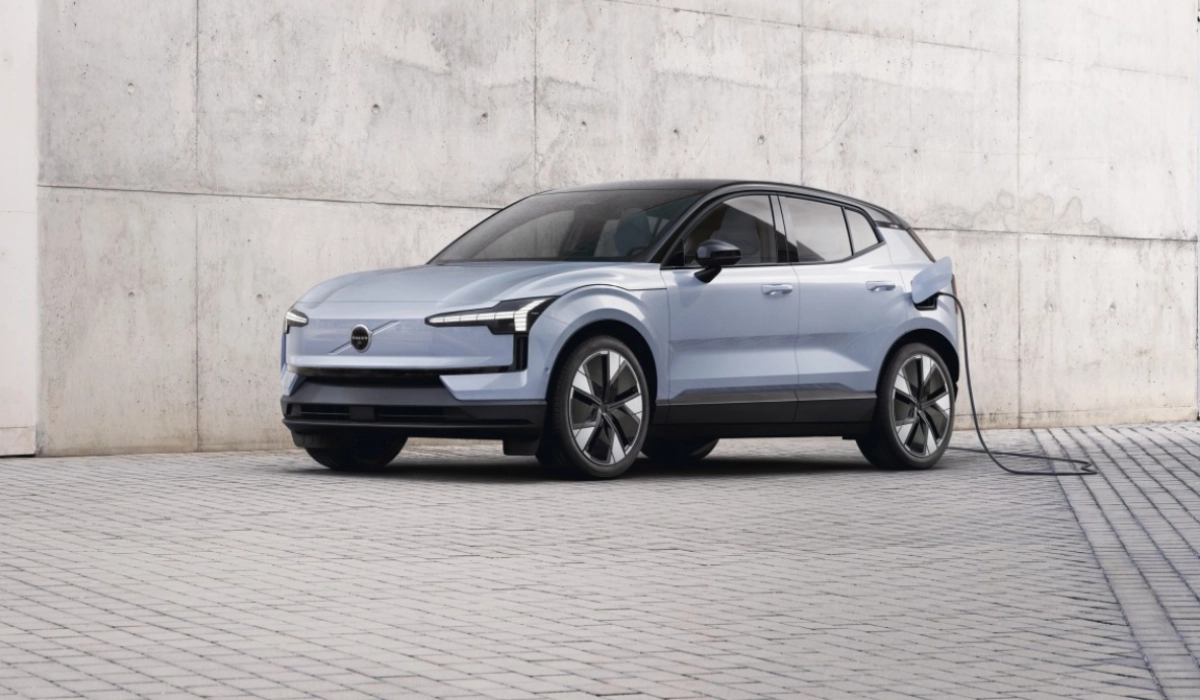
Volvo EX30 electric is the smallest SUV ever by the Swedish carmaker, and it also has the smallest carbon footprint of any Volvo till date. Small as it is, it comes with a range of performance features that make it a sweet deal.
The EX30 supports Google and Apple CarPlay. It comes in multiple trims, with options of three powertrains (LFP single motor, extended range single motor, and twin-motor), allowing for buyers to come up with multiple combinations to satisfy their needs and taste. Below is an itemised look at the available powertrains.
- Three Powertrains
- How quickly can you charge Volvo EX30?
- Acceleration
- Trims: Specs, and features Volvo EX30 Core Volvo EX30 Plus Volvo EX30 Ultra
- Price and Availability
Three Powertrains
The Standard powertrain uses a 51 kWh battery pack and single motor, and has a range of 141 miles (334 km) on a single charge. It supports up to 134 kW fast charging.
The Extended Range powertrain has a 69 kWh NMC battery pack and a stronger single motor. It delivers a driving range of 198 miles (480 km) on a single charge. It supports up to 153 kW fast charging.
As the name indicates, the Twin-Motor Performance powertrain use a two electric motors. Like the Extended Range powertrain, it supports up to 153 kW fast charging.
How quickly can you charge Volvo EX30?
Volvo says that you will be able to charge any of the the EX30 options from 10% to 80% battery capacity in 26.5 minutes.
Acceleration
As for acceleration, the Single Motor Extended Range will go from 0 to 60 miles per hoir in 5.1 seconds, while the Twin Motor Performance powertrain will go from 0 to 60 miles per hour in 3.4 seconds flat.
Trims: Specs, and features
The EX30 comes in the following trims: Core, Plus, and Ultra, as described in detail below.
Volvo EX30 Core
The Core trim comes with adaptive cruise control and a number of other basic features. You can opt for the Standard powertrain or the Extended Range powertrain.
Volvo EX30 Plus
The Plus trim comes with a Harman Kardon audio system. You can choose to go with the standard powertrain, the Extended Range powertrain, or the Twin Motor Performance powertrain.
Volvo EX30 Ultra
The Ultra trim version adds a panoramic glass roof and Volvo’s smart Park Pilot Assist ADAS. Park Pilot Assist enables the EX30 to steer, accelerate, and brake to take care of most of the parking itself, including finding good parking spots and executing parallel parking.
The EX30 Ultra is only available with either the Extended Range powertrain or the Twin-Motor Performance Range powertrain.
Price and Availability
- Core trim starts at $34,950 in the United States (€36,770 in Europe)
- Plus trim starts at about $37,000 in the United States and €39,735 in the European Union.
- Ultra trim starts at about $45,000 in the U.S., and €48,749 in Europe for the Extended Range version and about $49,000 (USA) and €52,000 (EU) for the Twin-Motor version.
By way of comparison, Tesla’s Model 3 costs over €40,000, and that is the cheapest model from the American EV company. The most affordable EV models from European brands like Audi, BMW, and Mercedes Benz, cost over €56,000, making the Volvo EX30 an attractive offer for anyone looking for an affordable compact electric SUV.
The Volvo EX30 is available for pre-order in the United States, so it isn’t shipping yet there. Buyers in Europe and some other markets are luckier and can place their order right away.
The EX30 is produced in China at a plant operated by Geely, the controlling shareholder in Volvo.
Author:Mister Mobility
Digital Skills and Communication Coach | Mobile Phone Connoisseur since 2001 | Tech Blogging since 2004
Add MobilityArena as a preferred source on Google
Android Auto allows you to use your phone for different functions while ensuring a safe and convenient driving experience. With the variety of apps available for Android Auto, I wouldn’t blame anyone that is confused about which ones to use. That’s why I’ve compiled this list of the best apps for Android Auto which I’m sure you’ll find very useful.
In this article, I’ll take a look at some of the best Android Auto apps in 2023. From music streaming to navigation apps, this guide has got you covered. So buckle up and find out which options you can benefit from to improve your driving experience.
What is Android Auto?
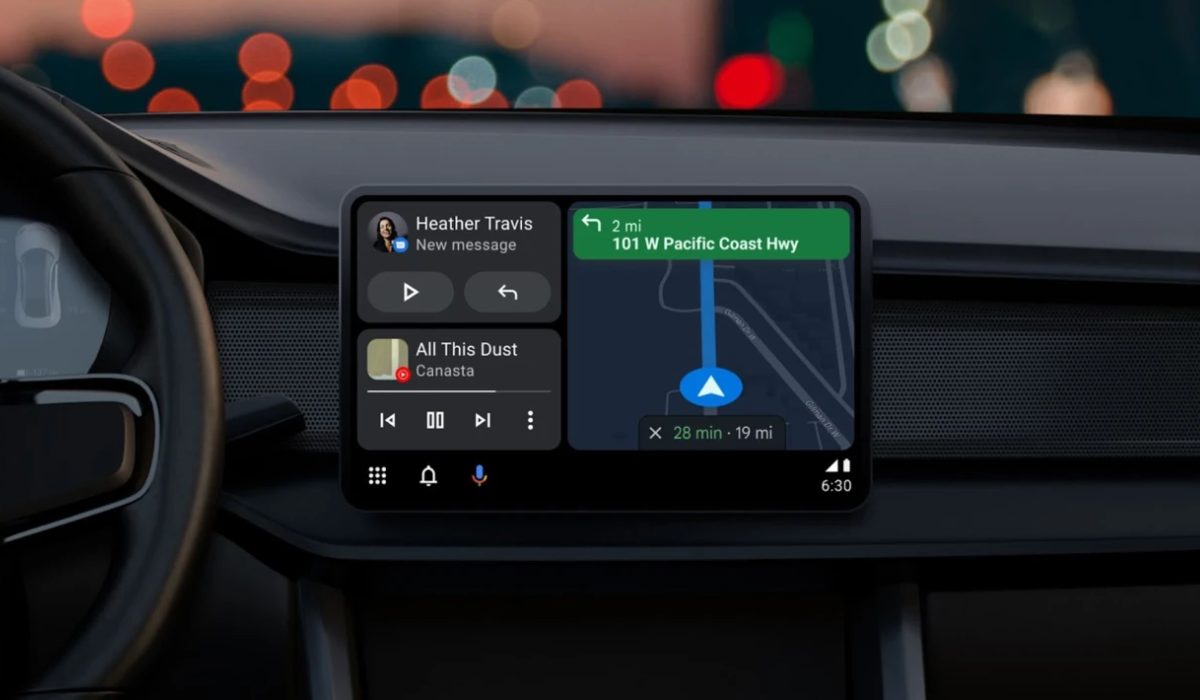
One of the best improvements you can introduce to a car’s center console is Android Auto. It provides easy access to phone calls, texts, and other features like weather or traffic information. Additionally, you can navigate practically anywhere, listen to all kinds of audio content, and ask Google a ton of different things. It can be used on any Android device and is rather simple to use.
After plugging your phone into the USB port in the car, all that remains is to set it up. Google released wireless Android Auto in 2018, but there are currently very few compatible cars.
What are the Best Android Auto Apps in 2023?
If you’d like to get more out of your driving experience without compromising safety, you’ll find Android Auto very beneficial. This feature is made even better with the right apps, so without further ado, here are some of the best Android Auto apps in 2023.
Spotify
With Spotify , one of the most widely used music streaming services, you get to listen to all your favorite songs while driving. To access your library, which includes recent items, albums, playlists, and more, all you’d have to do is slide out the left panel. I’d advise that you make a playlist of your favorite songs beforehand so you don’t have to fiddle with it while driving.
You can also start the radio for songs, add it to your library, and examine the play queue by tapping the arrow on the player, which also displays other controls. Keep in mind that you can only use Shuffle mode in the mobile app if you do not have one of Spotify’s Premium subscriptions.
Pandora
Pandora is another app that is right at home in Android Auto. Once you’ve signed into your account using the standard app, you can slide out the left sidebar to pick one of your favorite radio stations. It will continually play music as you drive.
Tap the arrow to show more of the Thumbs Up / Down buttons, which let you change the station. There are Replay and Skip buttons at the bottom, too. It’s a simple interface, making Pandora a great option when you just want to start some music and get going. Like most streaming services now, it also offers podcasts.
Google Maps
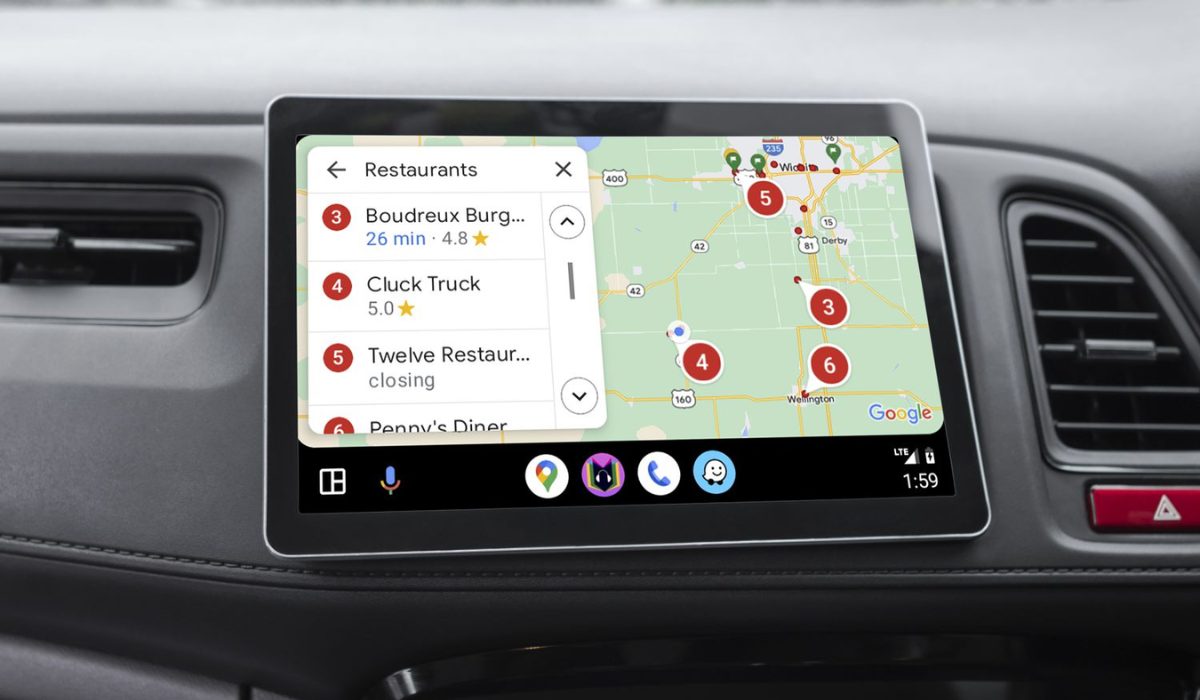
Google Maps is probably already on your phone, but it’s still important to mention it here. To use Maps and find your destination on Android Auto, tap the navigation icon. You can choose a destination using voice commands, by tapping the Set Destination box, or simply by leaving the app open to see traffic around you. The Android Auto version of Google Maps has a UI that is more straightforward and less cluttered, making it simple to navigate.
Waze
For many people, Google Maps remains the go-to choice for navigation, but Waze ‘s Android Auto app has a few more useful features that just might sway you. It informs you about traffic, accidents, and even police awaiting to apprehend speeders on your route thanks to information provided by other drivers. Waze can also reroute you automatically if necessary and helps you find the cheapest gas along the way.
If this is your first time using Waze, you can test both Google Maps and Waze on your Android Auto navigation system to discover which one works better.
Audible and OverDrive
The two most widely used audiobook services are Audible and OverDrive . They both support Android Auto as well and they function essentially the same. You can buy audiobooks to listen to while driving. It’s a fun alternative to music for those who want something a little less intense and works well for traveling or road trips. If you don’t want Audible, OverDrive is a substitute that works well enough.
iHeartRadio
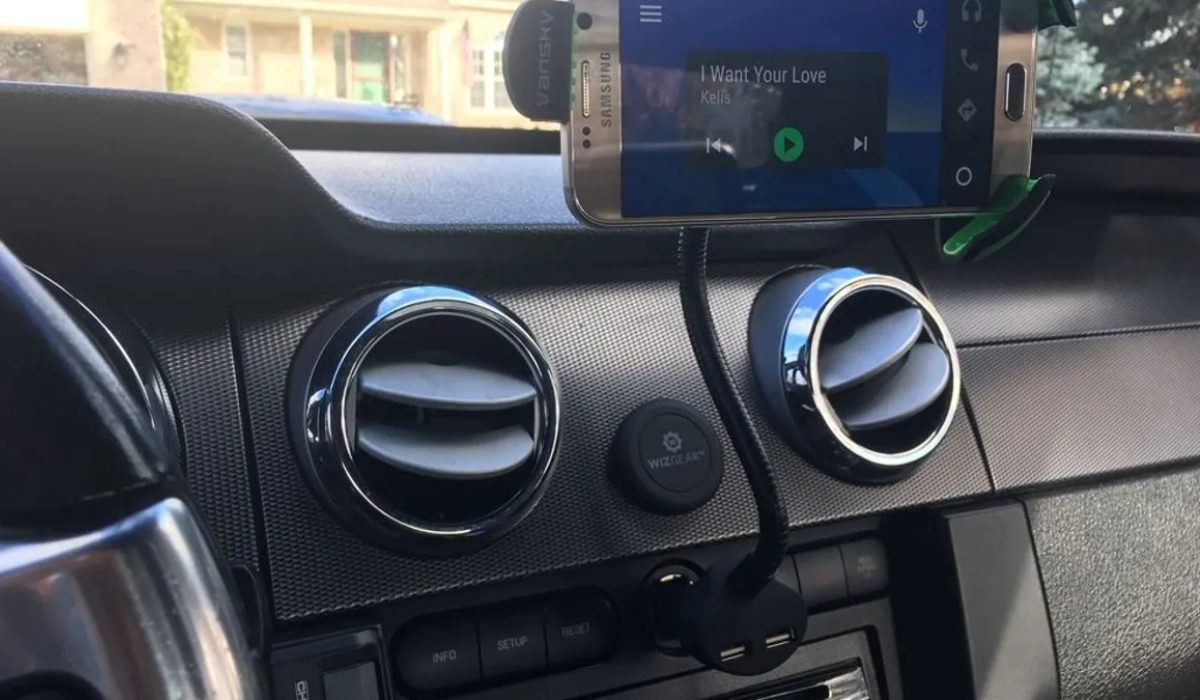
One of the best internet radio apps available is iHeartRadio , and Android Auto works perfectly with it. Along with actual radio stations, you’ll be able to access many other regular music stations. You can always use your car radio to listen to traditional radio stations, but iHeartRadio keeps everything inside Android Auto. The service is completely free with ads, and there is an optional subscription for those who want more content.
Telegram and Facebook Messenger
Facebook Messenger and Telegram have an Android Auto UI that can be lifesavers if you want to interact with your friends and family while driving. Sending messages is quick, all content is synced across your whole account (allowing you to continue where you left off when switching between devices), everything is protected, and you can delete your messages at any moment.
New features are regularly added to the Telegram app. There’s a lot to appreciate about this, and you can easily drive hands-free thanks to Telegram’s compatibility with Google Assistant and Android Auto. With Facebook Messenger, you can also use voice commands to send messages and hear read-aloud responses while keeping your eyes on the road.
Autovaras
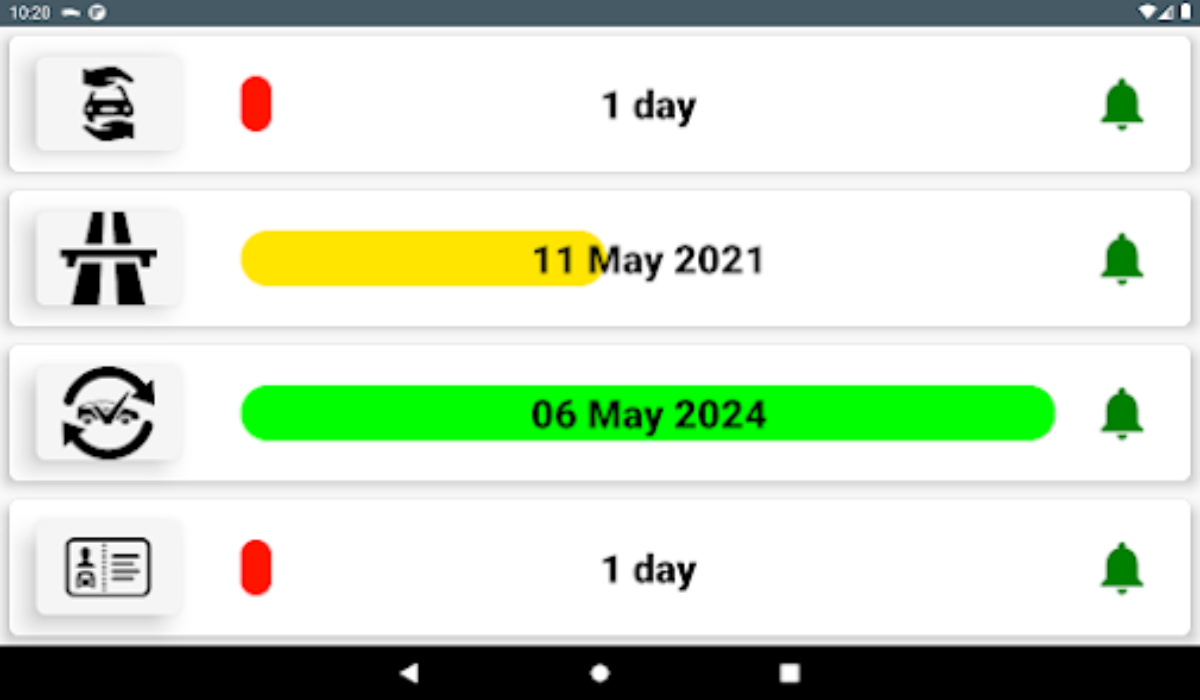
Autovaras is a car reminder app that you’ll find pretty useful for Android Auto. The app’s main function is to refresh your memory on any aspects that need attention in your vehicle. At the right time, the program also sends you relevant notifications.
For instance, you could get prompt reminders before your car insurance, road taxes, or periodic car inspections expire. In this manner, the Autovaras app acts as Android Auto’s faithful assistant. As such, I’d say it’s one of the apps to try out if you use Android Auto.
Pulse SMS
Pulse SMS features an auto-reply function, making it one of my top picks for Android Auto. So, if your current SMS service does not provide auto-responses, give Pulse SMS a shot. To access the auto-reply feature, all you need is to launch Pulse on Android Auto and slide out the left sidebar. Select Settings then scroll down to the bottom of the screen and select Advanced Features .
To use the function, navigate to the bottom of this menu and select the Message Features section. In that section, click the Auto Reply Configuration button. You can proceed with regular use after doing this.
To conclude , there are many excellent Android Auto apps available in 2023 that can make your driving experience much more enjoyable and convenient. I hope you found the suggestions in this guide helpful.
Ultimately, the best Android Auto apps will depend on your individual needs and preferences. If you’d like more app suggestions for different devices and purposes, check out these dedicated guides .
