Add MobilityArena as a preferred source on Google
In iOS 11, Apple is replacing JPEG images with a new image format called HEIC. Google has adopted HEIC images in Android P. Nokia supports HEIC images. Microsoft has done the same with Windows 10. Why? HEIC is a new image format that lets you take photographs with the same quality as JPEG format but at about 40% of the file size. That means you can store more images on your devices, as well as save data while upload/sharing images over the internet.
You may see HEIC mentioned in some places, and HEIF as well too. The simple explanation is that HEIC images are based on the technical HEIF standard. You may also see HEVC (High Efficiency Video Coding) mentioned. HEVC is what makes the compression that produces HEIC images possible. If all that confuses you, just note that HEIF images have filenames that end in HEIC, similar to how you currently have filenames that end in .jpg, e.g. mistermo.heic .
So, HEIC is an improvement on JPEG and may ultimately replace it for most case uses. For now though, it isn’t so popular yet, but the big boys are embracing it. It is already in use on some iPhones. For example, dual camera images captured on iPhone X, iPhone 8 Plus and iPhone 7 Plus use this format. Newer Macbooks also already support the file format.
- Who Created The HEIF/HEIC Format?
- HEIC Images Compatibility Issues
- How to convert iPhone photos from HEIC to JPG
- How to change your iPhone photos from HEIC to JPEG
- How to convert photos from HEIC to JPG on other devices
Who Created The HEIF/HEIC Format?
HEIC was not created by one single product manufacturer. It springs from the work of the Moving Picture Experts Group (MPEG), “a working group of authorities that was formed by ISO and IEC to set standards for audio and video compression and transmission”.
HEIC Images Compatibility Issues
Because it isn’t in widespread use yet, there are compatibility issues with HEIC. Not every device – desktop, cell phone and others – can display HEIC images yet. So, the immediate solution is to let users convert HEIC images to JPEG when they need to view them on unsupported devices.
If you own a modern smartphone, including an iPhone and have wondered why your photos are in HEIC format, welcome to the new world. You can convert your HEIC images to JPEG though. Follow the below guides.
How to convert iPhone photos from HEIC to JPG
Open the HEIC image you want to convert in Preview, then tap on File, then Export. Select the JPG Format option when saving it to the destination. Tap on Save. You now have a new copy of your HEIC image saved as JPG.
How to change your iPhone photos from HEIC to JPEG
Another approach that Apple has taken to address the current compatibility issue is provide iPhone users with the option to shoot photos in JPEG instead of HEIC. If you own an iPhone, you can dive into the Settings to change what format your phone uses for camera images, as follows:
Settings > Camera > Formats, and select “Most Compatible” to shoot in JPEG. If you select “High Efficiency”, your iPhone camera will shoot and save photos in HEIC format.
How to convert photos from HEIC to JPG on other devices
You can use any of the available third party photo/image editors on Android and Windows to convert HEIC images to JPEG.
Android OS now has the ability to take and display HEIC photos, as well as to convert JPEG photos to HEIC. Cnet reports that “A test version of Windows 10 – a step on the road to a version due this fall – has the ability to display HEIF images in its Photos app and any other software drawing on on Windows’ built-in imaging foundations.”
Adoption of HEIC will spread, the initial compatibility issues notwithstanding. Technology that saves storage space on devices and reduces file transfer sizes is gold, as humanity dives deeper and deeper into multimedia.
- Don’t miss our mobile phone reviews .
- Follow our news on Google News .
- Follow us on Instagram , Facebook , Twitter , and YouTube .
Author:Mister Mobility
Digital Skills and Communication Coach | Mobile Phone Connoisseur since 2001 | Tech Blogging since 2004
Add MobilityArena as a preferred source on Google
- Is it possible to upgrade my phone to 4G?
- How to upgrade or convert a 3G phone to 4G
- Just Replace Your 3G Phone With A 4G Phone
- How To Choose A 4G Phone
- How to Upgrade from 3G to 4G Network
Is it possible to upgrade my phone to 4G?
It is technically possible to upgrade your phone to 4G, but the process is beyond your skills and will be expensive. You are better off replacing your 3G phone with a new 4G phone. If you are interested in the details though, read on. How do I upgrade my phone to 4G?
As already said, technically, it is possible to convert a 3G phone to 4G. But you would have to be a highly skilled electronics engineer to pull it off. Let me explain.
How to upgrade or convert a 3G phone to 4G
To convert a 3G phone to 4G, you would need to change a number of key components in the device. These components include: the modem and the processor. You would need to replace the 3G modem in your phone with a 4G modem. Also, if the built-in processor does not support 4G, you would need to replace that with a 4G-compatible unit too.
Chances are that the phone’s software already support 4G, but you might also have to modify one or two things in that too. So, you pretty much have to dismantle your 3G phone and have these above modifications made in order to convert it to 4G.
Unfortunately, these parts that you need to replace are not sold in your local market, and the expertise required to make those changes are not exactly available in the average phone repair shop. Are you catching my drift? So, what do you do?

Can you convert a 3G phone to 4G?
Just Replace Your 3G Phone With A 4G Phone
If you currently own a 3G phone and want a 4G phone, just purchase a 4G phone. Then sell or gift out your old 3G phone. While it is technically possible to convert your 3G phone to 4G, it is largely impracticable. If you are looking for how to upgrade your phone to 4G, the answer is to buy a 4G phone.
How To Choose A 4G Phone
Before choosing a 4G phone, be sure to confirm that it supports the LTE frequency band of the 4G mobile operator that you want to use it on.
There are dozens of 4G frequency bands in use around the world by various cellular carriers. If you buy a 4G phone that does not support the 4G frequency that your operator/carrier uses, your phone will not be able to connect to that 4G network. And that would be a waste.
Now you understand that though it is possible to upgrade a 3G phone to 4G, it is mostly impractical and will cost an arm and a leg. It is just best to replace your 3G phone with a 4G smartphone.
How to Upgrade from 3G to 4G Network
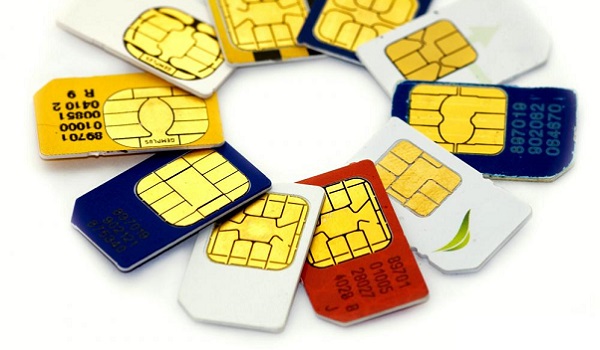
Now that you have a 4G phone, how do you upgrade from 3G to 4G network to enjoy the faster Internet speeds? If you are still using a 3G SIM card, you need to go do a SIM swap at your carrier and have that replaced with a 4G SIM card. If you do not upgrade your 3G SIM card, you will be unable to connect to the 4G network, though you have a 4G phone.
Author:Mister Mobility
Digital Skills and Communication Coach | Mobile Phone Connoisseur since 2001 | Tech Blogging since 2004
