Add MobilityArena as a preferred source on Google
When purchasing an iPhone, choosing between different configurations might become necessary. You might become curious about the differences between buying a locked iPhone, a factory unlocked iPhone, or a user-unlocked iPhone in this situation, and you’ll need all the information you can get.
In this guide, we’ll discuss what a factory unlocked iPhone is, and what sets it apart from locked iPhones. You’ll also learn some helpful tips that might influence your purchasing decision and help you get a deal that works best for you.
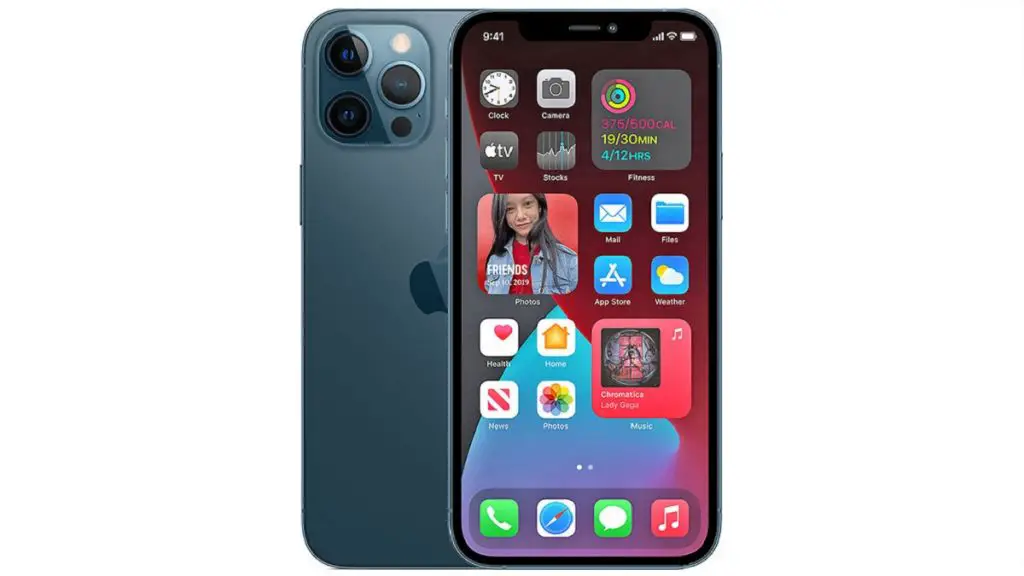
What is a Factory Unlocked iPhone?
- What is a Factory Unlocked Phone?
- Differences Between Locked and Unlocked iPhones
- Why are iPhones Sold Locked?
- Advantages of a Factory Unlocked iPhone
- Disadvantages of a Factory Unlocked iPhone
- Should I Buy a Locked or Factory Unlocked iPhone?
What is a Factory Unlocked Phone?
A factory unlocked phone indicates that the device was purchased directly from the manufacturer without any restrictions in place from a carrier or network operator. These businesses manufacture their phones and supply them to merchants and network service providers, who then market them to customers.
If you purchased a phone that was labelled as “factory-unlocked,” it indicates that it is not tied to any particular wireless service and may be used with any network you please. Factory unlocked phones are typically more dependable than locked phones because they are not bound by contracts and do not have additional costs.
Differences Between Locked and Unlocked iPhones
Prior to Apple beginning to offer factory unlocked iPhones, all iPhones sold in the US were “locked to” their original carrier, regardless of whether the customer purchased the phone on a contract or outright. The master subsidy lock, also known as the service programming code, is the passcode used to lock the phones. The user is unable to utilize the iPhone on another carrier’s network or access the iPhone’s programming menu due to the code.
In Europe and elsewhere, factory unlocked iPhones have always been accessible, but in the US, they were first made accessible in 2011. To discourage and stop customers from switching networks without unlocking the iPhone, the phones were locked. It can take a long phone call to customer care or a trip to the store to unlock the phone because it is not always simple.
Why are iPhones Sold Locked?
Apple and AT&T had a deal to have the iPhone exclusively on their network when it initially became available in the US. It was still feasible to activate the iPhone on a different GSM network, but doing so required jailbreaking the device.
When you purchase a locked iPhone, the carrier offers you a steep discount in exchange for agreeing to a lengthy contract. The business recovers its loss by selling the iPhone at a reduced price for the duration of the contract. An expensive cancellation charge may be assessed to the user for breaching the contract early.
Advantages of a Factory Unlocked iPhone
The ability to switch carriers without jailbreaking the phone is the main benefit of purchasing a factory unlocked iPhone. The difficult procedure of jailbreaking the iPhone voids the manufacturer’s warranty.
Simply by exchanging the SIM card, a factory unlocked GSM iPhone can be used with any carrier. This enables you to use your phone while travelling on international carriers. A CDMA iPhone requires a little more work to activate it, because you need to use specific software to modify the phone’s network settings, but you may use any carrier that supports this to activate a CDMA iPhone.
Disadvantages of a Factory Unlocked iPhone
The cost of a factory unlocked phone is its primary drawback. Locked iPhones are less expensive to purchase outright because the carrier covers their cost. Note that you have no reason to purchase a factory unlocked phone if you intend to use the original carrier for the duration of the phone’s ownership and typically do not travel abroad.
Should I Buy a Locked or Factory Unlocked iPhone?
This decision should be made based on your personal preferences and what works best for you. As stated earlier, if your plan is to use the original carrier for your phone, then you should not bother spending extra on a factory-unlocked iPhone. If you would appreciate flexibility in the carrier you plan to use and can afford the extra cost, then you could consider purchasing a factory unlocked iPhone. You’ll also be able to maintain your warranty with a factory-unlocked iPhone.
If you do decide to buy a factory unlocked iPhone, there are ways to unlock it for use. One of them is to use a chip. Read all about chip-unlocked iPhones .
Author:Joan Agie
Add MobilityArena as a preferred source on Google
Our lives nowadays are primarily dependent on our smartphones. They are necessary to keep us connected, whether for business, leisure, or chatting with our loved ones. However, due to the sensitive data it contains, your phone can be considered a top target for hackers. If your Android smartphone has been compromised, it can lead to a range of consequences, including blackmail, identity theft, theft of funds in banks and investments, among others.
If hackers compromise a smartphone, it could give them access to your most private information. For this reason, cell phone security is crucial, and it’s important to be on the lookout for telltale signs that let you know if your phone has been compromised. In this guide, we’ll show you several ways that can help you figure out if your Android smartphone has been compromised. Read on to find out.
Signs your Android smartphone has been compromised
Poor Battery Life
Something bad may still be occurring in the background even if there are no overt indications of suspicious activity. Examining the battery usage on your phone is one of the easiest ways to determine if your Android smartphone has been compromised.
It is possible that something could be operating in the background when the screen is off if you find that your phone gets heated for no apparent reason. Checking the battery use menu should be your first step because even the most sophisticated spyware can still leave clues for you to find it on your phone or tablet.
Look for any unfamiliar apps or anything out of the ordinary by opening Settings > Battery > Battery usage . Even though everyone tends to use their phones in a unique way, quick battery depletion should generally be taken seriously.
You can force-close the suspicious app that is draining your battery, restart your phone, or, if it’s possible, entirely remove the program. You should absolutely do this check if your battery is depleting too quickly and you’re worried that your phone has been compromised.
Extremely High Data Usage
Since most people have unlimited data subscriptions, they rarely check the Data Usage area in settings. However, this is another simple approach to check for problems if your Android is acting up and you want to see whether your Android smartphone has been compromised.
For instructions on how to check your phone’s data usage, see below:
- Go to Network & Internet from the Settings page.
- Choose the desired SIM.
- A little farther down, select App data usage .
A lot of cellular or mobile data is often used by streaming platforms like YouTube, Spotify, and others. However, if another software is using an excessive quantity, something is amiss. Look for anything strange in this section. Remove anything that appears suspicious after making sure it is not required for your device.
Unauthorized App Installs
If you notice odd apps loaded on your phone, that may be an indication of malware or phone hacking, and might be a sign that your Android smartphone has been compromised. This is especially if the apps weren’t set up by you. A program that sends private information back to a third party might be installed on your phone via malicious apps or websites.
It is possible that this program won’t consume your data or take much battery life at all, but it might still be causing other damage or monitoring your activities. Here’s how to remove such a program if you run into it.
Go to Settings > Apps > All apps and browse your phone’s list of installed apps. Select Uninstall from the menu when you locate something you’re sure you didn’t install.
Crashing of Appsand phone
It is also likely that your Android smartphone has been compromised, if out of the blues it begins to crash (shut down, go blank, display weird characters on the screen and become unresponsive) constantly. Sudden, constant crashing of apps is another indication that it might be hacked or infected with malware. Android phones frequently begin to act weirdly, such as launching apps for no apparent reason, slowing down, or frequently crashing. These issues can sometimes be brought on by a virus.
The following are some tested fixes for Android’s crashing issues:
- Examine your device using Play Protec t: Start by employing the Play Store’s integrated Google Play Protect scanner. After accessing Google Play, tap on your profile image at the top. To begin scanning your phone and apps, go to Play Protect halfway down the screen and tap Scan .
- Use an antivirus scanner : The Google Play Store is filled with dozens of different antivirus scanners, but we advise sticking with reputable programs. Check for well-known companies that you have used before on your PCs, and use them to scan your device for any possible malware
- Update your device : If you’re still running an unsupported version of Android or an earlier Android version, this may cause apps to crash. Find out how to upgrade your Android phone to remedy this.
In summary , if you think your Android smartphone has been compromised, you can use the telltale signs we’ve described above to verify. If you notice more than one of these signs, there’s a higher chance that your smartphone has been compromised (infected with malware or hacked). You should then use the tips we’ve provided to locate the offending program and get it off your device.
