Add MobilityArena as a preferred source on Google
If you’re struggling with poor mobile signal strength, you’re not alone. Many people experience weak signals in their homes, offices, or cars, leading to dropped calls and slow data speeds. Fortunately, mobile boosters can help improve your signal strength and provide a better mobile experience.
A mobile booster, also known as a cell phone signal booster, is a device that boosts your mobile signal strength. It consists of three parts: an external antenna, an amplifier, and an internal antenna. The external antenna captures the weak signal from outside and sends it to the amplifier, which boosts the signal strength. The internal antenna then broadcasts the amplified signal inside your home, office, or car. Mobile boosters are available in different types and models, each with its own features and benefits. In this article, we’ll explore the best mobile boosters to buy in 2023, based on expert reviews and customer feedback.
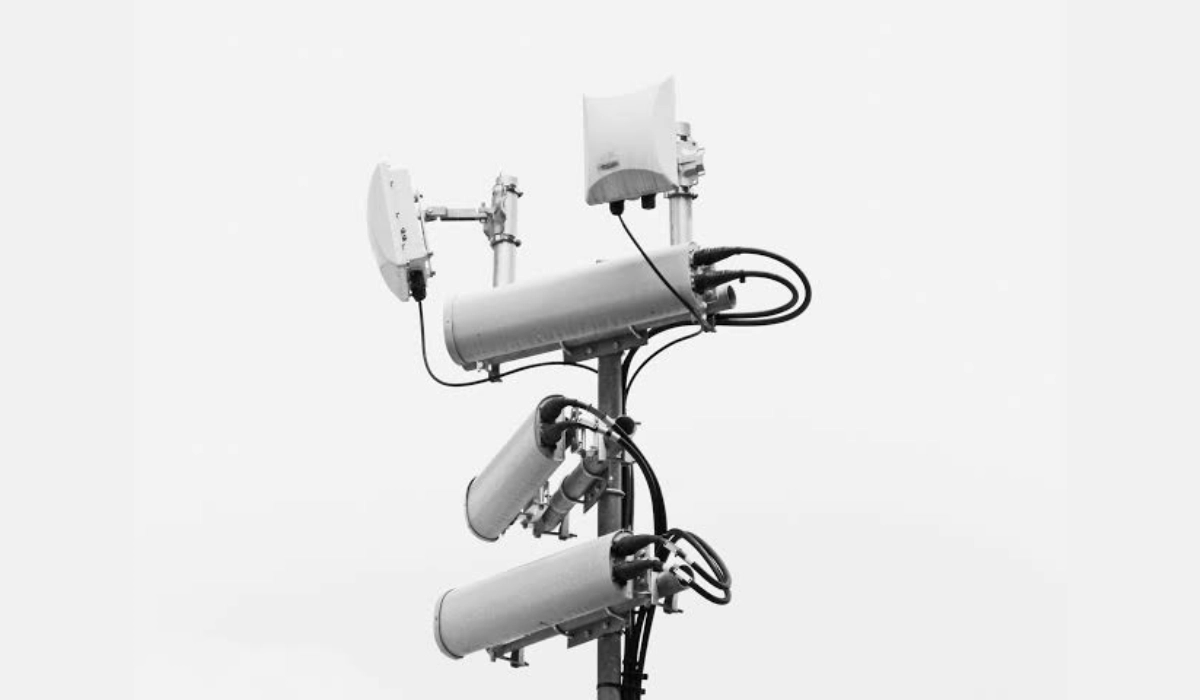
- What is a Mobile Booster?
- Why Do You Need a Mobile Booster? Calling and Texting Internet Browsing and Hotspot External Antenna and Cradle Indoor Antenna
- Types of Mobile Boosters In-Car Boosters Home Boosters Industrial Boosters
- Factors to Consider When Buying a Mobile Booster Budget Return Policy Customer Reviews FCC-Certified
- Conclusion
- The Best Mobile Boosters to Buy 1. SureCall Fusion4Home Yagi/Whip Kit 2. weBoost Drive Reach 3. HiBoost 15K Smart Link 4. Cel-Fi GO X 5. WilsonPro 70 Plus
What is a Mobile Booster?
If you’re tired of experiencing poor mobile signal coverage, you may have heard of mobile boosters. A mobile booster is a device designed to amplify the existing mobile phone signal, improving coverage within the range of the device. It’s important to note that mobile boosters simply amplify the signal that is already available. They do not create a signal where there is none.
Mobile boosters work by using an external antenna to capture the existing signal and transmit it to an amplifier, which then boosts the signal and sends it to an internal antenna. The internal antenna then broadcasts the boosted signal within the coverage area. The coverage area of a mobile booster can vary depending on the strength of the existing signal, the power and gain of the booster, and the type of antenna used.
Mobile boosters are particularly useful in areas with weak signal strength, such as rural areas or cellular dead zones. They can also be helpful in areas with a high concentration of users, such as stadiums or convention centers, where cell phone towers may be overloaded.
There are various types of mobile boosters on the market, including in-car boosters, industrial boosters, and single-carrier boosters. In-car boosters are designed to boost the signal in a vehicle, while industrial boosters are designed for large buildings or warehouses. Single-carrier boosters are designed to boost the signal of a specific carrier, such as AT&T or Verizon.
Mobile boosters can be a great solution for improving mobile signal coverage and performance. However, it’s important to note that they require proper installation and configuration to work effectively. If you’re considering purchasing a mobile booster, be sure to research booster brands and consult with a professional installer to ensure you’re getting the right booster for your needs.
Why Do You Need a Mobile Booster?
If you’re someone who relies on their mobile phone for calling, texting, and internet browsing, then you know how frustrating it can be when you’re in an area with weak signal or spotty coverage. This is where a mobile booster comes in handy.
A mobile booster, also known as a signal booster or cell phone booster, is a device that amplifies the signal from a cell tower and rebroadcasts it to your phone. This means that you’ll have better reception, clearer calls, and faster internet speeds, even in areas with weak signal.
But why do you need a mobile booster? Here are a few reasons:
Calling and Texting
If you’re someone who relies on their phone for calling and texting, then a mobile booster is essential. With a booster, you’ll be able to make and receive calls and texts even in areas with weak signal or spotty coverage. This is especially important if you live in an apartment or work in a building with poor reception.
Internet Browsing and Hotspot
A mobile booster is also essential if you use your phone as a hotspot or for internet browsing. With a booster, you’ll be able to browse the internet and use your phone as a hotspot even in rural areas or dead zones where there’s no Wi-Fi available.
External Antenna and Cradle
Some mobile boosters come with an external antenna that you can mount on the roof of your car or home. This antenna will pick up the signal from the cell tower and send it to the booster, which will amplify it and rebroadcast it to your phone. Some boosters also come with a cradle that you can place your phone in to improve the signal.
Indoor Antenna
If you’re looking for a booster for your home or office, then you’ll want to look for one with an indoor antenna. This antenna will pick up the signal from the booster and rebroadcast it throughout your home or office, so you’ll have better reception in every room.
In conclusion, a mobile booster is essential if you want to improve your calling, texting, and internet browsing experience. Whether you live in an apartment, work in a building with poor reception, or live in a rural area with spotty coverage, a booster will help you stay connected.
Types of Mobile Boosters
There are three main types of mobile boosters: in-car boosters, home boosters, and industrial boosters. Each type is designed to improve cell phone signal strength in a specific setting.
In-Car Boosters
In-car boosters, also called mobile boosters, are designed to improve cell phone signal strength while you are on the go. These boosters are particularly useful for people who spend a lot of time driving, such as salespeople or truck drivers. In-car boosters are small and compact, making them easy to install and use. Some popular in-car boosters include the Cel-Fi GO X, WeBoost Drive Sleek, and SureCall Fusion2Go 3.0 RV.
Home Boosters
Home boosters, also called residential boosters, are designed to improve cell phone signal strength in your home. These boosters are ideal for people who live in areas with weak cell phone signals or who have trouble getting a good signal inside their home. Home boosters come in different sizes and strengths, depending on the size of your home and the strength of the cell phone signal in your area. Some popular home boosters include the WeBoost Home MultiRoom, WeBoost Home Studio, and SureCall Fusion4Home.
Industrial Boosters
Industrial boosters, also called commercial boosters, are designed to improve cell phone signal strength in large buildings such as warehouses, factories, and office buildings. These boosters are more powerful than home boosters and can cover a larger area. Industrial boosters come in different sizes and strengths, depending on the size of the building and the strength of the cell phone signal in the area. Some popular industrial boosters include the Cel-Fi Pro, SureCall Flare 3.0, and WeBoost Home MultiRoom.
When choosing a mobile booster, it is important to consider factors such as the strength of the cell phone signal in your area, the size of the area you want to cover, and the type of booster that is best suited for your needs. Some popular brands of mobile boosters include SureCall, WeBoost, and Cel-Fi. It is also important to consider the type of antenna that comes with the booster, as well as the mounting options available. Additionally, you may want to consider whether the booster is compatible with your cell phone carrier and whether it can support multiple devices at once, such as modems or hardware.
Factors to Consider When Buying a Mobile Booster
When purchasing a mobile booster, there are several factors that you should consider to ensure that you get the best product for your needs. Here are some of the most important factors to keep in mind:
Budget
The price of mobile boosters can vary greatly, so it’s important to set a budget before you start shopping. Keep in mind that a higher price doesn’t always mean a better product, so do your research and read customer reviews to find a product that fits your budget and has a good reputation.
Return Policy
Before you make a purchase, check the return policy of the company you’re buying from. Make sure you understand the terms of the policy and what you need to do if you need to return the product. A good return policy can give you peace of mind and protect you in case the product doesn’t work as expected.
Customer Reviews
Reading customer reviews is one of the best ways to get an idea of the quality of a mobile booster. Look for reviews from customers who have similar needs to yours, and pay attention to any recurring issues or complaints. Keep in mind that some reviews may be biased or fake, so use your judgment and read a variety of reviews before making a decision.
FCC-Certified
Make sure the mobile booster you choose is FCC-certified. This means that it has been tested and approved by the Federal Communications Commission for safety and effectiveness. A non-certified booster may not work as well or could even cause interference with other devices.
By considering these factors when shopping for a mobile booster, you can ensure that you get a product that meets your needs and works as expected.
Conclusion
Now that you have learned about the basics of mobile boosters and the best ones to buy in 2023, you can make an informed decision on which one to purchase. Keep in mind that the best mobile booster for you will depend on your carrier, location, and personal needs.
If you are looking for a booster that works with all carriers, the weBoost Home MultiRoom Cell Phone Signal Booster Kit is a great option. It supports 4G LTE and 3G signals for all carriers and can cover up to 5,000 square feet.
If you are a Verizon user, the SureCall Fusion4Home Yagi/Whip Kit is a reliable choice. It offers consistent signal across 4G LTE networks and can boost your signal for calling, texting, and data.
For those who are experiencing interference from nearby cell towers, the weBoost Drive Reach (470154) Vehicle Cell Phone Booster is a great option. It can boost your signal up to 74% and improve call quality, data speeds, and battery life.
When purchasing a mobile booster, it is important to ensure that it complies with FCC regulations. Broadband or multi-carrier boosters made by companies like weBoost, Wilson Pro, and SureCall can have up to between 63 dB to 72 dB gain.
Overall, a mobile booster can be a great investment for improving your cell phone signal and reducing dropped calls. With the right booster, you can enjoy clearer calls, faster data speeds, and better overall performance from your mobile device.
The Best Mobile Boosters to Buy
When it comes to choosing the best mobile booster to buy in 2023, there are a few factors to consider. The strength of the booster, the carrier it supports, and the area it covers are all important factors to keep in mind. Here are some of the best mobile boosters to buy in 2023:
1. SureCall Fusion4Home Yagi/Whip Kit
The SureCall Fusion4Home Yagi/Whip Kit is a popular choice for those looking for a reliable mobile booster. This booster is compatible with all major carriers, including Verizon, AT&T, and T-Mobile. It offers a clear and consistent signal across 4G LTE networks, boosting your signal for calling, texting, and data. The kit includes an outdoor Yagi antenna and an indoor whip antenna, making it easy to set up.
2. weBoost Drive Reach
If you’re looking for a mobile booster that you can use in your car, the weBoost Drive Reach is a great option. This booster is compatible with all major carriers and can boost your signal up to 74% farther than other boosters. It’s easy to install and comes with a magnetic antenna that you can attach to your car roof.
3. HiBoost 15K Smart Link
The HiBoost 15K Smart Link is a powerful mobile booster that can cover up to 15,000 square feet. It’s compatible with all major carriers and can boost your signal up to 70 decibels. This booster is great for large homes or offices and comes with an outdoor antenna and an indoor panel antenna.
4. Cel-Fi GO X
The Cel-Fi GO X is a powerful mobile booster that can boost your signal up to 100 decibels. It’s compatible with all major carriers and can cover up to 15,000 square feet. This booster is great for large homes or offices and comes with an outdoor antenna and an indoor coverage unit.
5. WilsonPro 70 Plus
The WilsonPro 70 Plus is a powerful mobile booster that can cover up to 25,000 square feet. It’s compatible with all major carriers and can boost your signal up to 70 decibels. This booster is great for large homes, offices, or warehouses and comes with an outdoor antenna and an indoor coverage unit.
When choosing the best mobile booster to buy in 2023, it’s important to consider your specific needs and the area you want to cover. These boosters are all great options that can help improve your mobile signal and provide you with a reliable connection.
Author:Mister Mobility
Digital Skills and Communication Coach | Mobile Phone Connoisseur since 2001 | Tech Blogging since 2004
Add MobilityArena as a preferred source on Google
Are you tired of staring at the same boring wallpaper on your smartphone? Well, it’s time to switch things up and add some personality to your device with cool wallpapers. With so many options available, you can easily find a wallpaper that matches your style and interests.
Whether you’re a fan of nature, abstract art, or pop culture, there’s a wallpaper out there for you. You can even find default wallpapers from popular Android devices like the Google Pixel. With thousands of free options available, you can change your wallpaper as often as you like to keep your device feeling fresh and new. So why settle for a dull background when you can have a cool wallpaper that reflects your unique personality?

- Why Use Cool Wallpapers on Your Smartphone? Benefits of Using Cool Wallpapers
- Where to Find Cool Wallpapers? Best Apps for Downloading Cool Wallpapers Top Websites for Free Photos Talented Creators
- How to Set Cool Wallpapers on Your Smartphone? Setting Up Cool Wallpapers on Android Phones Setting Up Cool Wallpapers on iPhones
- Customizing Your Cool Wallpapers Using Widgets and Icon Packs Creating Personalized Wallpapers
- Sharing Your Cool Wallpapers Sharing on Social Media Joining a Community of Wallpaper Enthusiasts
Why Use Cool Wallpapers on Your Smartphone?
When it comes to personalizing your smartphone, one of the easiest and most effective ways is by using cool wallpapers. Not only do they add a touch of personality to your device, but they also offer a range of benefits that make using them worthwhile.
Benefits of Using Cool Wallpapers
Express Yourself: Your smartphone is an extension of your personality, and using cool wallpapers is a great way to express yourself. Whether you prefer minimalist designs, vibrant colors, or stunning landscapes, there are endless options to choose from.
Enhance Aesthetics: A cool wallpaper can enhance the overall aesthetics of your smartphone. It can make your device look more visually appealing and interesting. It can also help to create a cohesive look and feel with your other devices and accessories.
Reduce Eye Strain: Using a cool wallpaper with a darker color scheme can help to reduce eye strain, especially when using your smartphone for extended periods. Darker wallpapers are also easier on your device’s battery life, helping to conserve power.
Boost Productivity: A cool wallpaper can also help to boost productivity by providing a motivational or inspiring backdrop. It can serve as a reminder of your goals or help to keep you focused and on task.
Show off Your Style: Using a cool wallpaper is an easy way to show off your personal style and taste. It can also be a conversation starter, sparking interest and curiosity from others.
Overall, using cool wallpapers on your smartphone is a simple and effective way to personalize your device and enjoy a range of benefits. With so many options available, you’re sure to find a wallpaper that suits your style and needs.
Where to Find Cool Wallpapers?
Looking for cool wallpapers to give your smartphone a fresh look? You’re in luck! There are many options available to you, from apps to websites to talented creators. Here are some of the best places to find cool wallpapers for your device.
Best Apps for Downloading Cool Wallpapers
There are many apps available for both Android and iOS devices that offer a wide range of cool wallpapers. Some of the best apps for downloading cool wallpapers include:
- Zedge: This app offers a huge selection of wallpapers in various categories, including nature, abstract, and sports.
- Backdrops: Backdrops is a great app for finding unique and artistic wallpapers. It also allows you to create your own wallpapers using its built-in editor.
- Walli: Walli is a community-driven app that features wallpapers created by talented artists from around the world.
Top Websites for Free Photos
If you’re looking for free photos to use as wallpapers, there are many websites that offer high-quality images. Some of the top websites for free photos include:
- Pexels: Pexels offers a huge selection of free photos in various categories, including nature, abstract, and technology.
- Unsplash: Unsplash features a vast collection of high-resolution photos that you can use for free.
- Pixabay: Pixabay offers over 1.8 million free photos, illustrations, and vectors for you to use.
Talented Creators
If you’re looking for something truly unique and original, consider checking out the work of talented creators. Many artists and designers offer their own wallpapers for free or for a small fee. Some websites that feature the work of talented creators include:
- DeviantArt: DeviantArt is a community of artists and designers who share their work with others. You can find a wide range of wallpapers on the site, from fan art to original creations.
- Etsy: Etsy is a marketplace where independent artists and designers sell their work. You can find many unique and creative wallpapers on the site.
- Behance: Behance is a platform for creative professionals to showcase their work. You can find many talented designers and artists on the site who offer their own wallpapers.
In conclusion, there are many options available to you when it comes to finding cool wallpapers for your device. Whether you prefer apps, websites, or the work of talented creators, you’re sure to find something that suits your style.
How to Set Cool Wallpapers on Your Smartphone?
If you’re looking to add a fresh new look to your smartphone, changing your wallpaper is one of the easiest ways to do it. In this section, we’ll show you how to set up cool wallpapers on your Android phone and iPhone.
Setting Up Cool Wallpapers on Android Phones
Android phones offer a lot of customization options, and changing your wallpaper is no exception. Here’s how you can set up cool wallpapers on your Android phone:
- Download the wallpapers of your choice from any of the sources I already mentioned above.
- Once the wallpapers are stored on your phone, open your gallery and browse through the available wallpapers.
- Select the wallpaper you want to use and tap on it to preview it.
- If you like the wallpaper, tap on the “Set as Wallpaper” button to apply it to your home screen.
If you want to use your own image as wallpaper, you can do that too. Here’s how:
- Open the Gallery app and select the image you want to use as wallpaper.
- Tap on the image to open it, and then tap on the three dots in the top right corner.
- Select “Set as wallpaper” from the options.
- Choose whether you want to set the image as your home screen wallpaper, lock screen wallpaper, or both.
Setting Up Cool Wallpapers on iPhones
iPhones also offer a lot of customization options, including changing your wallpaper. Here’s how you can set up cool wallpapers on your iPhone:
- Open the Photos app and select the image you want to use as wallpaper.
- Tap on the image to open it, and then tap on the share icon in the bottom left corner.
- Select “Use as Wallpaper” from the options.
- Choose whether you want to set the image as your home screen wallpaper, lock screen wallpaper, or both.
- Adjust the image as necessary by pinching to zoom in or out, and then tap “Set” to apply the wallpaper.
If you want to use a dynamic wallpaper, which changes based on the time of day or your location, you can do that too. Here’s how:
- Open the Settings app and go to “Wallpaper.”
- Select “Choose a New Wallpaper” and then select “Dynamic.”
- Choose the dynamic wallpaper you want to use, and then tap “Set” to apply it.
In conclusion, setting up cool wallpapers on your smartphone is a quick and easy way to give it a fresh new look. Whether you’re using an Android phone or iPhone, there are plenty of options available to you.
Customizing Your Cool Wallpapers
If you’re looking to make your smartphone stand out, customizing your wallpaper is a great place to start. Here are two ways to personalize your cool wallpapers:
Using Widgets and Icon Packs
Widgets and icon packs are a great way to add personality to your smartphone. Widgets are small apps that run on your home screen, and they can display everything from the weather to your calendar events. Icon packs, on the other hand, change the look of your app icons, giving them a fresh new look.
To use widgets, simply long-press on your home screen and select “Widgets.” From there, you can choose from a variety of widgets to add to your home screen. To use an icon pack, you’ll need to download one from the Google Play Store. Once you’ve installed the icon pack, you can apply it by going to “Settings” > “Display” > “Icon pack.”
Creating Personalized Wallpapers
If you want to take your customization to the next level, consider creating your own personalized wallpaper. There are a variety of apps available that make it easy to create your own wallpaper, even if you don’t have any design experience.
One such app is Canva, which allows you to create custom wallpapers using your own photos and artwork. Simply choose a template, upload your own images, and customize the design to your liking. Another option is Adobe Express, which offers a range of tools for creating stunning wallpapers from scratch.
No matter how you choose to customize your wallpaper, the key is to have fun and let your personality shine through. With a little creativity, you can transform your smartphone into a reflection of your unique style.
Sharing Your Cool Wallpapers
If you’ve found some cool wallpapers that you want to share with others, there are a few ways to do it. Here are some options:
Sharing on Social Media
One of the easiest ways to share your cool wallpapers is to post them on social media. You can share them on platforms like Facebook, Twitter, Instagram, or Pinterest. When you post your wallpapers, make sure to use relevant hashtags so that others can find them easily. You can also tag people or pages that might be interested in your wallpapers.
Joining a Community of Wallpaper Enthusiasts
There are many online communities of wallpaper enthusiasts where you can share your cool wallpapers and get feedback from others. Some popular communities include Reddit’s r/wallpapers, DeviantArt, and Wallpaper Abyss. When you join a community, make sure to follow the rules and guidelines to avoid getting banned. You can also participate in discussions and engage with other members to build relationships and get more exposure for your wallpapers.
Here are some tips for sharing your wallpapers in a community:
- Provide a high-quality image: Make sure your wallpaper is in high resolution and looks good on different devices.
- Use a descriptive title: Your title should be descriptive and catchy to attract attention.
- Add a description: You can add a brief description of your wallpaper, such as the inspiration behind it or the tools you used to create it.
- Share the link: If you’re sharing your wallpaper on a community that allows external links, you can share the link to your wallpaper on your website or portfolio.
- Be respectful: Always be respectful to other members and follow the community guidelines.
Overall, sharing your cool wallpapers is a great way to showcase your creativity and connect with others who share your interests. Whether you choose to share them on social media or join a community of wallpaper enthusiasts, make sure to follow best practices and engage with others to get the most out of your experience.
Author:MobileChic
That motivated, gadget-loving geeky chic who tries to stay on top of things. Unapologetic iFan.
