Add MobilityArena as a preferred source on Google
One way to understand the functionality of a smart TV is to define it as a television that doubles as a desktop PC. That definition paints a clear and bright picture of the kind of things that you can do with one.
As a television, you can watch both terrestrial and satellite broadcasts on it, and connect it to a media player (CD/DVD player) or home theatre to playback video and audio content.
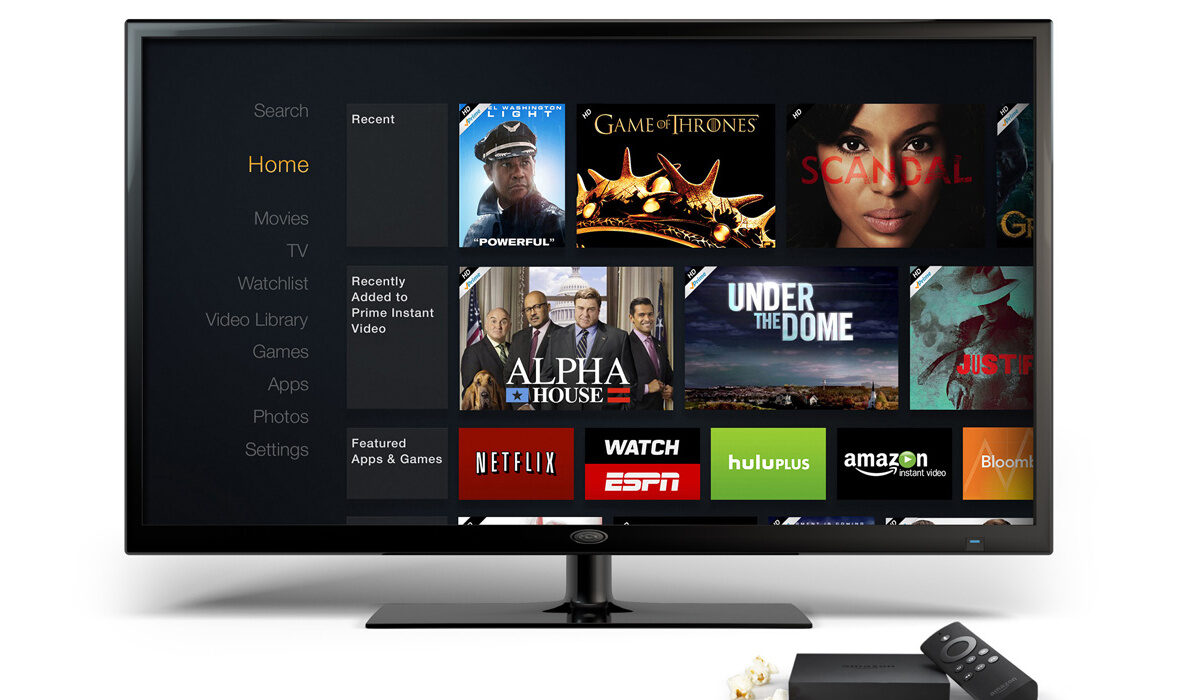
You can also connect your smartphone or gaming console to it in order to “cast”. That means, you can use it as a big screen for devices with smaller screens.
What is a smart TV? Definition
As I have already explained, a smart TV is an Internet-connected television that doubles as a big screen computer. As a connected device, it needs an Internet connection. Note that you do not need an Internet connection in order to watch regular TV, but if you want to take advantage of the connected PC side, an Internet connection is essential.
- What is a smart TV? Definition
- How to connect a smart TV to the Internet
- What brands make smart TVs?
- What operating systems do smart TVs use?
How to connect a smart TV to the Internet
Connecting a one to the Internet is a simple and straightforward process. It is a process that you are already familiar with: use Wi-Fi. All smart televisionss are Wi-Fi-enabled. Simply connect it to your home or office Wi-Fi and you are ready to start streaming and browsing and downloading.
Here is a guide showing you How to connect your Smart TV to the Internet in 2 easy ways . If you run into trouble and it fails to connect, here is an article to help you figure out why your Smart TV is not connecting to the Internet .
What brands make smart TVs?
Almost every brand that makes traditional television sets now makes smart TVs. In addition, being new technology, there are new players making them as well. The leading smart television brands are Samsung, Sony, and TLC. Others include: LG, Hisense, Vizio, Panasonic, Philips, Sharp, and Toshiba.
What operating systems do smart TVs use?
As we have already established that a smart television is pretty much a computer, it shouldn’t be difficult to understand that they run an operating system. The operating system in use differs from one brand to another, but the capabilities are the same/similar. There are three major operating systems in use by smart TV brands.
Android TV is the most widely used operating system for these new, advanced television sets, and it is deployed by brands like Sony, Sharp, Toshiba, and TLC. Note that Android TV is set to be replaced with Google TV . Samsung TVs use Tizen OS , which Samsung has successfully pulled back from the brink of extinction and put to good use. LG uses WebOS , another operating system from the past that has found a new lease of life in the world of smart television.
Other operating systems include Roku, Fire TV, and Apple TV operating system.
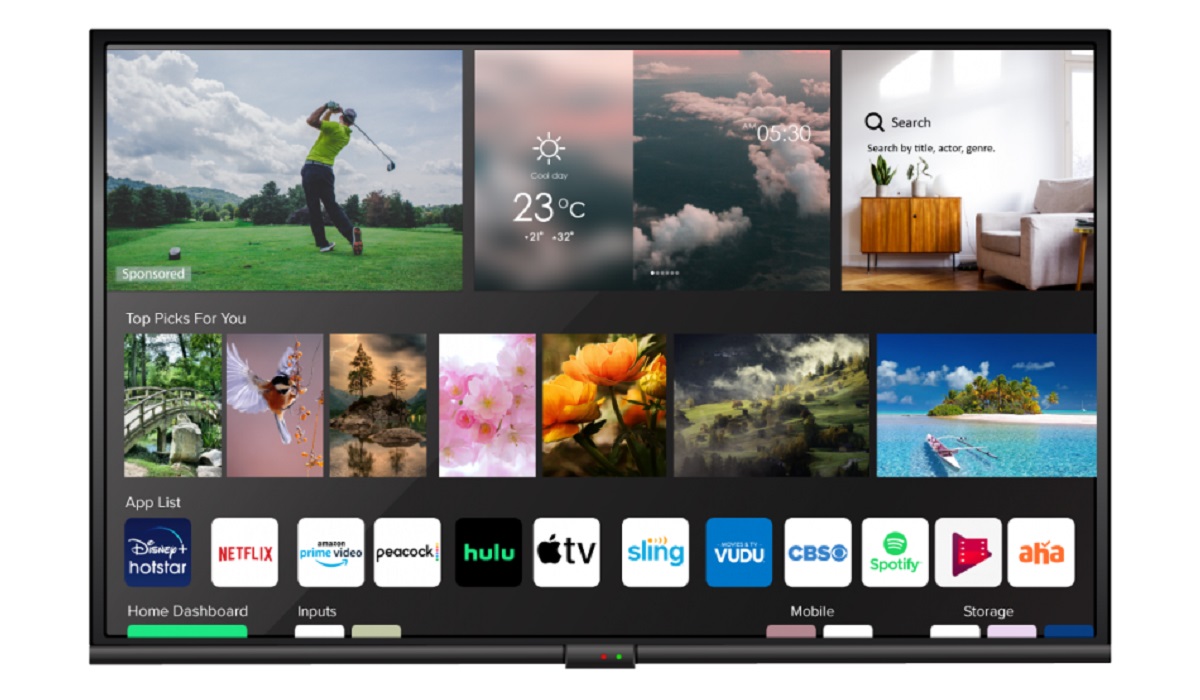
A smart television running WebOS operating system
In closing, a smart TV is an advanced, Internet-connected television set that allows you to watch traditional television channels and broadcasts, as well as download and install apps to use online streaming services, message, access social media, browse the web, play online and offline games, and even control your TV with your voice or your smartphone. You can also connect other devices to it to extend its capabilities.
Author:Mister Mobility
Digital Skills and Communication Coach | Mobile Phone Connoisseur since 2001 | Tech Blogging since 2004
Add MobilityArena as a preferred source on Google
A VPN (virtual private network) is a service that protects your internet connection and privacy online by creating an encrypted tunnel for your data to flow through when you are doing something online, especially on a public Wi-Fi . It can also be used to bypass location/region restrictions . You already likely know all of these, anyway, and you are here to find out what the advantages and disadvantages of using free VPNs and paid VPNs are. Let’s dive into that right away, then.
There are several key differences between Free VPNs and paid VPNs. As a rule, free VPNs have more limited features and slower speeds than paid VPNs. You will also more likely find that they have data caps and user restrictions. A free VPN may also display ads or sell user data to third parties to generate revenue. Remember that those behind the service have to cover their costs somehow, if the service is free of charge to you. Free VPNs may also not have the same level of security and privacy protections as paid VPNs.
Lastly, as a mobile phone user, for example, you want a VPN that supports your smartphone. If you own a Windows PC or Mac computer, you will also want to be able to use it on that. A free VPN is less likely to offer all the extras that you need.
A paid VPN, on the other hand, will generally offer more advanced features, faster speeds, more devices, and higher levels of security and privacy. It will likely have more server locations to choose from. A paid service is also likely to provide you with better customer support. Being able to have a real human attend to you when you run into a hitch is a prized experience in today’s world.
In general, a paid VPN service is considered more reliable and secure than a free one, because, yes; in life, you get what you pay for (most times). However, these are loose, general differences, and the reality differs from each service to the other. In other words, there are some free VPN services that are reliable and secure at a top level. I recommend that you do some snooping around: read user reviews, especially, to find out what those who have used these services have to say about them.
Advantages and Disadvantages of Free VPNs and paid VPNs compared
Here are the pros and cons of each type of VPN in tabular format below for easy comparison. Again, note that these differences do not apply the same way across board. Despite the generic differences, some free VPNs are really good and reliable.
| Free VPNs | Paid VPNs |
|---|---|
| No cost to you | Requires a monthly or annual subscription, with varying prices |
| Limited features e.g. limited devices, server locations | More devices, more features |
| Slower speeds | Faster speeds |
| Data caps/limited bandwith | No data restrictions/unlimited bandwidth |
| Usage restrictions | Fewer restrictions |
| May display ads or sell user data | No ads |
| Weaker security and/or privacy | Stronger security and/or privacy |
| Often great for basic, personal usage | Often preferable for more mission critical use e.g. business, corporate, etc. |
It is important to keep in mind that while a free VPN can be a convenient option, it may not be the best choice for you if privacy and security are at the top of your needs, especially if you need these for mission-critical online activity. You should consider signing up for a paid service, as a paid VPN is generally considered more reliable and secure. Don’t just jump on something because it is free; sometimes it comes to bite you in the behind later.
In closing, I shall leave you with a few examples of free VPNs and paid VPNs, some of which I have used, personally. Available free VPNs include: Proton VPN, TunnelBear, Atlas VPN, Windscribe, and Opera. Some paid VPNs include: NordVPN, ExpressVPN, and Surfshark. There are tons more out there, so feel free to search till you find one that is just perfect for you.
- Don’t miss our mobile phone reviews .
- Join our WhatsApp Group , to be notified of the most important articles and deals,
- Follow us on Instagram , Facebook , Twitter , and YouTube .
Author:Anna Makama
Gadget lover making my way through life one day at a time.
