Add MobilityArena as a preferred source on Google
If you are particular about audio quality of music or sound over Bluetooth, you ought to pay attention to AptX HD , a premium Bluetooth audio codec designed to deliver high definition sound quality. Wired audio headsets have been around for a while, but the whole world is going wireless, and gradually, headsets are going that way too. Apple has already eliminated the 3.5mm audio jack and many other phone companies are following suit.
By default, Bluetooth headsets do not have the same audio quality that wired headsets have, hence the need for the development of audio codecs that enhance the listening experience over wireless headsets. AptX HD arrived on the scene, delivering audio quality that’s a cut above standard Bluetooth audio. In this comprehensive guide, I will be taking you on a journey exploring what it is, how it works, and how to determine if your phone is equipped with this technology.
What is aptX HD?
How Does it work?
List of aptX earbuds, earphones, and other accessories
Are there any Samsung AptX HD phones?
What smartphones support AptX HD?
How to find out if Your Phone Has aptX HD
Related Bluetooth Audio Codecs
What is aptX HD?
How Does aptX HD Work?
Are there any Samsung AptX HD phones?
What smartphones support AptX HD?
How to Determine if Your Phone Has aptX HD
Related Bluetooth Audio Codecs
What is aptX HD?
AptX HD is a high-definition audio codec, an offspring of the standard aptX, renowned for its superior sound quality in the world of Bluetooth audio. It is designed to deliver audio in a format that comes remarkably close to the original studio recording. It delivers superior sound quality compared to standard Bluetooth audio codecs. It can handle high-definition audio files with more detail and nuance.
How Does it work?
At the core of aptX HD is a complex set of algorithms that leverage the power of Bluetooth connectivity to transmit audio at a much higher bit rate than the standard SBC (Subband Coding) codec. In simpler terms, it sends more data per second over the airwaves, which means more detailed and clearer sound. This codec operates at a 576 kbps bit rate, effectively allowing it to transmit 24-bit, 48kHz audio.
One of its outstanding features is its ability to operate at a fixed bitrate of 576 kbps, which means it maintains a consistent data rate, even when there is fluctuating signal quality. As such, it is able to maintain an uninterrupted audio experience.
AptX HD is backward-compatible with standard aptX, but not all Bluetooth devices support it. Both the transmitting and receiving devices need to support the codec for it to work at its highest quality. It is at this point that I must add that there is an ever-growing range of aptX codecs that increasingly improve on Bluetooth audio quality. The earliest was aptX, followed by aptX HD, then aptX Adaptive, etc.
List of aptX earbuds, earphones, and other accessories
The following are some of the Bluetooth accessories that support aptx HD:
- Edifier STAX SPIRIT S5
- RION AMOLA
- Senheiser ACCENTUM Wireless
- Vicror EX-DM10 loudspeaker
- PSB Speakers M4U 9
- Shure AONIC 50 gen 2 Wireless Noise Cancelling Headphones
Are there any Samsung AptX HD phones?
As at the time of this article, I d not know of any Samsung phones that support aptX HD. Not even Samsung S23 series , the 2023 flagship line-up. The current crop of Samsung smartphones support only the standard aptX.
What smartphones support AptX HD?
Many Android smartphones and some other devices support the HD version of aptX. Some well-known smartphone brands that have included support for this high definition Bluetooth codec in their devices include:
- Nokia
- Sony
- OnePlus
- Xiaomi
- HTC
- Asus
- ZTE
The Nokia G60, reviewed here , supports both HD and Adaptive versions of aptX. The issue is that you and I need to be able to determine whether a phone supports it or not even before buying it; right? Let’s look into that below.
How to find out if Your Phone Has aptX HD
Now, the most pertinent question: how do you know if your smartphone is graced with the capabilities of this aptX technology? The answer lies in a few simple steps:
- Check Manufacturer’s Specifications: Start by visiting the official website of your smartphone’s manufacturer. Most brands proudly display the audio codecs supported by their devices, so look for any mention of the codec.
- Check in Bluetooth Settings: Navigate to your smartphone’s Bluetooth settings. In the paired device’s details, you might find information about the audio codecs it supports. If you see “aptX HD” listed, you’re in luck.
- Third-Party Apps: There are third-party apps available for both Android and iOS that can help you ascertain the audio codecs supported by your device. Simply install one of these apps, and it will provide a detailed rundown of your phone’s audio capabilities. I personally use Bluetooth Codec Changer, available on the Google Play Store (click here to download it). You can give it a try if you own an Android smartphone. There are plenty of options in the store, though, so hunt around, should you not like it.
- Consult Your User Manual: Your smartphone’s user manual can be a treasure trove of information. Flip through the pages or access a digital version to see if it mentions the codec. This is a slim chance, though, as phone manuals are no longer as detailed as they used to be.
Note that Snapdragon Sound and aptX Adaptive are newer technologies that are backward compatible with aptX HD, so if your smartphone or Bluetooth accessory has those, they have HD covered.
Related Bluetooth Audio Codecs
Author:Mister Mobility
Digital Skills and Communication Coach | Mobile Phone Connoisseur since 2001 | Tech Blogging since 2004
Add MobilityArena as a preferred source on Google
Imagine driving on a highway that has only one lane. During peak periods, that road gets clogged up with vehicles lining up one after another, and eventually, traffic will slow down. I have experienced that quite a bit during interstate journeys around the country. 4G carrier aggregation is similar to adding more lanes to that highway: more vehicles can move at the same time, and at faster speeds.
I am sure the above explanation paints the picture well. The more the number of lanes you add to a highway, the greater the volume of vehicles it can move, and the faster those vehicles can move. 4G carrier aggregation is an LTE technology that improves both network capacity and speed.
- What is 4G Carrier Aggregation?
- Downsides to using Carrier Aggregation
- How Carrier Aggregation works
- What is 4G CA 2.0?
- Supported Phones
- How To Check Whether Your Phone Supports Carrier Aggregation 1. Check your phones’s status bar 2. Use the NetMonster app
- Supported U.S. Carriers
- Supported UK Carriers
- Supported German Carriers
- Supported Australian Carriers
What is 4G Carrier Aggregation?
4G Carrier Aggregation is a feature of LTE Advanced networks and involves using multiple Internet connections between your smartphone and your wireless carrier to deliver faster speeds and improve robustness. Traditional 4G LTE ues a single connection between the user’s phone and the network, which was a limiting factor to how fast the Internet connection can get.
The main benefits of having carrier aggregation are:
- Faster Internet download and upload speeds
- Even during busy times, your Internet does not slow down as much
- Lower ping whilst gaming
- Reduced buffering during content playback.
As already mentioned before, if you can imagine how having a wider road with multiple lanes improves your commute, you already have a good grasp of how 4G carrier aggregation works and the benefits.
Downsides to using Carrier Aggregation
There is one possible disadvantage to using 4G CA. Because your smartphone is working harder to maintain multiple connections, this might result in faster battery drain.
How Carrier Aggregation works
For you to enjoy the benefits of 4G carrier aggregation, both your phone and your mobile carrier must support the technology. If your carrier has it and your phone does not support it, sorry. Also, if your phone supports it, but your wireless carrier does not, again, sorry.
What is 4G CA 2.0?
As the name indicates, 4G CA 2.0 is version 2.0 of carrier aggregation and delivers even more improved speeds and reliability. 4G CA 2.0 allows dual network channels to communicate simultaneously to maximize download speed. Even in weak or congested networks, it still delivers significant boosts.
Supported Phones
Popular smartphones in the US, UK, EU, and Australia that support 4G carrier aggregation include the Google Pixel phones, Samsung Galaxy S series, and a number of Motorola Moto phones, for example, the Moto G Stylus 5G (2022) .
Outside of Western smartphone markets, phone rands like Xiaomi, Realme, and TECNO have phones that support 4G carrier aggregation. For example, the recently released TECNO Spark 20 Pro does.
How To Check Whether Your Phone Supports Carrier Aggregation
Here are two ways to check whether your device has support for 4G carrier aggregation.
1. Check your phones’s status bar
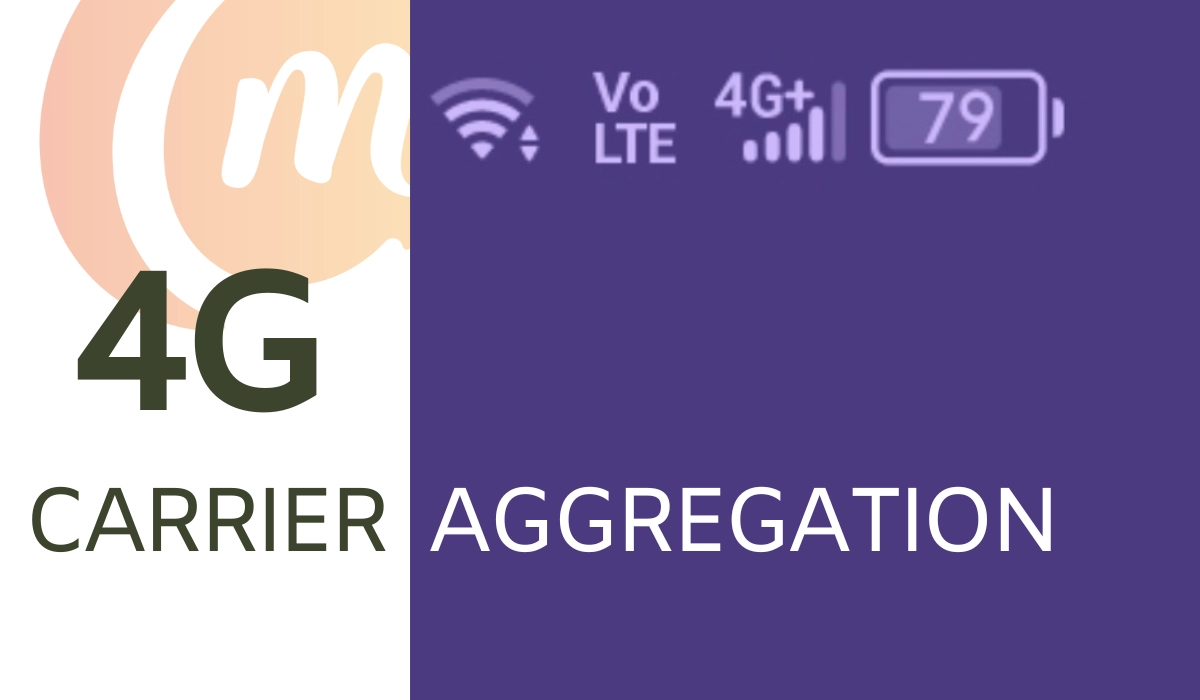
If your smartphone supports CA, it should display a “LTE-A” or “4G+” icon instead of simply LTE or 4G in the status bar.
2. Use the NetMonster app
The second method gives you more details, so if you love to tinker, you will prefer this option. It is by using a mobile app called NetMonster. This app, and others similar to it, will tell you all the necessary details about your network connection. Here is how to use it:
- Install the NetMonster app via the play store. You can install it directly by clicking this link .
- Accept all the permissions that the app asks for.
- Once done, the app will load and display supported network bands. If you see either a 4G+ or LTE-A symbol, your device supports Carrier Aggregation.
Supported U.S. Carriers
All the three big carriers in the United States support carrier aggregation. As such, whether you are on T-Mobile, AT&T, or Verizon, you will be able able to use the technology wherever it is supported on their coverage.
Supported UK Carriers
In the United Kingdom (UK), I am aware that Three UK and EE have implemented 4G carrier aggregation in their mobile networks.
Supported German Carriers
Deutsche Telecom, O2 Germany, and Vodacom Germany are some of the mobile network operators in Germany that support 4G carrier aggregation.
Supported Australian Carriers
Carriers in Australia that have implemented 4G CA to improve networks speeds include: Telstra, Optus, and Vodafone.
Of course, if using this feature is important to you, I recommend that you check with your carrier or mobile network operators in your country to confirm whether they have 4Gbcarrier aggregation.
Author:Mister Mobility
Digital Skills and Communication Coach | Mobile Phone Connoisseur since 2001 | Tech Blogging since 2004
