Add MobilityArena as a preferred source on Google
Every now and then, we experience those utterly frustrating moments when our smartphone just freezes up and refuses to respond to any command given to it, at times like this, we struggle to keep our heads on tight and restrain ourselves from smashing our phones in utter disgust. However, there are a ton of reasons why your mobile devices freeze when in use.
Some of the reasons why mobile devices stop responding range from having a slow processor, or insufficient RAM space to a lack of adequate storage space on the device. An app can also be responsible for your mobile device freezing or problems related to poor internet connection.
We understand how frustrating freezing devices can be, especially when you are in the middle of your favourite mobile game or you are trying to keep up with the latest trends on social media. Today, we bring to you a number of tips to help you overcome this problem especially in those very important moments where you just need your device to respond quickly:
- Turn Off Your Device :
Your mobile device is an electronic device, and just like any typical electronic device, a restart can be the first step to solving your problems. This can vary for different devices, for Apple devices iPhone X or 11, press and hold down the volume and side button till the power off command appears. For other earlier versions of the iPhone, just squeeze and hold the side button till the power off command shows up.
For certain Android devices, squeezing the side button and the volume down button simultaneously will do the trick. However, in times where neither of these suffice, taking out the battery and rebooting the device can also help out.
- Delete freezing apps :
The freezing experienced by your mobile device may be due to the presence of certain flawed apps, as these apps may not be suited to your mobile device or they may have a bug in their programming. You can delete this app by opening Google Play Store > name of the app > Uninstall . This will effectively delete the app and should allow your phone operate more smoothly now.
- Update Your System Software :
At certain times, a glitch in the system software can make your mobile device experience freezing problems.
For most Android devices, updates come with your carrier, with newer devices receiving updates from their carrier faster. When you are ready to update your mobile device, ensure you plug your device to a power source to prevent it from running down during the update process.
You can check for your device’s software version on your Android device by tapping Settings and navigating to the System button, then click on about phone to see what OS your device is running on. You can then check for updates on your iPhone by opening Settings>General > Software Update > Install now . The install now option will only appear when an update is available.
- Free Up Storage Space :
Your mobile device may be freezing up due to a lack of storage space. This can be due to the fact that you have tons of videos and other files taking up space on your mobile device. You can free up space by transferring the files to another device (like a PC) and then deleting them from your mobile device.
This can come in handy especially in cases where most of your files are stored on your phone’s internal memory, as a lack of space can cause your mobile device to stop working or respond slowly.
- Reset Your Phone :
This tip is mostly employed as a last resort when other options may not have yielded results. Before attempting this, ensure that you have backed up useful information on your device to prevent loss of useful data.
Restoring your device to factory settings will erase all data on your mobile device and return it to its default state. After this, you will go through the standard process to setup your device and can then proceed to set up your mobile device as you wish.
References
- Source ;
- Source .
Author:Alfa Baye
Staff Writer
Add MobilityArena as a preferred source on Google
I have experienced this before, and you likely have too: an unknown international number rings up your phone and then disconnects. If you are wondering why you keep getting missed calls from unknown international numbers , it is because someone somewhere is trying to scam you. Let’s look at how it works and what you can do to avoid getting scammed.
You get missed calls from an unknown international number. The calls usually originate from obscure countries. Everybody knows what the international code for the USA, Canada and the UK are. But you get calls with prefixes like +675, +236, +256, etc. Some of these are countries you have probably never heard of and have no contact in.
- How The Scam Works
- Who Actually Benefits From These Missed Calls?
- How To Protect Yourself From Unwanted International Calls
- Bonus Tip: Watch Out for SMS & WhatsApp Variants
- Parting Shot on tackling missed calls from unknown international numbers
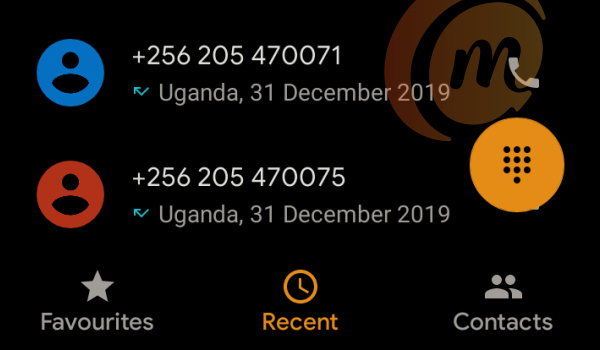
Getting missed calls from unknown international numbers is often an attempt at scamming you.
How The Scam Works
The number rings you once and then disconnects, leaving you with a missed call. The average person has the mindset that an international call is an important one. The perpetrators of the scam are counting on this and on your curiosity. Or they are counting on you following the code of ethics that say it is proper to return missed calls.
If you call back the number, as is expected of you ethically when you get a missed call, you will be setting yourself up to get slapped with a huge bill. Many international calls are expensive, but these numbers calling you are usually premium numbers, so calling them back costs even more.
Calling them back, you will likely hear background music playing like when a call is put on hold, or have to deal with speaking to someone speaking in a language you do not understand. The idea is to keep you on the line for as long as possible, so your bill ramps up as high as possible.
In other words, for most people, the best way to deal with missed calls from unknown international numbers is to ignore them. Of course, there are exceptions to this rule.
If you run international business services and have given your number out and communicate with people from a wide range of countries, ignoring such calls might be a bad idea. But then, if you are in that situation, burning a few dollars on a call isn’t a problem for you.
If you do not run any international business services and are more like everyone else, when you get missed calls from unknown international numbers (especially a call you were not expecting), just ignore them. The sky will not fall.
Who is behind these missed calls from unknown international numbers?
Who Actually Benefits From These Missed Calls?
When you return a missed call to an unknown international number, you’re often dialing into a premium-rate line, and that’s where the money trail begins.
- Scammers : These are the primary beneficiaries. They orchestrate the Wangiri scam by setting up or leasing premium-rate numbers. Every second you stay on the line earns them a share of the inflated call charges.
- Telecom Operators : In some cases, telecom carriers, especially those hosting the premium-rate numbers, receive a portion of the revenue. However, this is part of standard billing agreements and does not imply complicity in the scam.
- Third-Party Service Providers : These may include billing aggregators or content providers who facilitate the infrastructure behind premium-rate services. They, too, may earn a cut from the call charges.
Important Note : While legitimate telecom companies may receive a share of the revenue from premium-rate calls, they are not typically involved in fraudulent activity. Scammers exploit existing billing systems to siphon off profits without the carriers’ knowledge or consent.
Also, the originating countries aren’t inherently bad countries, but scammers often spoof numbers from regions where premium-rate lines are harder to regulate.
How To Protect Yourself From Unwanted International Calls
The first rule is to not call back when you get missed calls from unknown international numbers, especially calls that you are not expecting. That way, you deny them the satisfaction of the income they are expecting.
Also, an app like TrueCaller can help in identifying such scam operations, as other users will likely have reported them as scam. TrueCaller will indicate this when your phone rings. If in doubt about where a call is coming in from, use Google or other tools.
If you are a business person, make it a habit to schedule your international calls upfront via email or WhatsApp, so you know when the call is coming in and from where. This is one way business services can act to limit these fraudulent calls.
If the missed calls from unknown international numbers happen often, you may use a call blocking app to stop their nuisance. Some smartphones now come with the ability to block unwanted numbers. Check in your phone dialler app for this functionality.
Bonus Tip: Watch Out for SMS & WhatsApp Variants
Scammers are evolving. Some now send missed call alerts via SMS or even WhatsApp messages with international numbers. The same rule applies: don’t engage unless you’re absolutely sure of the source .
Parting Shot on tackling missed calls from unknown international numbers
Do not forget: missed calls from unknown international numbers are most likely an attempt to scam. Apart from losing some airtime, it has been harmless so far. But who knows how much more malicious it can become? Stay safe.
Author:Mister Mobility
Digital Skills and Communication Coach | Mobile Phone Connoisseur since 2001 | Tech Blogging since 2004
