Add MobilityArena as a preferred source on Google
Everybody is constantly on the move in the modern world and having a car to get to and from work every day is a necessity for most. But what do you do when your vehicle breaks down? Have you thought about it and planned ahead of time? Are you stuck on the side of the road right now, experiencing this problem and searching for answers on your phone?
Below are four steps you might need to take when your car breaks down. While they are mostly sequential, not all steps will apply to you. It all depends on your particular situation.
- Get Your Vehicle Off the Road Safely
- Get a Repair Estimate and Begin Repairs
- Arrange Temporary Transportation as Needed
- Don’t Let Your Life Grind to a Halt
1. Get Your Vehicle Off the Road Safely
Sometimes your vehicle breaks down while it’s sitting in your driveway. You come out in the morning to head to work, but it doesn’t start. If that’s the case, count your blessings. You already saved a lot of money and time.
But if your vehicle breaks down while you are driving, safety needs to be your main concern. In summary, those steps are:
- Pull completely out of traffic safely to avoid collisions
- Make sure your vehicle is visible to other drivers – use hazard lights
- Exit your vehicle safely
- Call for help
Calling for help might include getting a ride back home or to wherever you need to go. But it also might include calling a tow truck to remove your vehicle from the highway, street or private parking lot. You might also need to call your insurance agent to see which mechanic shops near your location will be covered by your insurance policy. That way, you know where to tow it!
If you leave your vehicle on the side of the road for too long, it will likely get ticketed by law enforcement. Then it will get towed away to an impound yard, where it will start racking up daily storage fees – on top of towing fees and any fines from the city.
So it’s imperative that you either tow your vehicle to an auto repair shop or to your home to avoid incurring additional expenses.

2. Get a Repair Estimate and Begin Repairs
Once a mechanic diagnoses the problem, you can get a repair estimate, have them order the parts and start repairs. This could take anywhere from a few hours to a week or more.
If you or someone you know are handy with tools, you might be able to perform the repairs yourself and save hundreds of dollars in repair costs.
Either way, getting your vehicle fixed and back on the road is likely to take the rest of the day, at the very least. So be sure to communicate with your employer, your family or your kids’ school as needed to make sure that everybody is kept in the loop.
If your vehicle is older and parts are difficult to find, or if the repairs are extensive and will cost a small fortune, it actually might be more cost-effective to just purchase another vehicle.
If you have money saved up for emergencies such as this, then you might be able to get a used car without having to take out a loan. Or if you prefer to buy a new car – one that will hopefully be more reliable and won’t break down as often as a used one – then a couple thousand dollars might be enough for a down payment.
3. Arrange Temporary Transportation as Needed
If your vehicle is going to be in the repair shop for several days, you will need to arrange transportation in the meantime.
If you are a member of an auto club like AAA or have additional benefits through your insurance policy, then you might be able to get a rental car for free or for a discounted rate while your car is being fixed.
Alternatively you might be able to carpool with a friend at school, a family member or a coworker. If so, be sure to pitch in some cash to help cover their cost of gas.
If those options are not available to you, then you might have to call an Uber or Lyft driver or just ride the public bus. Check the city website online for bus passes or just pay cash every time you ride.
4. Don’t Let Your Life Grind to a Halt
The main thing is that you don’t want to let your whole life fall apart just because your car broke down. Obviously, having a large chunk of money set aside for this purpose will get you back on the road quickly. Having plenty of room on an unused credit card can also be helpful to get your repairs done.
But what if you don’t have available cash or credit? You could be stuck without transportation for a while.
In some cases, your employer might be able to let you work remotely instead of coming into the office every day. Or if you’re a college student and simply cannot arrange alternate transportation, perhaps your teachers could give you your assignments by email for the time being.
If you use your vehicle as your main source of income, this unexpected repair may turn into a major financial crisis if not resolved quickly. If you find yourself needing to handle the emergency repair, but are too short on savings to cover the costs, you may want to consider short-term options like installment payments, quick online loans , or simply borrowing from family or friends. While using savings is your best bet, these options may be alternatives to help get you back in business right away if your savings won’t cover it so that you don’t continue to lose income.
When your car breaks down, it can definitely throw your whole life for a loop. But try not to panic. Cars break down, and their owners deal with it. By following these steps above, you’ll deal with it just fine too. And hopefully you’ll also learn from the experience and make it a habit to put aside a portion of every paycheck going forward to ensure that you always have emergency funds available.
Author:Content Partner
Add MobilityArena as a preferred source on Google
A few people in my circle have asked why I haven’t written about how to install Gcam app on your Android phone, etc, etc. Knowing that I am a lover of great smartphone cameras, it probably has them bewildered, even if only mildly. Here is why I do not think that installing the Google Camera app brings any practical benefits to you any more.
What is Gcam? Google Camera is a camera application developed by Google for Android. It is popularly abbreviated to Gcam. It is the default camera app on Googel Pixel smartphones, which have had a good run in the photography department in the last few years. Naturally, Android smartphone owners looking for better photo capture on their phones turned to installing extracted and tweaked versions of the Gcam app.
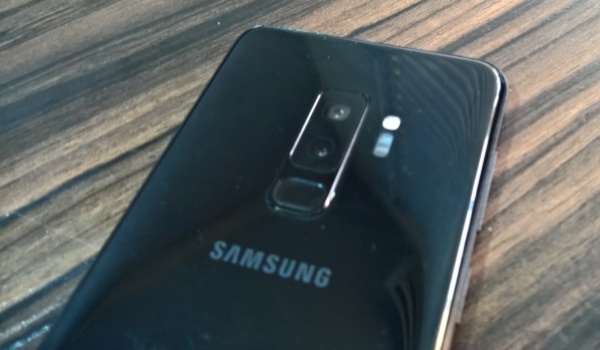
Samsung Galaxy S9 Plus camera
My first experience with Gcam was with the Samsung Galaxy S9 Plus . I installed the latest compatible version for the phone with excitement. The S9 Plus is in itself a good camera phone – one of the best in its time. Surely, using Gcam on it would produce better pictures; right?
I was disappointed to find out that it didn’t work that way. The S9 Plus’ default camera produced better photos. In addition, the app crashed more often than not, and I finally gave up.
Next, I experimented with Gcam on Huawei P30 , another top camera phone of its time. Again, I did not get any impressive results. More often than not, the P30’s default camera app did a better job than Gcam.
The third and last time I gave Gcam a try was on the Nokia 6.2 just a few months ago. Sometimes, the Google Camera app produced better photos; at other times, it produced worse ones. It was always neither fully here nor there.
As you can imagine, I eventually decided that Gcam was not the way to go. Perhaps in my own case, I installed it on camera phones that were already top-of-the-line (with the exception of the Nokia 6.2). But I think there is more to it than that. Let me explain.
Want to install Gcam app on your Android phone? It might be a waste of your time
There is more to smartphone cameras these days than just the app. For example, Huawei P30 has a triple camera configuration, but the Gcam app was designed to work with a single camera lens on Pixel phones.
A lot of software engineering goes into making it work that way. When you install it on a dual camera, triple camera, quad camera, or God forbid, a penta camera smartphone, there is no way it has been optimized for those more complicated camera configurations. Yes; smartphone cameras have become terribly complicated .
No matter how much tweaking is done on Gcam, it will not be optimal for many multi-sensor cameras in the market. Even after Google has developed a multi-sensor version, there will still be issues.
For example, the main lens in the Pixel 4 is a 12MP sensor. The Gcam app has been developed to squeeze out the best from that. But you install it on a phone with a 16MP, 32MP, 48MP or 64MP sensor. Do not expect it to deliver the best possible photos and videos for those.
Even where the megapixel count is the same, what of the aperture and other variables? In my opinion, if you have been wanting to instal Gcam app on your non-Pixel Android smartphone, do not bother. It isn’t worth the trouble most of the time. You are better off buying a superb camera phone and just using that.
Lastly, Google’s Pixel phones have since lost the coveted top spot among the best cameraphones in the market. In 2019, they weren’t even in the top 5, and now in 2020, it gets worse.
Do Not Install Gcam App On Your Phone; Get One Of These Phones Instead
In summary, while there has been a lot of buzz among photo enthusiasts wanting to install Gcam on their Android phones, developments have overtaken any benefits that used to bring. If you really want a top-of-the-line cameraphone, here are the top 10 (and number 4 is really affordable compared to the others):
- Huawei Mate 30 Pro 5G
- Honor V30 Pro
- Huawei Mate 30 Pro
- Xiaomi Mi CC9 Pro Premium Edition aka Xiaomi Mi Note 10 Pro
- Apple iPhone 11 Pro Max
- Samsung Galaxy Note 10+ 5G
- Samsung Galaxy Note 10+
- Huawei P30 Pro
- Oppo Reno 10x Zoom
- Samsung Galaxy S10 5G
My source for the above list is Dxomark . Why? They do more extensive cameraphone testing than anyone else on the planet at this time. As a smartphone reviewer, I have also found my experiences with cameraphones to be in line with their verdicts.
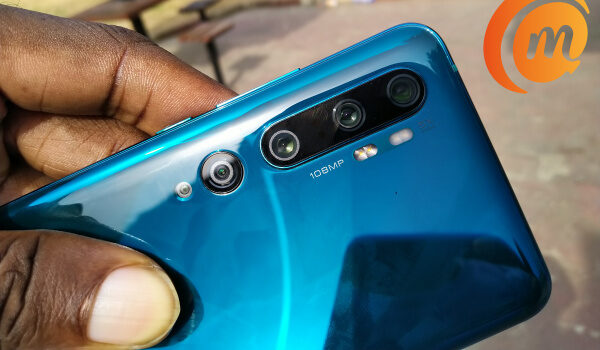
Xiaomi Mi Note 10 Pro penta camera
Most of the above smartphones are pricey, no doubt, but the Xiaomi Mi Note 10 Pro is the best value for money there, costing €480. Right now, it is the only non-flagship smartphone with a 5-star camera. You can also get Huawei P30 (not the P30 Pro) for around $500. Solid cameras cost money, I am afraid, and you just have to splurge a little if you want one.
You can check out my Huawei P30 review and my Xiaomi Mi Note 10 Pro review . If you cannot afford one of these phones in the $500 range but want a good camera phone, check out reviews to see which phones have the best cameras within your budget. There is something for everyone.
We love to connect with you on social media, so do follow MobilityArena on Instagram , Facebook , and Twitter .
Author:Mister Mobility
Digital Skills and Communication Coach | Mobile Phone Connoisseur since 2001 | Tech Blogging since 2004
