Add MobilityArena as a preferred source on Google
One of the worst things that can happen to a smartphone is for it to fall into water. When it happens, the chances that it becomes damaged are very high. So, as much as possible, you should try to prevent your phone from falling into water. But then, if your phone does fall into water, there are things you can do to reduce the damage. Here are some ways to avoid heavier damage to water-damaged smartphones:
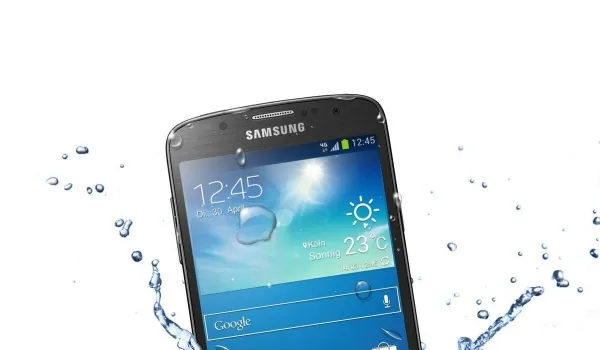
- Turn it off immediately and hold it upright.
- Remove the protective cover, the battery, your SIM and microSD cards from their respective slots.
- Use a dry cloth or paper towel to soak up as much of the water as you can. Be careful with this, as you could mistakenly push in water to more of the phone’s openings.
- If the water damage is more extensive, you can use a vacuum to suck out some water from the phone’s cracks. Make sure there are no small parts that could get sucked up by the vacuum.
- Place the phone in a Ziploc bag full of uncooked rice. This would absorb the water from the smartphone. There are many phone drying pouches in the market, and these are important if you tend to drop your phone in water. But when you don’t have those, a bag of rice would do.
- Leave the phone in rice for a day or two. Do not try to switch it on during this period.
- After two days, you can bring the phone out of the rice and try switching it on. If it doesn’t come on, try charging it. If that doesn’t work either, you might need to change your battery.
- If your smartphone turns on, watch it carefully for a few days. If you notice anything strange, like an unresponsive touch screen or a faulty speaker, you need to take it in for repairs.
You can prevent water damage to your phone by making use of water-resistant phone cases. There are several of those on the market. Also, there are various smartphones that are water-resistant. These phones include the Samsung Galaxy S7/S7 Edge and the iPhone 7/7Plus.
Here are some things you should never attempt on water-damaged smartphones:
- Do not turn it on
- Do not press any buttons
- Do not shake or hit the device.
- Do not try to take the smartphone apart.
- Do not blow on it. This could push the water deeper into the smartphone, thus damaging it more.
- Do not try to heat up your phone.
- Don’t miss our reviews .
- Follow our news on Google News .
- Join our WhatsApp Group , to be notified of the most important articles and deals,
- Follow us on Instagram , Facebook , Twitter , and YouTube .
Author:EmmyCN
Add MobilityArena as a preferred source on Google
If you are wondering why this Konka R2 review is qualified with the “good old days” phrase, just pause for a moment and take a look at the branding on the box in the photo below. What does it remind you of? Does it ring any bell?
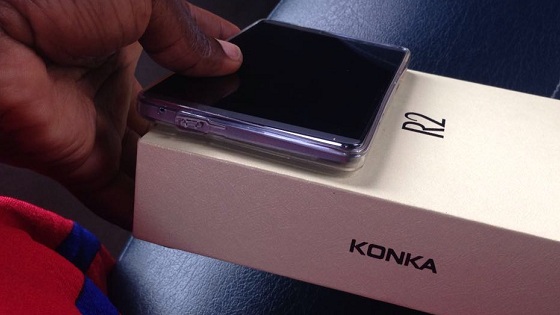
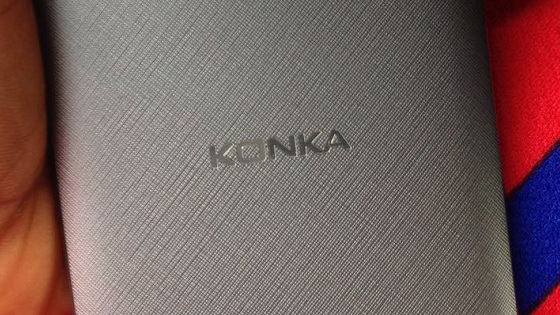
I remember that moment when I first set eyes on it at the Ntel office. My first impression of the name was “Nokia”. For a second, I thought my eyes were playing tricks on me. And it wasn’t just me; almost everyone else who came in contact with it for the first time mis-read the name as well. Whose fault is that?
Konka; Nokia. Gorrit? If it doesn’t strike you that way, don’t worry about it. It isn’t important. In case you missed all the earlier goodies, here are the full Konka R2 specifications , Konka R2 photos and first impressions , as well as Konka R2 performance tests . And on we go to the Konka R2 review proper.
PS : I have affixed a rating to each feature category in this review. All ratings reflect the standing of the device in its category and not how it stands against every smartphone out there.
Konka R2 Review: Design
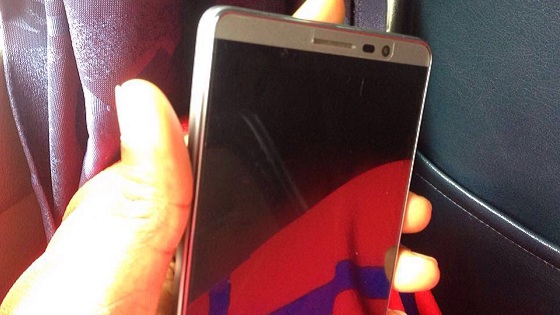
I am not a huge fan of squarish looking gadgets. As such, the subtly curved edges of the Konka R2 plays just nicely to my fancy. The body presents a grey, faux metallic-rim around the screen. The colour makes it seem like it has a metal body, but don’t get it wrong; it is plastic all round. But plastic with some finesse. Again, this reminds me of the Nokia devices back in those days. The rear cover is textured, which I think was a good design consideration so it isn’t slippery (unlike some slippery snakes we know of). We have seen some really slippery phones here, trust me. Rating: 7/10
Konka R2 Review: Screen And Multimedia
The Konka R2 isn’t a high end smartphone. Neither is it in the budget range. It sits somewhere in the mid-range class. I think the screen quality is just fine for its class. I have seen some more expensive devices with lower quality screens. The colours come out beautifully too. However, one needs to crank up the brightness well above 50% to be able to work under direct sunlight.
The Konka R2 does just fine in the multimedia department. There is nothing special to see or experience here. Neither audio nor video is bad, but neither is outstanding either. Rating: 7/10
Konka R2 Review: Battery Performance
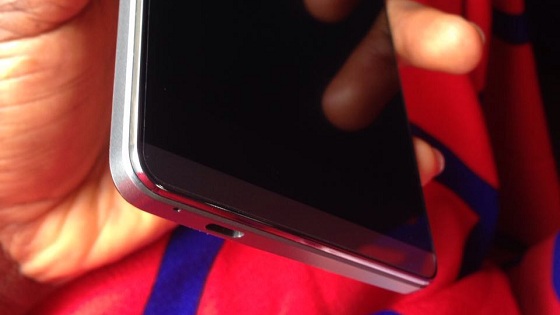
Surprisingly, the Konka R2 holds well with battery usage. For a device that runs 4G LTE network service, I’m impressed. One of the fears I had when considering it for my primary device was the battery life. So far, I haven’t been disappointed. Squeezing out its juice with work while hotspotting, a full battery charge typically takes me from 5 am till 12 noon. That may seem like a short time but consider that the device is being used as a hotspot and it is pegged to 4G. Not so bad, if you ask me.
But then comes the annoying question, Why does it take forever to charge up? Why didn’t the manufacturers infuse Fast Charging into the device? Honestly, any OEM designing for the Nigerian market should consider this feature seriously. The Konka R2 unfortunately takes eternity to charge to its full capacity and this can be absolutely frustrating especially if you are always on the go like I am. Rating: 6.5/10
Konka R2 Review: Network Reception
This is a huge sour point for the Konka R2. I am lost for words as to how to express my disappointment. Right from the first day of use, the Konka R2 hasn’t displayed any special abilities in finding the Ntel 4G LTE network. During the course of this Konka R2 Review, we observed this in several locations within Lagos and Abuja. For the areas with great coverage, the reception was good. However, when in areas with not-so-great coverage, one would expect the Konka R2 to hold up. Alas, other devices beat the Konka to this. Sad, innit? Rating: 4/10
Konka R2 Review: Perfomance
The Konka R2 is equipped with a 5.5-inch screen, 2 GB RAM, 16 GB internal memory and a Quad-core Cortex processor clocked at 1.3 GHz. In everyday use, it doesn’t seem to lag behind in the performance department. I recently switched from using a similar range device and I don’t feel like anything is missing in the performance department. Here are the benchmark test results that we got off it:
- AnTuTu : 32,477
- Geekbench 3 : 420 Single-Core: 1,191 Multi-Core
- Quadrant : 11,996
Not bad. Rating: 8/10
Konka R2 Review: Photography
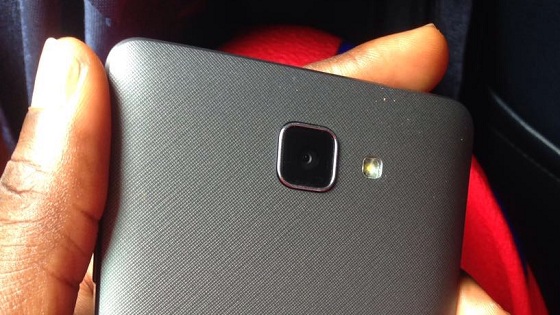
The back camera comes with a 13 megapixel label, but I must say that the pictures it churns out are no where near the kind of quality you would expect from a 13 megapixel camera. We know that megapixels are not everything, but pictures from the Konka R2 camera do not reflect the level of details you would expect from that specification. The selfie camera is an 8 megapixel unit. It produces good selfies in natural light, but falls behind in poor lighting. I will publish some photos comparison in a subsequent post. My rating for photography: 4/10
Konka R2 Review: Conclusion
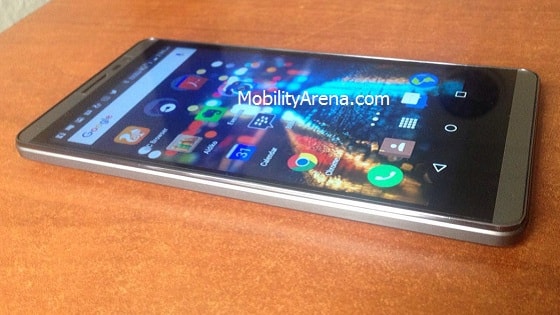
The R2 disappoints on many levels. One could argue that at it’s price range I shouldn’t expect any better from the Konka R2, I have seen and used other devices within the same price range and gotten a better deal.
The Konka R2 is a good device for those who need a 4G LTE work smartphone, especially where there is good network coverage. It holds its ground well in terms of performance and getting things done. It has no software glitches that I can tell of. Should you need a device for both work and entertainment, you might want to look elsewhere.
- Don’t miss our mobile phone reviews .
- Follow our news on Google News .
- Join our WhatsApp Group , to be notified of the most important articles and deals,
- Follow us on Instagram , Facebook , Twitter , and YouTube .
