Add MobilityArena as a preferred source on Google
As an iPhone owner, I know that it is not an uncommon thing to be in a situation where you are left wondering why my iPhone is not ringing for incoming calls, all of a sudden. You are surprised to find that you have a bunch of missed calls. Having my iPhone not ringing when I get a call is an annoying thing, at the least, and can mean disaster in an emergency.
And the problem does not affect telephone calls only. I have missed text messages as well because my iPhone didn’t ring out. I have a colleague who missed vital text messages from their iPhone 12 not ringing when locked. And that caused a mess at work, because those messages were vital to what we do. You don’t want to be caught in a situation like that just because your iPhone is not ringing for incoming calls.
Why is my phone not ringing when I get a call?
So, why is your iPhone not ringing but saying missed call? There are a number of reasons why this happens, and most of them are simple problems that can be fixed by changing a setting in your phone. It could be a volume setting issue. It could be that you have Do Not Disturb turned on, or perhaps have the Ring / Silent button pushed inadvertently. A hardware fault cannot be ruled out, too, if your iPhone is not ringing for incoming calls.
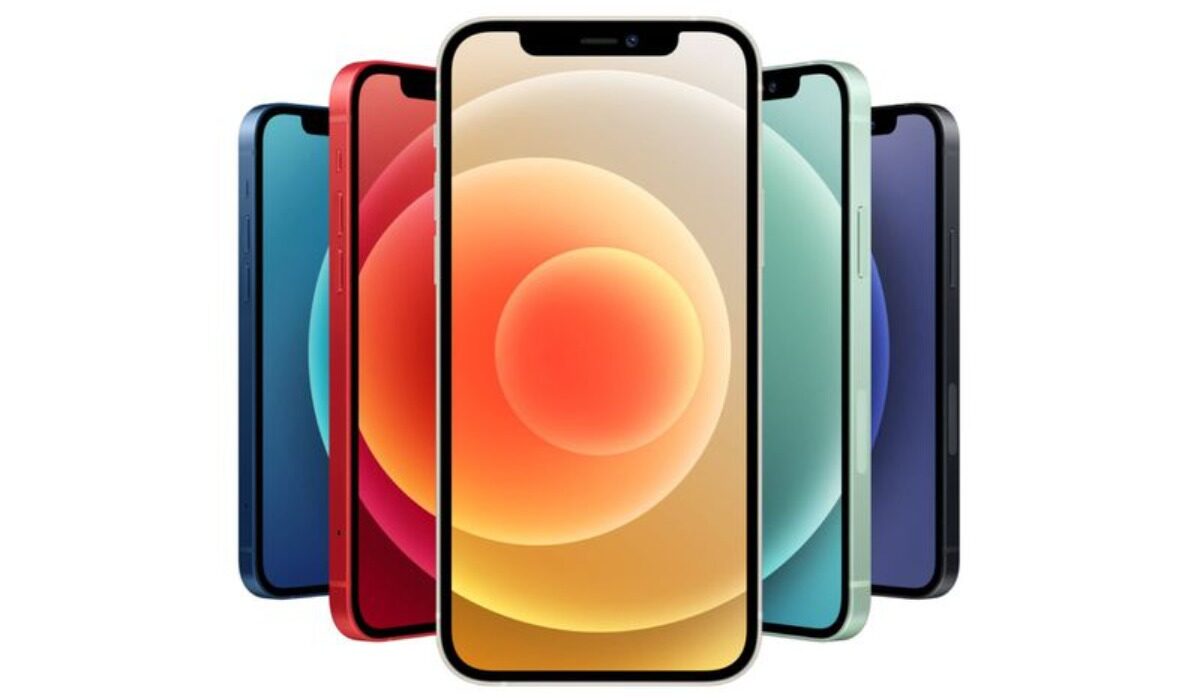
If your iPhone is not ringing for incoming calls, here are a few things you can do
How do I fix my iPhone not ringing for incoming calls?
Naturally, your first port of call should be your phone’s volume settings. Check the phone to be sure that the volume hasn’t been turned down. If that isn’t where the problem lies, the question you want answered is, “How do I get my iPhone to ring again?” It is time to go through the below checklist, one by one, to resolve the problem.
Check the Ring / Silent switch
There is a Ring / Silent switch on the side of your iPhone. There is a possibility that you accidentally toggled that and put your device on Silent. So, check that button to be sure it is in Ring position. If it is pushed toward the back side, your iPhone is on Silent; push it forward to enable the ringer again.
Check and Turn off Do Not Disturb (or Focus, in newer models)
Do Not Disturb is the settings we enable to keep anyone from distracting us, usually when we are in a meeting, driving, or just needing some personal time. The snag is that many times, we forget to turn it off again, and then go our way. The result is that your iPhone will not ring out when someone calls you.
So, if your iPhone is not ringing for incoming calls, check to make sure that you do not have Do Not Disturb enabled. Open Settings > Do Not Disturb, and toggle the switch off if it is on. Also, you can now schedule Do Not Disturb, so it is automatically turned off after a preset period. This helps with those who forget to turn it off after use.
Turn off Silence Unknown Callers
I am not one to ignore unknown calls, but I know that there are people who do. Blocking unknown callers from reaching you means that your iPhone will not ring out when such unidentified numbers call you. It could be a friend or a family member in an emergency trying to reach you.
To turn off Silence Unknown Callers, go to Settings > Phone Tap > “Silence Unknown Callers”, and turn off the toggle button next to Silence Unknown Callers.
Why is my iPhone not ringing when locked?
Where your iPhone is not ringing for incoming calls when locked, you need to look at your Do Not Disturb settings. This happens when you have Do Not Disturb turned on with certain settings. For example, you likely set DND to kick in Only while iPhone is locked . Go into your iPhone’s DND settings to disable that.
A iOS software update may fix a situation where your iPhone is not ringing for incoming calls
Sometimes, your iPhone is not ringing when you get a call is due to a software bug and Apple releases a fix via a software update. So, be sure to check if there is a software update available for your device, and then run it, Go to Settings > General > Software Update, and if there is one available, install it.
Reset all settings
If iPhone is not ringing for incoming calls, resetting it might be your last resort shy of sending your beloved iPhone to an Apple authorized service centre. Resetting your iPhone to Factory Settings will wipe everything off the device, so be sure you know what you are doing before going down this path. You should have a backup of your files or else you will lose everything.
If your iPhone still won’t ring
There is a chance that the problem could be hardware based if your iPhone is not ringing for incoming calls after trying all the above fixes. In this case, only an authorized service centre will do. It is time to take your iPhone to one to get it fixed.
- Don’t miss our reviews .
- Join our WhatsApp Group , to be notified of the most important articles and deals,
- Follow us on Instagram , Facebook , Twitter , and YouTube .
Author:MobileChic
That motivated, gadget-loving geeky chic who tries to stay on top of things. Unapologetic iFan.
Add MobilityArena as a preferred source on Google
Samsung Galaxy S22 is one of the few compact premium flagship smartphones in the market. While it has a 6.1-inch screen, which makes it handy, on the inside, it is a full premium flagship product with a top-of-the-line processor and features.
Welcome to our complete guide to the Samsung Galaxy S22. On this page, we cover everything you need to know about this smartphone, including its specifications, price, release date, and more.
| Samsung Galaxy S22 specs in brief |
|---|
| OS: Android 12 Release Date: February 2022 Network Type: 2G/3G/4G/5G Display: 6.1-inch, 1080 x 2340 pixels resolution Processor: Exynos 2200/Snapdragon 8 Gen 1 Selfie Camera: 10 MP Rear camera: 50 MP Triple RAM: 8 GB ROM: up to 256 GB Battery: 3700 mAh Related: |
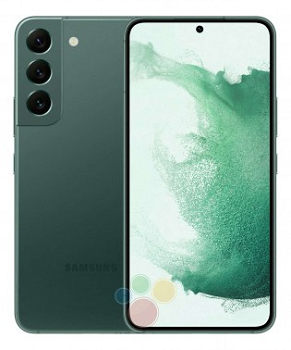
- Samsung Galaxy S22 specs & features How big is the S22? What colours does S22 come in? Does the S22 have a headphone jack? Does the S22 have a SD card slot? Is the Galaxy S22 waterproof? Does Samsung Galaxy S22 have Google Play Store? Will Samsung Galaxy S22 work in the USA?
Samsung Galaxy S22 specs & features
Mobile Wireless Network and Software
- 2G mobile network bands : GSM, GPRS, EDGE 850 / 900 / 1800 / 1900 MHz.
- 3G mobile network bands : UMTS, WCDMA, HSDPA 850 / 900 / 2100 MHz
- 4G mobile network bands : LTE.
- 5G mobile network bands : NSA/SA
- SIM Type : Nano-SIM, Dual SIM
- Software / OS : OneUI 4, based on Android 12
Design, Form Factor, Appearance
- Dimensions : 146.0×70.6×7.6 mm
- Weight : 167g
- Display : 6.1 inches (15.49 centimetres), 1080 x 2340 pixels, 120 Hz refresh rate, 19.5:9 aspect ratio, Dynamic AMOLED 2X screen, Gorilla Glass Victus protection.
- Colours : Phantom white.
- Physical Build : IP68 dust/water resistant (up to 1.5m for 30 mins)
Internal Hardware Specs
- Processor Type : 64-bit, 2.3 GHz Octa-core
- Processor Name : Exynos 2200 (4nm) – Europe, Middle East, Africa. Qualcomm SM8450 Snapdragon 8 Gen 1 (4 nm) – USA/China
- Graphics Processor : Xclipse 920 – International. Adreno 730 – USA/China
- RAM : 8 GB
- Internal Storage : 128 GB / 256 GB
- Expandable Storage: No.
Camera Specs: Photography, Video Recording
- Main Camera : 50 MP main sensor + 12MP ultrawide angle lens + 10MP telephoto lens, autofocus, dual LED flash, 8k video, 4k video, 1080p@30fps video recording
- Front Camera : 10MP, f/2.2, 1/3.24″, 1.22 µm, 25mm, fixed focus, Face Recognition, 1080p@30fps video capture
Audio, Video Playback
- Music Support : PCM, AAC / AAC + / eAAC + / MP3 / AMR – NB / WB / APE
- Audio :
- Loudspeaker : Mono speaker
- Video Support : H.264/MP4/MPEG4 player
- FM Radio :
Phone Sensors
- Digital Compass : Yes.
- Accelerometer : Yes.
- Proximity Sensor : Yes.
- Ambient Light Sensor : Yes.
- Barometer : No.
- Pedometer : No.
- Heart Rate Monitor : No.
- Gyroscope (G-Sensor) : Yes.
- Fingerprint Scanner : Yes; in-display.
- Face Unlock : Yes.
- Iris Scanner : No.
- Motion Sensing / Gesture Control : No.
- Voice Control : No.
- Intelligent Digital Assistant : Yes; Google Assistant.
- Infra-red Sensor : No.
Connectivity Options
- Bluetooth Version : 5.2
- Bluetooth Profiles : A2DP
- WiFi : Wi-Fi 802.11 a/b/g/n/ac/6, hotspot
- GPS : Yes, A-GPS, GLONASS, BDS, Galileo
- USB : microUSB v2.0. Type-C. USB-OTG.
- NFC : Yes.
Miscellaneous Specs and Features
- Battery Type and Capacity : Non-Removable Lithium-Polymer 3700 mAh
- Battery Charging : 25W fast charging
- Wireless Charging : No.
- Reverse Charging : No.
- Model Version/Number :
Launch/Release Dates and Information
- Announcem ent : February 9, 2022
- Release Date : February 25, 2022
Samsung S22 Cost: Pricing by Country
United States of America (USA) : $799.99 (128GB unlocked). $849.99 (256GB).
United Kingdom (UK) : £769 (128Gb). £819 (256GB)
European Union (EU) : €849 (8/128GB). €899 (8/256GB)
Nigeria : ₦469,000 (8/128 GB). ₦499,000 (8/256 GB)
Egypt : Egyptian Pound
UAE : AED 3,199.00 (8/128GB). AED 3,499 (8/256GB)
India : ₹72,999 (8GB+128GB). ₹76,999 (8GB+256GB).
Iraq : Iraqi Dinar
Kenya : Ksh.
Ghana :
The above prices may change with time from country to country, as market forces and economic policies influence product price movements.
How big is the S22?
It is a compact smartphone, having a decent 6.1-inch screen, and measuring 146 x 70.6 x 7.6 mm in dimensions.
What colours does S22 come in?
Samsung S22 is available in Phantom White, Phantom Black, Pink Gold, Green, Graphite, Cream, Sky Blue, and Violet.
Does the S22 have a headphone jack?
No; it does not have a 3.5mm headphone jack
Does the S22 have a SD card slot?
Samsung S22 does not have an SD card slot.
Is the Galaxy S22 waterproof?
Yes; Samsung S22 is waterproof and dust proof, with an IP68 rating.
Does Samsung Galaxy S22 have Google Play Store?
It supports Google Services and software applications, including Play Store and Maps, Gmail, YouTube, and others.
Will Samsung Galaxy S22 work in the USA?
This is a GSM phone and is supported on US GSM carriers like AT&T and T-Mobile and other networks riding on their networks. It does not support CDMA networks. Do make enquiries from your carrier to know what bands/frequencies are supported on their service.
MobilityArena Buyer’s Guide Verdict
Not available.
Our Buyer’s Guide Verdict is a recommendation based on the specs of the device and a general guide to help you understand how much value a device offers for its price. It is not an endorsement of the device. Ask questions and use your judgement when buying any device; MobilityArena takes no responsibility for your buying decisions .
Samsung Galaxy S22 Phone Review Rating
Not available.
