Add MobilityArena as a preferred source on Google
Wireless charging is a convenient piece of coll technology that lets you charge your phone without plugging a cable into it. It works by electromagnetic induction to power your phone in close contact with a charging pad, mat, or stand. It isn’t quite wireless in the sense that no cable is involved at all; it is just that the cable isn’t plugged directly to your phone.
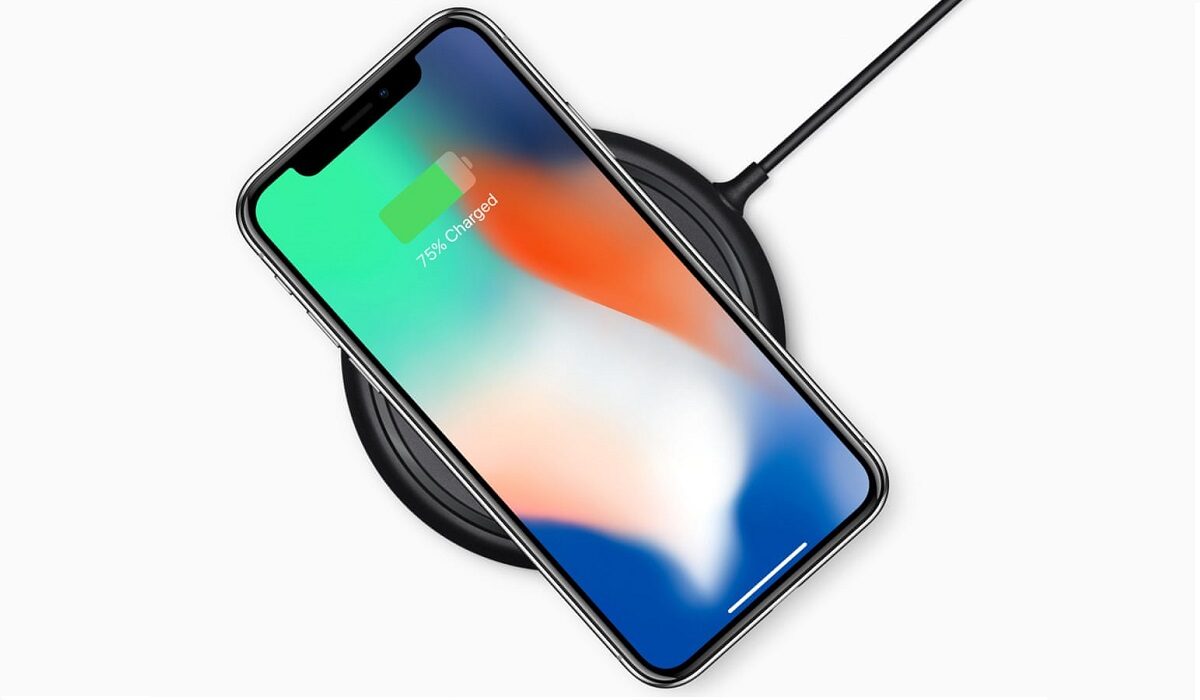
Like other manufacturers, Apple has adopted wireless charging in some of their products, starting from the iPhone, 8, iPhone Plus, and iPhone X. The company uses the popular Qi standard, though modified to work with their own products only, in some cases. Here, we have a look at which Apple products and iPhones have wireless charging support.
These iPhones Have Wireless Charging
Every Apple iPhone announced since the iPhone 8 series in 2018 has had wireless charging built into it.
- iPhone 8
- iPhone 8 Plus
- iPhone X
- iPhone Xs
- iPhone Xs Max
- iPhone XR
- iPhone 11
- iPhone 11 Pro
- iPhone 11 Pro Max
- iPhone SE (2020)
- iPhone 12
- iPhone 12 mini
- iPhone 12 Pro
- iPhone 12 Pro Max
- iPhone 13
- iPhone 13 mini
- iPhone 13 Pro
- iPhone 13 Pro Max
Upcoming models are likely to feature this technology as well. It is safe to say that you do not have to worry about whether any future iPhone model will have wireless charging or not.
Which Other Apple Devices Have Wireless Charging?
iPhones are not the only gadgets that Apple makes. Other products include iPads, watches, pencils, and AirPods. Which of these support wireless charging, and which do not?
Which Apple Watches Support Wireless Charging?
Right from the 1st generation Apple Watch, all Apple Watches have supported the Qi wireless charging standard. Here is the complete list till date:
- Apple Watch Series 1
- Apple Watch Series 2
- Apple Watch Series 3
- Apple Watch Series 4
- Apple Watch Series 5
Future Apple Watches will likely support the standard as well.
Which Apple AirPods Support Wireless Charging?
Apple’s AirPods support wireless charging as well. This requires the use of a wireless charging case, though, so if the case you have is not that, you have to buy one. The list of AirPods that can be charged wirelessly includes:
- Apple AirPod 1
- Apple AirPod 2
- Apple AirPod Pro
Can You Charge iPads Wirelessly?
None of the iPad line-up, all the way till 2021, supports wireless charging. None. Will there ever be an iPad with wireless charging? Apple has not made any definitive statement on this, but rumours are that the first iPad to support wireless charging will be launched in 2022.
These Apple Products Can Not Be Charged Wirelessly
All iPhones from the iPhone 7 and older do not support wireless charging. We have already seen the list of which iPhones have wireless charging earlier in the article. As already mentioned, no current iPad has it either.
How To Charge Your iPhone, AirPods, Apple Watch Wirelessly
To charge any of your Apple products wirelessly, plug your Qi-compatible charging mat or stand to a power source, and place your Apple device on it. It will start to charge. It is as simple as that.
Which Are the Best Wireless Chargers for Your iPhone or Apple Device?
There are a handful of wireless chargers available for Apple products. These include products from MagSafe, Belkin, Morphie, Native Union, Otterbox, Anker, and others. Some of these are available from Apple, and you can buy them from independent accessories stores in the United States and elsewhere around the world.
You are reading Mobility Arena .
- Don’t miss our reviews .
- Join our WhatsApp Group , to be notified of the most important articles and deals,
- Follow us on Instagram , Facebook , Twitter , and YouTube .
Author:InfoDesk
Add MobilityArena as a preferred source on Google
I never thought that I would ever say this, but here we are, and here it is: having used Android 12 beta for about a month now, I am in love with stock Android much more than ever. This is the most gorgeous version of Android yet, and it is so beautiful that almost every custom skin out there looks ugly in comparison. Take note that this Android 12 review focuses on the user interface of the OS.
I like One UI, but after tasting Android 12, I am not quite as excited about it as I used to be. My current driver is the darling Xiaomi Mi Note 10 Pro , and I have enjoyed the MIUI 12.5 experience for the most part. But even that now feels like a tepid experience since my encounter with Android 12.
- What Is The User Experience Of Android 12 Like?
- What Do I Like About The UI Of Stock Android 12?
- Android 12 Review: Conclusions
What Is The User Experience Of Android 12 Like?
If someone were to ask me to describe the user interface of Android 12, the ironic answer would be that it looks like Google took the best parts of One UI and the best parts of MIUI and merged the two to create a masterpiece. That is the impression that I get of stock Android 12.
For example, stock Android 12’s UI isn’t as colourful as MIUI’s. It is more demure, classy, and Zen-like. And it is certainly more flexible, offering a richer set of customization options.
What Do I Like About The UI Of Stock Android 12?
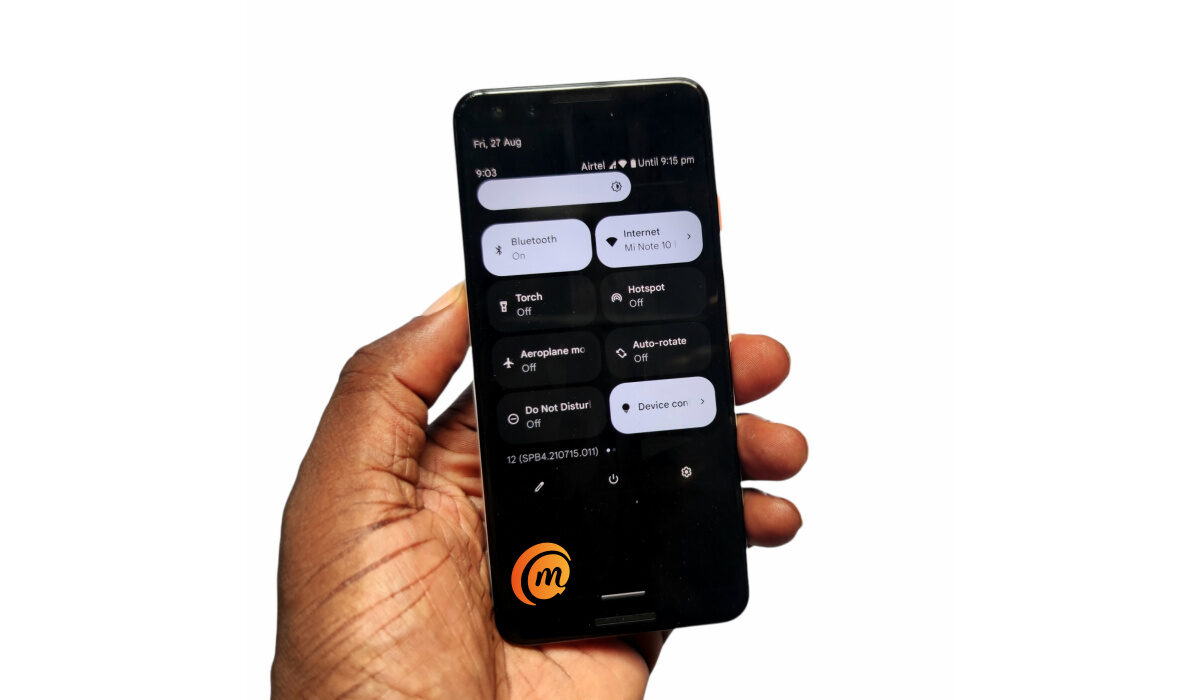
There are lots of things I like about it. I love the cool, calm, colour schemes . I love that the colours of the user interface can be themed to match whatever wallpaper I use. Basically, when you set a wallpaper, the operating system pulls complementary colours from it and uses those to theme the entire system UI of the phone. You can opt to use preset basic colours too, if you want. This is such a beautiful thing, and it reminds me of the glorious days of customization on Symbian OS.

The user interface of stock Android 12
Themed icons is another cool customiation feature that Android 12 brings to the table. If you enable it, the icons of installed apps on the phone are themed to match the colour style you picked for the UI. Personally, I don’t like the results that much, so I have chosen to keep this disabled. But it can and will likely produce better results, and it is great to have the option available.
I like that Android 12 has got rid of Bubbles and chat heads in the stock Google Phone app! Oh, those pesky intrusions on the screen couldn’t go away fast enough, and I am happy that Google is ditching them. Instead, they have been replaced with a chip that displays in the status bar at the top of the screen. Much better. One can only hope that app developers will follow suit as well. Facebook introduced it first, and hopefully they will ditch it too.
The new smart auto-rotate feature is a fabulous idea. Once I pick up a new phone, one of the first things I do is turn off autorotate. Having autorotate on means that every time I recline or lean while using my phone, the display dances and twists and turns. it is a mess. I am not sure how others manage to keep it one, as many in my circle do. But, heck! No.
Anyway, the new smart autorotate system employs the selfie camera to keep track of the position of the user’s head and automatically adjust the screen’s rotation to that. This is what I am talking about when I say smartphones need to get smarter. These damned things have to adjust to the user, and not the other way round, and smart autorotate promises that.
I use the word “promise”, because during my Android 12 beta experience, it didn’t quite work for me. I turned on the setting after it was first made available and autorotate was still turninoninown as it used to do. Then, the feature disappeared from my phone after another software update and has not been back since. No worries; this is beta software. I am looking forward to seeing it again, and working as promised, when Android 12 is pulled out of beta.
Android 12 Review: Conclusions
Android 12 is the biggest change to ever happen in the Android ecosystem in about seven years. The new user interface, Material You, is such a welcome delight. The lads at Google must have worked their butts off to pull this off. Everything looks, feels, and works better.
Android 12 has such a calm, fluid, and lighter appearance than ever before. While I have loved stock Android for years, I am so totally smitten now that it aches a bit just to think of using any phone with a custom Android skin slapped on it.
You will be interested in our recommended Pixel 6 and Android 12 tweaks .
Author:Mister Mobility
Digital Skills and Communication Coach | Mobile Phone Connoisseur since 2001 | Tech Blogging since 2004
