Add MobilityArena as a preferred source on Google
The world has come a long way from the days in which mobile-friendly websites were a novelty. I remember the days when there were only a handful of them. But browsing the web on mobile is standard practice now. Yet, once in a while, you may experience a situation in which you are unable to open certain websites on your phone. Why does this happen and what do you do then?
- Some reasons why you are unable to open certain websites on your phone
- What you can do if you can’t open certain websites on your phone
Some reasons why you are unable to open certain websites on your phone
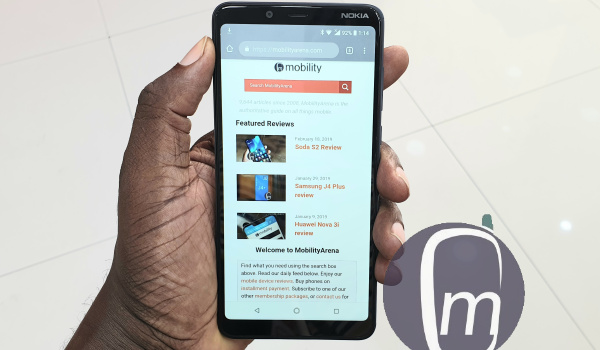
Let’s start with the obvious: till now, there are many websites still active on the Internet that were designed with dated Web standards and technologies e.g. Flash and older HTML codes. These websites will not likely load on your mobile web browser. There is nothing you can do about these dinosaurs except to visit them on a laptop or PC. Even at that, some elements will not load still.
Another reason why you may be unable to open certain websites on your phone is a DNS issue. As MobilityArena is dedicated to not complicating things for you, think of a DNS issue as the servers of your ISP and the servers of the web host having a disagreement. Result? The website does not open on your phone.
This is a fairly common problem. One way to find out if this is the case is to connect to another ISP and then try visiting that same website. If it opens, you are likely looking at a DNS issue. What can you do about this? You are techie enough and know your way around, you can dive into the Settings of your phone to modify DNS.
The other thing to do is to submit a support ticket to your ISP explaining to them that you can open certain websites on your phone when connected to other ISPs but not when connected to theirs. They should know what to do to fix it.
Another reason why you may find it difficult to open certain websites on your phone is a new practice by some businesses to make their websites inaccessible on mobile, so you have to download their apps. It sucks. I have experienced that and it sucks. Some redirect their mobile websites to their app pages on Google Play or Apple Store.
But not all of us want to install another app on our smartphones. What to do? I can’t tell you how to live your life, but what I do is abandon that business and go look for a more sensible alternative that leaves their website accessible on mobile. There are many of them. So, I just stop using the offending company.
Now, similar to the dated websites that still run on older standards and so are incompatible with modern mobile Web browsers are another set of websites that are deliberately designed to not be mobile-friendly. I do not know why anyone wants to do this in 2021, but such websites exist.
It is sacrilegious. Personally, I abandon the offending website. There is often nothing I am looking for there that cannot be found elsewhere. This is not just a mobile-friendly world; this is a mobile-first world. Anyone executing their websites contrary to that does not deserve joy.
Also, you may be unable to open a particular website on your phone if the website administrator has blocked your IP address. But if this is the issue, you will also not be able to access the website on your PC/laptop using the same Internet connection.
Lastly, some modern websites have functionality that depends on JavaScript, and if you have JavaScript disabled in your phone’s browser settings, they may not open fully or properly. Go to your browser settings and make sure that you turn on JavaScript. This may solve the problem of not being able to open certain websites on your phone browser.
What you can do if you can’t open certain websites on your phone
Here is a quick rundown of some steps you can take to troubleshoot things if you cannot open a website on your smartphone browser.
- Check to make sure that your phone has an active internet connection.
- Check website is opening on another terminal – a tablet, a laptop/PC, or another phone.
- Don’t forget to ensure that you have JavaScript turned on in your phone browser.
- If your phone is connected to a Wi-Fi network, try another network, or even a mobile Internet connection to confirm whether the problem is with the website you are trying to load or with the connection. If it works, the problem is with the Wi-Fi network.
- Likewise, if your phone is connected to a mobile network, try another mobile or Wi-Fi, if its works, the problem is with your mobile network.
- If the website is opening on a PC but not on your phones, after trying multiple mobile and Wi-Fi connections, chances are that the website has implemented a block on mobile browsers, or there is a setting on your phone that needs fixing.
Author:Mister Mobility
Digital Skills and Communication Coach | Mobile Phone Connoisseur since 2001 | Tech Blogging since 2004
Add MobilityArena as a preferred source on Google
The sound of my alarm clock jarred me out of sleep and I jumped off the bed. I looked at the time and it was 7:30am. Damn! I woke up late. I had scheduled a 9:00am meeting for this morning and from the look of things, I would be late, except a miracle happens.
As I rushed to the bathroom, a call came in from Nkechi, my colleague. “I’m on my way, madam”, she said. “Are you on your way as well or at the office already?”
I murmured under the sound of the brush on my teeth, but she couldn’t hear me clearly. I spat out and told her I was still at home because I overslept. She shouted, “What! You fixed the damn meeting! And you’re usually the early bird. What will happen now?”
“I will be there on time; trust me, Nkechi”. I was being crazy, of course, and she knew. “I wonder where such confidence is coming from. But you do have your ways of getting things done. Hopefully, that magic will work this time”.
With the advancement of technology in this age, navigation apps are becoming necessities for everyone, and especially for tourists and travelers. You necessarily don’t need to ask for directions in a new city if you have a navigation app on your phone. The use of unsure human minds can be frustrating and gives room for errors.
Not only do navigation apps provide better accuracy in locating addresses and places, they also now help you find the fastest route to your destination. I was banking on this important feature that morning.
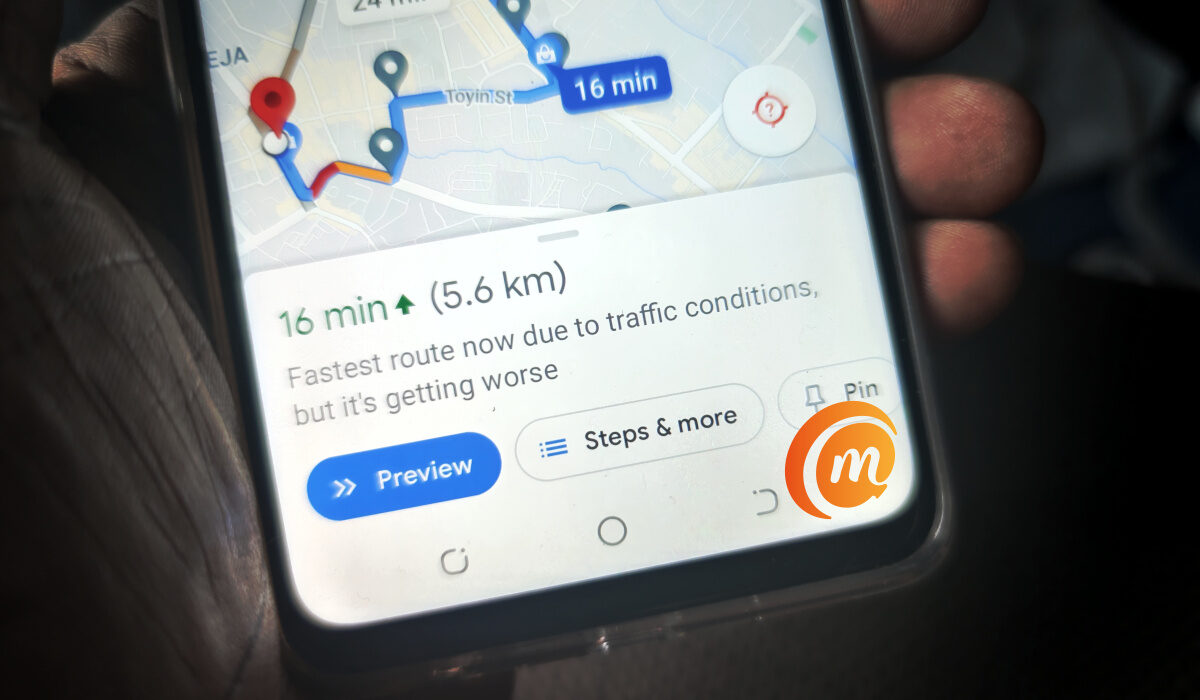
I got dressed and was in the car at 8:05am, took out my phone, clicked on my navigation app and punched in the location of the office. Next, I looked for the fastest routes and got one that gave me a fighting chance of being at the office on time. And then, I was on my way. As I drove, I prayed for a miracle. Lagos traffic is a living, breathing demon, and could still switch up on me and mess this up.
Thankfully, it didn’t, and I was driving into the office premises a few minutes before 9am. I sighed with so much relief when I entered the office, got to the board room, and met my GM and a few of my colleagues seated. Nkechi was nowhere to be seen, but she came in moments later, walked up to me and whispered in my ear, “You are a witch!”
I liked that. Technological advancement is often like witchcraft in its results. Conducting a video call like we do today would have been labelled witchcraft a few hundred years ago. How else would a person in the dark ages have described being able to see and talk to someone remotely?
The benefits of navigation apps cannot be over emphasized, they create convenience e.g. searching for places to hang out, the apps gives you options to choose from, locations and details, so that you are able to your make choice on the go. We no longer have to drive far and wide to dine or hang out. They also create room for connectivity, as a traveler you can share your route with family and friends or those expecting you at your destination.
Navigation apps for iPhone and Android
On the Play store and Apple store, there are different types of Navigation apps that we can install on our devices based on our lifestyle and preference.
Navigation apps for Android include: Google Maps, Maps.Me, HERE WeGo, Map Factor and so much more
Navigation apps for iPhone include: Drive Safe & Save, Waze Navigation, MapFactor Navigator, Apple Maps, and Google Maps.
Navigation Apps that work offline
Of these apps, several of them offer offline navigation. They include Google Maps, Maps.ME, and HERE We go.
