Add MobilityArena as a preferred source on Google
Let me begin with a full disclosure, if money isn’t an object, please know that I am the kind of guy who will buy the latest and greatest phones available. I will also change my phone every 6 months. Don’t judge, I’ve always been a mobile phone enthusiast, especially the smartphones.
As you probably can tell from my cheesy full disclosure, at this time in my life money and how much a phone cost is a huge factor in how I chose my phones.
By the way, since I’m still on the full disclosure train, it might interest you to know that I just bought the Oneplus 7 Pro a couple weeks ago. Yes, I know the phone has been in the market for a little over a year now, but that’s the phone I ended up with in July 2020.
Let’s talk about how I came to that decision.
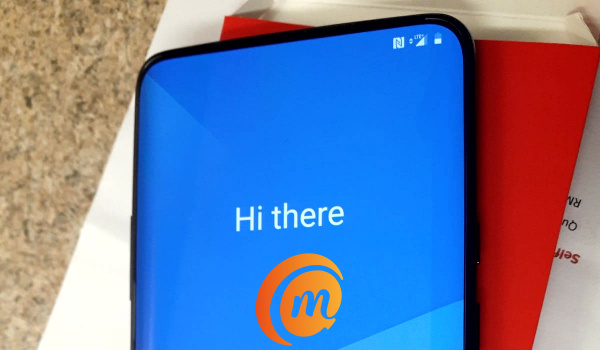
As with everything we buy, market availability plays a big role in how we settle on the products we use. So yes, what was available in my market (USA) factored a lot in why I ended up with the OnePlus 7 Pro.
If you didn’t already know, most of the phones available in the US market are sold through the networks, like T-Mobile, Verizon, AT&T and what have you (we refer to them as carriers). And that’s how most Americans buy their phones – through the networks.
Is it better to buy a cell phone online or in a store?
The problem with buying from the networks’ stores, however, is that, first and foremost your options are limited.
Two, their phones always come locked to the networks, which means you’re not able to switch networks as you please. I on the other hand hate for my phone to be locked to any network. I love the freedom of being able to just pop any SIM card into my phone and I’m good to go.
So, as a rule, I don’t buy my phones through the networks. I must admit that I tried it twice, once with Sprint and the other with Metro PCs, and each time I didn’t like it.
I opted to go the third route – buy directly from the manufacturer – OnePlus USA. As such, my phone came unlocked and is not locked to any network.

How to buy a phone in the USA: I got the OnePlus 7 Pro
Another factor in choosing my phone is the specs sheet, whether you believe it or not. I’ve always been the specs count guy. How much are you able to pack in a phone at a reasonable price?
This is why the Oneplus was appealing to me. It comes with 8gigs of RAM, 256GB of internal storage, three camera setup in the back with a 48 megapixel camera as the main shooter, 90hz refresh rate for fast and smooth scrolling, QHD AMOLED display, pop-up front facing camera, and yes, at a price that I consider reasonable and affordable? Sign me up please.
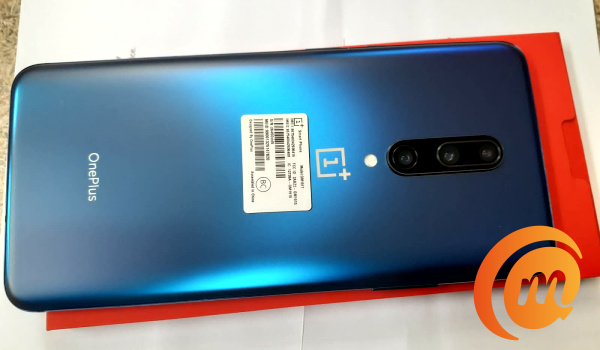
OnePlus 7 Pro is a superb deal
How much did I buy this beauty for? It cost me $550. For the specs and features, it is a steal.
Finally, I understand that this is purely my own process of coming to smartphone purchase choice. However, it will be different for different people based on the needs of individuals and personal preferences. By all means, do you.
You can check the full specs of OnePlus 7 Pro .
Author:Dayo Olutunfese
Add MobilityArena as a preferred source on Google
While the fax machine itself is now an antique now, many offices still use fax and list their fax numbers. Fax machines are obsolete and have been replaced by fax apps and online fax services. To send a fax from a mac, there are many online applications in existence.
With a number of options to select from, it becomes difficult to decide on which application to use. Many services are expensive and do not offer essential features. To make it easy for online fax users, we have selected one application that has all the top-notch features, after research and experience.
CocoFax: Reliable online faxing service for Mac
CocoFax is a mac application and online fax service that lets you fax without a phone line . It makes the faxing process secure by excluding the need to print out any documents. The app acts as the translator to convert the TIFF file from an old fax machine into a PDF file.
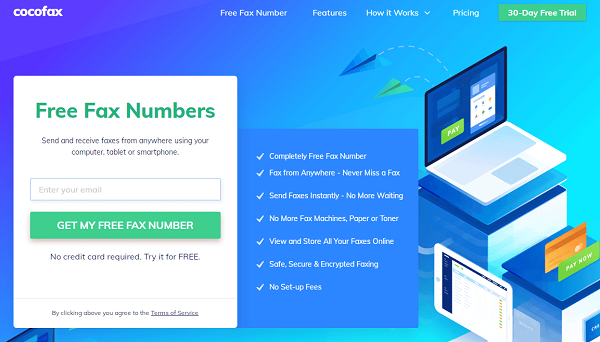
CocoFax features available for Mac users:
CocoFax provides both email-to-fax and fax-to-email service. This has made CocoFax a reliable service for many people who are not used to sending faxes through a fax machine.
To use CocoFax on a smartphone, Android and iPhone applications are also available. CocoFax not only sends faxes but it also lets you receive them. Incoming faxes are received and stored in the inbox for the entire lifetime of your CocoFax account.
CocoFax can be used on any device with an internet connection, like a laptop, smartphone, PC, and Mac. There is no need to keep the device on because you will not miss any fax even when the device is powered off.
It works without any additional hardware and telephone lines. There is no need to waste money on ink or paper. Many international organizations have been using CocoFax services and have given good reviews. Few of them are PC world, New York Times, iGeeksBlog.
Is it easy to fax from Mac via CocoFax dashboard:
CocoFax is an application that makes it possible to fax from Mac without the need for a modem or any additional hardware. The procedure of faxing is like a five-finger exercise: anyone can send and receive faxes without facing any technical issues.
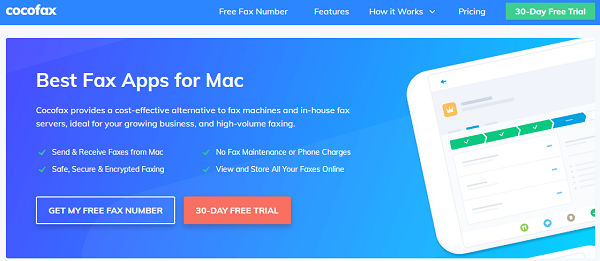
To make it convenient for its users, CocoFax has provided a video tutorial on the official site. In addition to that, you can read the steps below to better understand the process.
Step-by-step guidelines
First thing is to create an account on the official site. You can use any web browser for opening CocoFax.com. There you will see the free trial button on the top right corner, click on that to avail the opportunity of using CocoFax services for free.
For registration the first step is to specify the fax number you will use. You can select the fax number from any toll-free number, vanity number, or an easy to remember number.
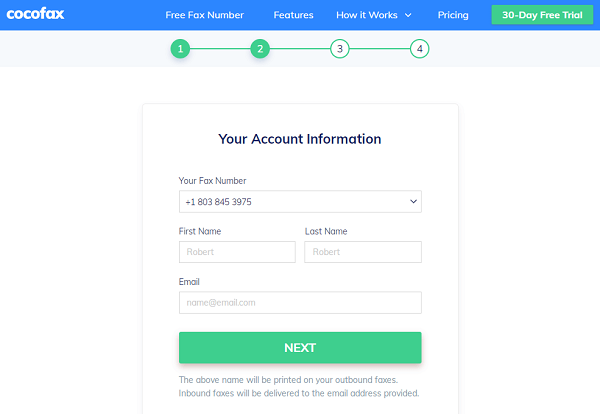
After selecting the free fax number move on to the next step. There you have to provide your first and last name and the email address of the account you want to merge with the CocoFax account. This will make it possible to fax from the email account directly.
Once the registration is complete, the CocoFax dashboard will appear on the screen. You can access this dashboard from any surfing site with your CocoFax credentials. This will make it possible to send and receive fax anytime, anywhere.
To send the fax hit the “new fax” option on the top left corner of the dashboard. After clicking on that a new window with empty fields will appear.
In the “To” field you have to enter The fax number of the person you want to send the fax to. You have to enter it carefully because any mistake in the fax number will not allow the rax to be delivered successfully.
Next subject and body fields are optional and you can leave them empty if there is nothing to mention. Otherwise, you can enter the title of the fax and the contact information in these fields respectively.
Lastly, to attach the file, the paper clip symbol is given. Click on that and select the files you want to fax. CocoFax can send multiple files at the same time. The formats could be different, for example, PDF, Docx, and doc. You have to click on the send button and in the blink of an eye, the fax will be delivered by CocoFax to the receiving end.
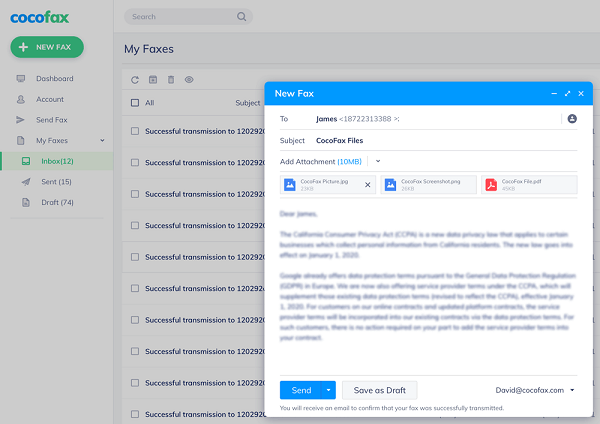
After successfully delivering it, CocoFax will give you an informing notification and an email so there is no need to call the recipient and find out whether the fax has arrived or not.
If there is any hurdle, the problem is most probably with their receiving fax machine or the machine is off. If the fax machine is off, contrary to digital devices and CocoFax, it cannot receive the fax. That’s why CocoFax has replaced the old fashioned fax machine at large scale.
Receiving fax via CocoFax on Mac:
To receive the fax, CocoFax is responsible for doing all the work behind the scene. You just have to open the file directly in your device and read it. Once a fax is received CocoFax converts it into a digital file if that is a TIFF file and saves it.
You can read the file without printing it out. This is another benefit of CocoFax which had made the fax mobile and convenient. Now anyone can enjoy the secrecy of faxing and the comfort of email in one place.
Conclusion:
It can be concluded that CocoFax is a best-suited option in the modern world because of its easy-to-use technology and lightning-fast speed. Now anyone can have an account without a huge budget to enjoy a hassle-free experience, devoid of extra telephone lines and multiple hardware devices, for sending or receiving fax from a Mac.
You can get more details about the features of CocoFax from the Google Fax Free site , if you still have questions that need answering.
