Add MobilityArena as a preferred source on Google
Is entering your PIN in reverse at an ATM a valid emergency measure? Have you ever received that WhatsApp pass-on that offers a number of useful tips about things you never knew your mobile phone could do? I have, and I got it again just yesterday. One of the tips in there is the one about ATM PIN reversal, aka Reverse PIN Panic Code. Here is what the tip says:
ATM PIN Reversal
If you should ever be forced by a robber to withdraw money from an ATM machine, you can notify the police by entering your PIN # in reverse. For example, if your PIN number is 1234, then you would put in 4321. The ATM system recognizes that your PIN number is backwards from the ATM card you placed in the machine. The machine will still give you the money you requested but, unknown to the robber, the police will be immediately dispatched to the location. All ATM’s carry this emergency sequencer by law. This information was recently broadcast by Crime Stoppers. It is, however, seldom used as people just don’t know about it.
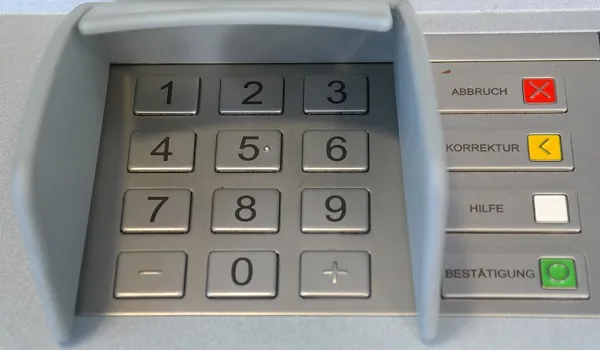
At a cursory glance, it sounds like a great idea. Unfortunately, it is not true. No bank has implemented such a security measure, even though it was recommended to US banks years ago. As a matter of fact, the software to make this work, ATM SafetyPIN software, was even patented by Illinois lawyer Joseph Zingher. However, as said, it was never implemented.
The ATM PIN Reversal Hoax
Since then, this hoax of typing your ATM PIN in reverse when in a forced situation has been passed round and round. The truth is that if you type your ATM PIN in reverse, you will get an error from the ATM and no cash will be dispensed to you.
Also, no police or security agency will be notified. Of course, delay tactics can be helpful in such an emergency situation, so typing in a wrong PIN under that situation may not entirely be a bad idea. But doing so can go this way or that. Typing in a wrong PIN, which is what your PIN in reverse is, might earn you a few slaps and kicks from your abductors.
In Summary
- Typing in your ATM PIN in reverse will get you a “wrong PIN” error
- Typing your ATM PIN in reverse will not alert the police
This so-called tip, like many others floating around the Web and being passed along through WhatsApp and other digital channels, is an urban legend. It is not seldom used because people don’t know about it; it is seldom used because it is not true and just does not work. It is a hoax.
As someone else has mentioned, there are too many issues and exceptions to allow this work. For example, if your PIN is a palindrome (reads the same forwards and backwards), e.g., 4224, how do you reverse that? What if your PIN is made up of the same digits (e. g 7777). What is the reverse of that? A certain string of digits would have to be exempted from the PIN system for this “security” measure to work.
Stay alert and stay safe at the ATM, guys. Also stay calm and focused. Be good to everyone. If ever this reverse PIN panic code system is implemented on ATMs, your favourite digital superhero, Mister Mobility, will be here to update you. For now, typing your PIN in reverse is as good as singing, “Twinkle, twinkle, little stars. To infinity and beyond! * zooms off into the horizon *
- Don’t miss our reviews .
- Join our WhatsApp Group , to be notified of the most important articles and deals,
- Follow us on Instagram , Facebook , Twitter , and YouTube .
Author:Mister Mobility
Digital Skills and Communication Coach | Mobile Phone Connoisseur since 2001 | Tech Blogging since 2004
Add MobilityArena as a preferred source on Google
Mobile phones have been one of the greatest inventions of the 21 st century. It helped us break free from the shackles of desk phones, which tied us to one location. The advent of mobile phones redefined what we could do with this calling machine.
But with one problem solved, another problem surfaces. Because the device is mobile, it is prone to a lot of exposures which are not favourable for the device. One of such conditions is the device falling into water. It could be a small puddle, a water closet, a stream, or even a river. Water is the enemy of any electrical board, and it causes serious damage to any device it comes in contact with.
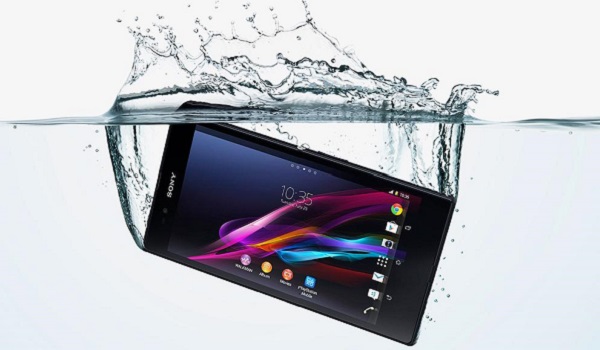
Now, there are a lot of articles already writing on what to do when your device falls into water, and each one proffering a different solution. But the irony of it all is, people now know what to do, but don’t know what NOT to do. So, this article is going to be talking about what NOT to do when your device drops into water:
When Your Phone Drops In Water, Do Not Put It On
Just like when your tire burst on top speed, the first instinct you get is to step on the brakes, and this could prove fatal. So also, when your device falls into water, the first thing you want to do is put it on the back to check if it is still working. DO NOT put it on, or try to put it on. If it is still on, remove the battery. If it comes with a non-removable battery, press and hold down the power button. Whatever step you want to take thereafter, it can be done with the device off.
When Your Phone Drops In Water, Do Not Swing Dry It
This is also something we all want to do. We feel by swinging it, it would drain the fluid inside. This is partially true. The truth is, swinging it would expel water from one side and allow more entry on the other side. You could place the device vertically, but DO NOT swing dry it.
When Your Phone Drops In Water, Do Not Apply Direct Heat
Now that your device is wet, everything you do on it have to come to a halt. All chats suspended, calls etc. You practically become useless. This can make you want to make haste with the drying process. You would want to be done with the process in a jiffy. This might push you to increase the heat of the dryer/heater used to dry the device. Excess heat can damage the board or the body of the device if it is made of plastic. It could also affect the screen of the device. DO NOT apply direct heat. Do not apply too much heat.
When Your Phone Drops In Water, Do Not Blow Dry It
This is another funny action people do when their device falls into water. They either use a blower or use their mouth to blow air into any available vent on the device. They hope this would dry the device. On the contrary, this would push the liquid further into the device. So DO NOT blow air into the device, either manually or with a blower.
When Your Phone Drops In Water, Do Not Plug It To Power
This is also another thing people like to do. Because they want to know if the device is still working, they tend to plug it to a main source. This could lead to the complete frying of the board…instantly. DO NOT plug it to power, instead, find every means possible to make sure it remains off during the entire rescue process.
- Don’t miss our reviews .
- Follow our news on Google News .
- Join our WhatsApp Group , to be notified of the most important articles and deals,
- Follow us on Instagram , Facebook , Twitter , and YouTube .
Author:Kaykerry
Winto Online Casino Winto Online Lottery Winto Online poker Winto casino Winto Lottery Winto Poker Join Winto Join to Winto Winto Jackpot Winto Online Gaming Winto Online Gaming Winto Online Gaming winto sbobet winto sportbook winto slot winto pg soft winto pragmatic play winto saba sports winto pussy88 Winto Live Score Winto News Winto Slot Demo Winto 4D Live Draw Winto Live Draw Winto HK Lotto Winto Singapore 4D
