Add MobilityArena as a preferred source on Google
Wireless charging technology lets you top up your smartphone’s battery without plugging in a power cable to it directly. This article explains how wireless charging works and explains what charging by induction means? We explain it all.
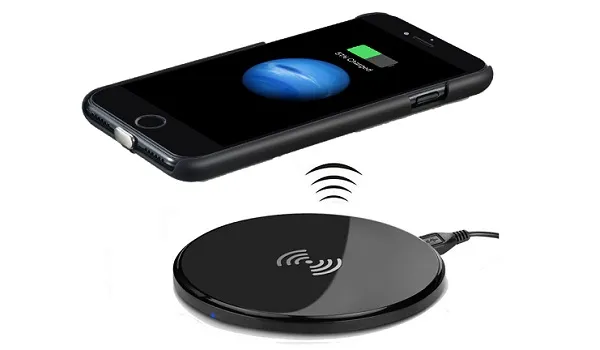
There are different wireless charging standards, developed by different teams. The most common and most popular is Qi, so you have likely heard of that. Others include: PMA (Power Matters Alliance), Wi-Po, A4WP (Alliance for Wireless Power), and iNPOFi. These others are not as widely used as Qi. As such, the wireless charging plate that you use is most likely using the Qi standard.
Wireless charging is not as efficient as wired charging. At least, not yet. Sometime in the future, that may change. There is a greater loss of power during the charging process when using a wireless charger than when using a wired charger. Wired is also still much faster than wireless. The big selling factor of being able to charge wirelessly is convenience, but it comes at the price of slower charging speeds when compared to wired charging.
- Types of Wireless Charging
- Charging By Electromagnetic Induction
- How Wireless Charging Works
- What Of Long-Range Wireless Charging?
- The Qi Standard
- Which Are The Qi Enabled Phones?
- Picking A Wireless Charger
Types of Wireless Charging
There are two types of wireless charging: inductive or electromagnetic induction, which requires direct contact by placing your device on a wireless plate, and resonant, which makes charging possible without physical contact. It does require some proximity. For now, inductive is by far the most common implementation.
Charging By Electromagnetic Induction
Inductive charging uses an induction coil to create an alternating electromagnetic field from inside a charging base, and a second induction coil in the compatible smartphone converts the power from the electromagnetic field back into electric current to charge the battery.
Inductive charging is the most popular form of wireless charging and has been built into many smartphones for a few years now. If you have heard of Qi wireless chargers, they work by inductive charging.
How Wireless Charging Works
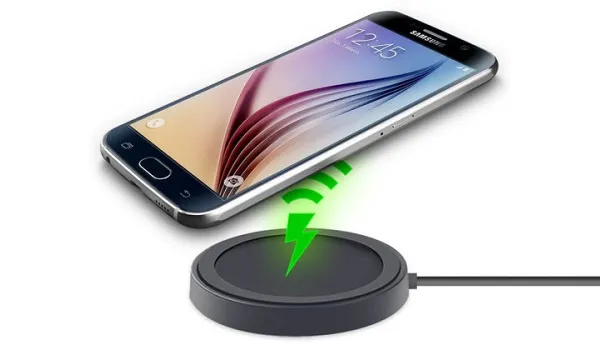
To use wireless charging, you need a charging pad. Plug the pad into a wall socket and place your Qi-compatible smartphone on it to charge. Wireless pads or plates now come in all shapes and sizes, with some of them coming in the form of small, colourful pillows.
The advantage of wireless charging is convenience: you do not have to plug and unplug your phone. Just drop it on the charging plate and carry on with your business. It is great for work desks, restaurant tables, and home furniture.
What Of Long-Range Wireless Charging?
At some point in time, you may desire something more freeing – something that does not require close proximity. A new wireless charging technology named Wi-Charge uses infra-red beams to charge devices over longer distances.
It isn’t in use yet by any smartphone manufacturers. So if you want a phone that charges wirelessly, the only available options are Qi enabled phones.
The Qi Standard
Qi wireless charging was developed by the Wireless Power Consortium (WPC). All the top mobile phone brands have adopted it, and it is what is used in most wireless chargers in the market, including those from Anker, Belkin, and Mophie.
Which Are The Qi Enabled Phones?
There are quite a number of Qi enabled phones in the market. This is because the Qi standard has become the defacto wireless charging standard for smartphones due to its huge popularity. You will find Qi enabled phones from Apple, Samsung, Nokia, LG, Huawei, Xiaomi, Sony, Sharp, and others.
Check the specifications page of the phones you are interested in to confirm whether or not they have wireless charging support.
Picking A Wireless Charger
Now that you understand how wireless charging works, you are better informed to choose a wireless charger.
If your phone is advertised as being able to charge wirelessly, then you can enjoy the convenience. All you need to so is buy a wireless charger. There is a wide range of wireless chargers in the market. They come in different sizes, shapes, designs, textures, and prices.
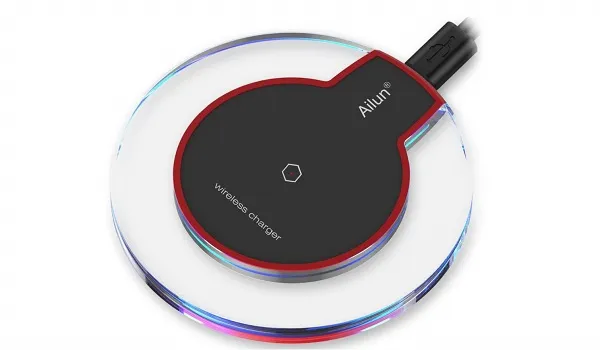
Here are a few brands that manufacture good quality wireless chargers:
- Belkin
- Samsung
- Case Mate
- Native Union
- Anker
- Yootech
- Seneo
- Aukey
- Choetech
- Ailun
New brands come up every other day though, so be sure to ask at your favourite gadget retail store.
Again, here is the summary of how wireless charging works: electricity is transferred from a charging plate to the smartphone, wearable or other device via electromagnetic waves. This means that even with a protective case on, your Qi-enabled phone will still get charged wirelessly when placed on a charging plate.
PS : You will find our related article, Fast Charging: 20W, 33W, 45W, 67W, 120W, Explained In Easy terms , interesting.
Author:Mister Mobility
Digital Skills and Communication Coach | Mobile Phone Connoisseur since 2001 | Tech Blogging since 2004
Add MobilityArena as a preferred source on Google
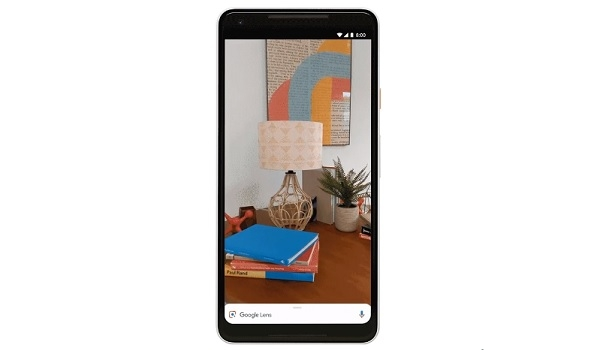
Google Lens first appeared as a standalone app for iPhone users, and then was made available for Android users. Then Google added Lens to the Photos app for Android. With the latest update, Lens has now been built directly into the Google camera app.
This means that you no longer have to go through Google Assistant or Google Photos to access Lens. Just launch the official Google camera app and Lens is waiting for you to use. Becaue the camera app is one of the most used apps in a smartphone, this is a big boost for Google Lens.
What is even sweeter is that new smart features have been added into the service.
The re-designed camera has also been integrated with AR and Google Maps features, so that instead of seeing regular lines and dots like you do on Maps, your camera will help you navigate in real time. Your camera becomes an easy to use guide.
Lens in the camera will also recognize and understand words, which you can select, copy and paste directly into other apps for use e.g. Office, email, etc.
Ladies in the house will love a feature called Style Match! Let’s say you see a picture of a woman in a lovely dress that you absolutely want for yourself. Simply open the camera app and point it at the dress, tap the lens icon and the camera will provide you with options of matching gowns, plus the price and location where you can get it.
Google Lens In Camera: The Compatible Smartphones
Unfortunately, the new Google Lens built into the Google camera is not available for all Android smartphones. In addition to Pixel devices by Google itself, Android One smartphones from the following brands will get the new Lens as integrated in the camera: Asus, BQ, HMD/Nokia, LGE, Motorola, OnePlus, Xiaomi, Sony Mobile, TCL, and Transsion (TECNO, Infinix, itel).
- Don’t miss our reviews .
- Join our WhatsApp Group , to be notified of the most important articles and deals,
- Follow us on Instagram , Facebook , Twitter , and YouTube .
