Add MobilityArena as a preferred source on Google
ZTE Axon 40 Ultra brief information
- OS: Android 12
- Release Date: 2022
- Network Type: 2G/3G/4G/5G
- Display: 6.8-inch, 1116 x 2480 pixels resolution
- Processor: Snapdragon 8 Gen 1
- Selfie Camera: 16 MP
- Rear camera: 64 MP
- RAM: 16 GB
- ROM: 31 TB
- Battery: 5000 mAh
- Related:
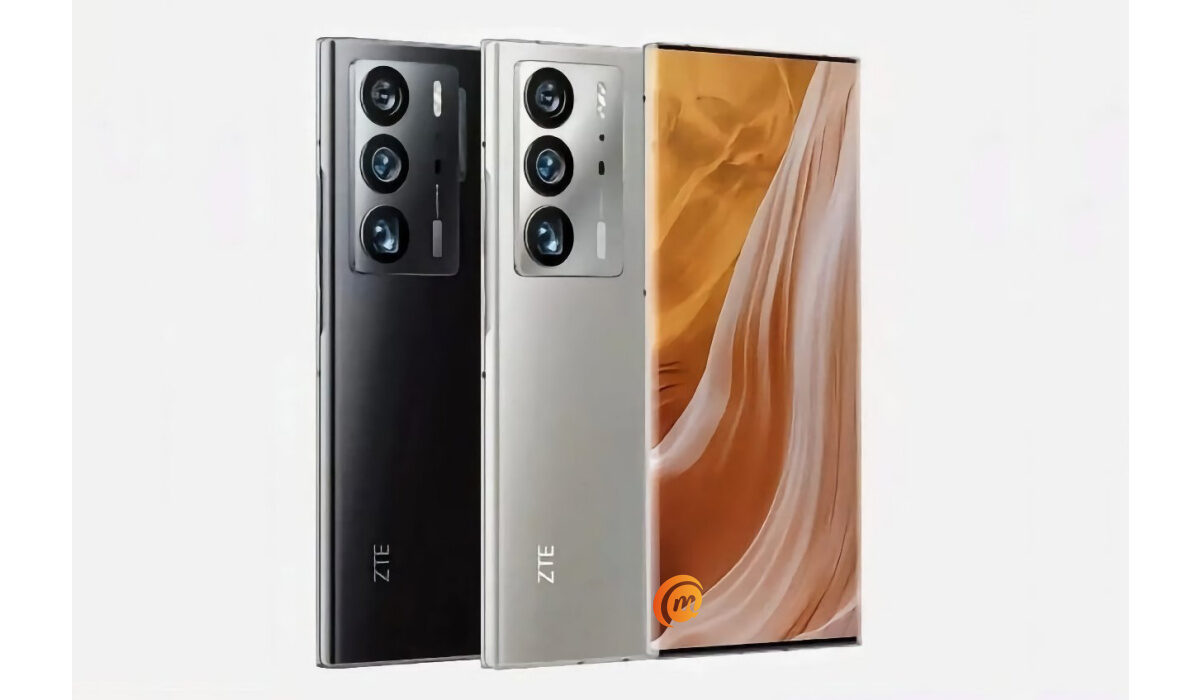
ZTE Axon 40 Ultraspecification
Mobile Wireless Network and Software
- 2G mobile network bands : GSM, GPRS, EDGE 850 / 900 / 1800 / 1900 MHz.
- 3G mobile network bands : UMTS, WCDMA, HSDPA 850 / 900 / 2100 MHz
- 4G mobile network bands : LTE.
- 5G mobile network bands : NSA/SA
- SIM Type : Nano-SIM, Dual SIM
- Software / OS : MyOS 12 based on Android 12
Design, Form Factor, Appearance
- Dimensions : 160 x 77.25 x 9.3 mm
- Weight : g
- Display : 6.8 inches, 1116 x 2480 pixels, 120 Hz refresh rate, 19.5:9 aspect ratio, AMOLED
- Colours : .
- Physical Build :
Internal Hardware Specs
- Processor Type : 64-bit, 2.3 GHz Octa-core
- Processor Name : Qualcomm Snapdragon 8 Gen 1
- Graphics Processor : Adreno
- RAM : 8 GB / 12 GB / 16 GB
- Extended/Virtual RAM :
- Internal Storage : 128 GB / 256 GB / 512 GB / 1 TB
- External Storage : microSD, up to 256 GB (dedicated slot)
Photography, Video Recording
- Main Camera : 64 MP main sensor with OIS + 64 MP periscope telephoto with 3.5x optical zoom + 64 MP ultrawide angle, autofocus, dual LED flash, 4k video, 1080p@30fps video recording
- Front Camera : 16 MP, fixed focus, Face Recognition, 1080p@30fps video capture
Audio, Video Playback
- Music Support : PCM, AAC / AAC + / eAAC + / MP3 / AMR – NB / WB / APE
- Audio : 3.5 mm audio jack
- Loudspeaker : Mono speaker
- Video Support : H.264/MP4/MPEG4 player
- FM Radio : Yes.
Phone Sensors
- Digital Compass : Yes.
- Accelerometer : Yes.
- Proximity Sensor : Yes.
- Ambient Light Sensor : Yes.
- Barometer : No.
- Pedometer : No.
- Heart Rate Monitor : No.
- Gyroscope (G-Sensor) : Yes.
- Fingerprint Scanner : Yes; in-display.
- Face Unlock : Yes.
- Iris Scanner : No.
- Motion Sensing / Gesture Control : No.
- Voice Control : No.
- Intelligent Digital Assistant : Yes; Google Assistant.
- Infra-red Blaster : No.
Connectivity Options
- Bluetooth Version : 5.2
- Bluetooth Profiles : A2DP
- WiFi : Wi-Fi 802.11 a/b/g/n/ac, hotspot
- GPS : Yes, A-GPS, GLONASS, BDS, Galileo
- USB : microUSB v2.0. Type-C. USB-OTG.
- NFC : Yes.
Miscellaneous Specs and Features
- Battery Type and Capacity : Non-Removable Lithium-Polymer 5000 mAh
- Battery Charging : 65W fast charging
- Wireless Charging : No.
- Reverse Charging : No.
- Model Version/Number :
Launch/Release Dates and Information
- Announced : June 2022
- Release Date : June 2022
ZTE Axon 40 Ultra Prices by Country
- United States:
- European Union: €700
- Nigeria : ₦
- Egypt : Egyptian Pound
- UAE : AED
- India : Indian Rupee
- Iraq : Iraqi Dinar
- Kenya : Ksh.
- Ghana :
The above prices may change with time from country to country, as market forces and economic policies influence product price movements.
Is ZTE Axon 40 Ultra a 5G phone?
ZTE Axon 40 Ultra supports 2G, 3G, 4G, and 5G wireless networks.
Is ZTE Axon 40 Ultra battery removable?
The 5000mAh battery is not removable.
Is ZTE Axon 40 Ultra good for gaming?
The Axon 40 Ultra has a premium flagship processor which can handle any kind of games you wish to play.
Does ZTE Axon 40 Ultra support OTG?
It has a USB Type-C port and supports USB-on-the-go.
How much is ZTE Axon 40 Ultra?
It sells for €700 in European Union countries.
Does ZTE Axon 40 Ultra have Google Play Store?
It supports Google Services and software applications, including Play Store and Maps, Gmail, YouTube, and others.
Will ZTE Axon 40 Ultra work in the USA?
This is a GSM phone and is supported on US GSM carriers like AT&T and T-Mobile and other networks riding on their networks. It does not support CDMA networks. Do make enquiries from your carrier to know what bands/frequencies are supported on their service.
MobilityArena Buyer’s Guide Verdict
Not available.
Our Buyer’s Guide Verdict is a recommendation based on the specificationss of the device and a general guide to help you understand how much value a device offers for its price. It is not an endorsement of the device. Ask questions and use your judgement when buying any device; MobilityArena takes no responsibility for your buying decisions .
ZTE Axon 40 Ultra Phone Review Rating
Not available.
- Don’t miss our reviews .
- Follow our news on Google News .
- Join our WhatsApp Group , to be notified of the most important articles and deals,
- Follow us on Instagram , Facebook , Twitter , and YouTube .
Author:InfoDesk
Add MobilityArena as a preferred source on Google
No matter how awesome an app is, or how acclaimed it is by others, you might find yourself in a position in which you decide that it is in your best interest to discontinue using that app and so choose to delete your account. If, for any reason, you want to delete your Telegram account, you are well within your rights to want that.
Telegram allows you to delete your account, but not the way you are probably used to with most other apps and services. Instead of deleting your account right away, it allows you to set a period of inactivity, after which your account is permanently deleted automatically. Here is how to do it.
Steps To Take To Delete Your Telegram Account
Open the Telegram app, and go to the Settings . Select Privacy & Security , and find the section that says, Delete my account . Select the shortest period listed in the drop-down menu. That should be 1 month . The idea is that if you do not come online on Telegram within that period, your account will be permanently deleted along with your messages and contacts.
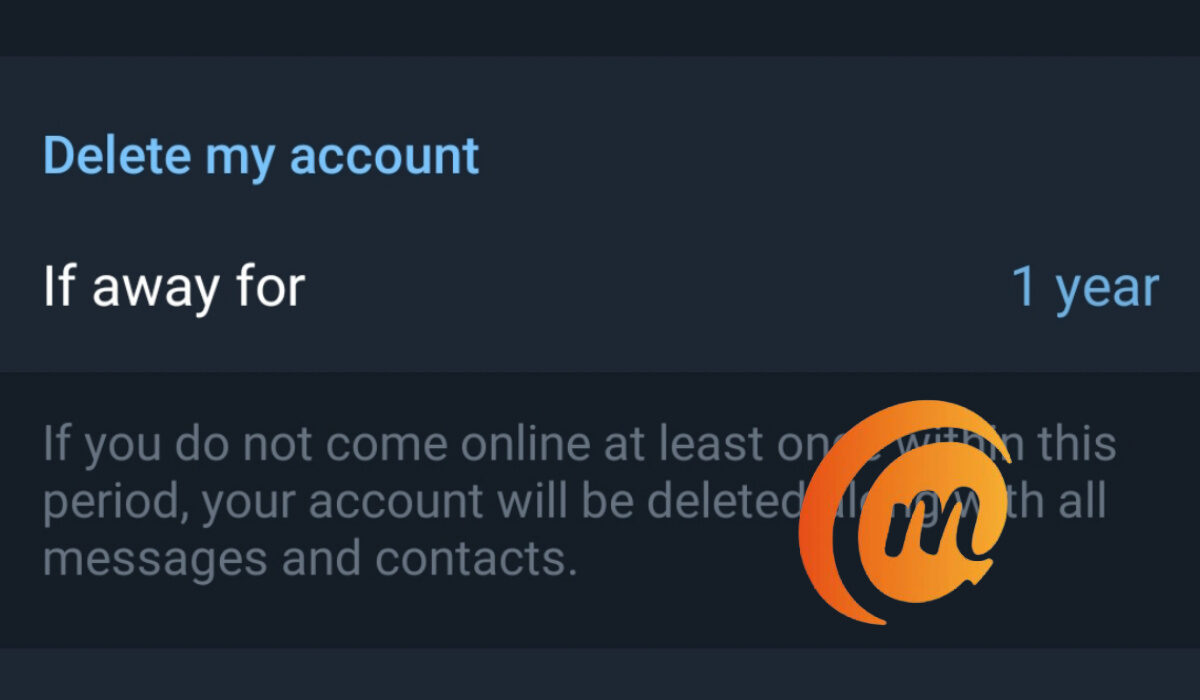
You can delete your Telegram account in the app Settings
The default setting is 6 months, and you can modify it as you please. Selecting the shortest period there is the expedient option, though, if you are resolved to delete your account. After selecting 1 month , now delete/uninstall your Telegram account from your phone and from everywhere else (laptop, PC, etc) that you use it. Why? So that you are completely offline on Telegram from that time. In exactly a month, your Telegram account will be deleted.
- Don’t miss our reviews .
- Join our WhatsApp Group , to be notified of the most important articles and deals,
- Follow us on Instagram , Facebook , Twitter , and YouTube .
Author:Mister Mobility
Digital Skills and Communication Coach | Mobile Phone Connoisseur since 2001 | Tech Blogging since 2004
