Add MobilityArena as a preferred source on Google
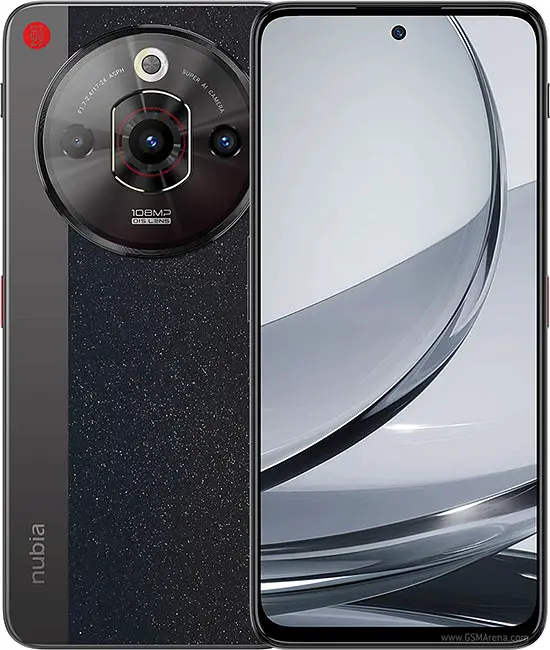
The ZTE Nubia Focus 5G has recently entered the smartphone market, boasting impressive specifications, including a 6.56-inch IPS LCD display, a powerful Unisoc T760 chipset, and a dual-camera setup featuring a 108 MP main camera. With its competitive pricing and solid performance, this device is designed to cater to users looking for a reliable smartphone experience. However, like any new technology, it comes with its own set of challenges. From conne https://en.droidchart.com/zte/nubia-focus-5g-9028 ctivity glitches and performance hiccups to camera quirks and battery life concerns, users have encountered several hurdles that can affect overall satisfaction. Understanding these challenges is crucial for maximizing the functionality of your ZTE Nubia Focus 5G. By addressing these common complaints proactively, you can ensure that your time with this impressive smartphone is both enjoyable and efficient. Let’s explore some common issues reported by users and provide practical solutions to enhance your experience with the Nubia Focus 5G
- Connectivity Issues
- Performance Hiccups
- Battery Life Variability
- Display Issues
- Conclusion
Connectivity Issues

Some users of the ZTE Nubia Focus 5G have reported difficulties connecting to 5G networks or experiencing intermittent connectivity drops, which can be frustrating in today’s fast-paced digital world. These solutions will be of help:
- Check Network Settings: Ensure that your device is set to connect to 5G networks. Go to Settings > Network & Internet > Mobile Network and select the appropriate network mode.
- Restart Your Device: A simple restart can often resolve temporary connectivity issues. Power off your device, wait a few seconds, and then turn it back on.
- Update Carrier Settings: Sometimes, updating your carrier settings can improve connectivity. Check for updates under Settings > About Phone > System Updates .
Performance Hiccups
While the ZTE Nubia Focus 5G is equipped with decent hardware, some users may experience lag or slow performance during multitasking or while using demanding applications. I recommend the following to get it resolved:
- Limit Background Apps: Close any unnecessary apps running in the background to free up system resources. You can do this by accessing the recent apps menu and swiping away those you aren’t using.
- Clear Cache: Regularly clear the cache of apps that tend to slow down your device. Go to Settings > Apps > [App Name] > Storage and tap on Clear Cache .
- Factory Reset: If performance issues persist, consider performing a factory reset after backing up important data. This can help eliminate software glitches that may be affecting performance.
Camera Performance Concerns

Although the ZTE Nubia Focus 5G features an impressive camera setup, some users have reported issues with image quality in low-light conditions or slow autofocus. Apply these tweaks and you will have a better camera performance:
- Use Night Mode: When shooting in low light, enable Night Mode in the camera app to enhance image quality and reduce noise.
- Keep the Lens Clean: Regularly clean the camera lens with a microfiber cloth to avoid smudges that can affect picture quality.
- Update Camera Software: Ensure that your camera app is up to date, as software updates often include improvements and bug fixes.
Battery Life Variability
While the ZTE Nubia Focus 5G comes with a robust 5000 mAh battery, some users have noted that battery life can vary significantly based on usage patterns. Follow these optimization settings to have a better battery experience:
- Optimize Battery Settings: Go to Settings > Battery and enable battery saver mode when necessary to extend battery life.
- Limit Background Activity: Restrict background activity for apps that you don’t use frequently by going to Settings > Apps > [App Name] > Battery and selecting “Restricted.”
- Adjust Display Settings: Lower screen brightness or set it to automatic adjustment based on ambient light conditions to conserve battery power.
Display Issues
Some users have experienced problems with touch responsiveness or display brightness inconsistencies. I recommend that you do the following:
- Remove Screen Protector: If you’re using a screen protector, try removing it temporarily to see if it resolves touch sensitivity issues.
- Adjust Display Settings: Check the display settings under Settings > Display and adjust brightness levels or enable adaptive brightness for better visibility.
- Restart Device: Restarting your phone can often resolve temporary display glitches.
Conclusion
The ZTE Nubia Focus 5G is an exciting addition to the smartphone market, offering impressive features at an affordable price point. While some challenges exist—such as connectivity issues, performance hiccups, camera concerns, battery life variability, and display problems—many of these can be effectively addressed through simple troubleshooting steps. By optimizing your settings, managing app usage wisely, and keeping your device updated, you can unlock the full potential of your ZTE Nubia Focus 5G. Embrace these solutions as opportunities to enhance your smartphone experience! With a little effort and care, you’ll find that this device can deliver reliable performance and enjoyment for all your mobile needs.
Author:Ifeoluwa Adeleke
Add MobilityArena as a preferred source on Google
There are only seven (7) 2024 smartphones with stylus support in existence. Most of them are super expensive devices. I suspect that there is a market for mid-range stylus phones that hasn’t been tapped into.
Most people use their cell phones primarily for content consumption and messaging. But there is a small subset of mobile phone users who need devices they can be creative with – write/doodle/scribble, draw, paint, design, create.
This subset of mobile users need smartphones with stylus support. A stylus can help a creative person be more productive on their smartphone in a number of ways. Let’s look at them.
- How a stylus can help a creative person be more productive on their smartphone
- 2024 Smartphones With Stylus Support Globally
- 2024 Smartphones With Stylus Support in the US
How a stylus can help a creative person be more productive on their smartphone
Here are some ways a stylus can unlock creative productivity for you on a smartphone:
- Precision and Control : Sketching, drawing, and note-taking become more accurate and intuitive.
- Versatile Creativity : From designing intricate graphics to fine-tuning photo edits, a stylus opens up a range of creative possibilities.
- Efficiency : Handwriting recognition allows for quick note-taking and idea jotting, translating seamlessly to text.
- Pressure Sensitivity : Mimicking traditional art tools, a stylus can offer varying levels of pressure for nuanced strokes and shading.
- Natural Interaction : Ergonomic designs and palm rejection technology make using a stylus feel as natural as pen on paper.
- Multi-functionality : Use it to navigate, annotate documents, highlight texts, and even control presentations.
Your inner artist can thrive with these advantages. Now, if you are in the market for something that can help you this way, allow me to help you with the list of 2024 smartphones with stylus, and also point out those that are available in the United States and where to get them a great discounts today.
2024 Smartphones With Stylus Support Globally
- Samsung Galaxy S24 Ultra
- Samsung Galaxy Z Fold6
- Motorola Moto G Stylus 5G 2024
- Honour Magic V3
- Honor Magic Vs3
- Honor Magic V2 RSR Porsche Design
- Phantom V Fold2
Of these seven smartphones that have a stylus, only three are available in the US. The rest are mostly available in Asia. I list out the US market options below and include useful information that will help you make a decision about which to buy. I also include links to ongoing special deals that are hard to resist.
2024 Smartphones With Stylus Support in the US
Samsung Galaxy Z Fold6 : If you want to go big, this is the biggest and baddest smartphone with stylus support in the US in 2024. In normal phone mode, you have a 6.3-inch display to play with, but you can unfold it to access a 7.6-inch display which gives you more ereal estate to do your drawing, design, and scribbling on.
Samsung Galaxy S24 Ultra : If you are not up for toying with a foldable device, or you find the Z Fold6 too big, the most powerful regular US market 2024 smartphone with stylus support that you can buy today is the Galaxy S24 Ultra.
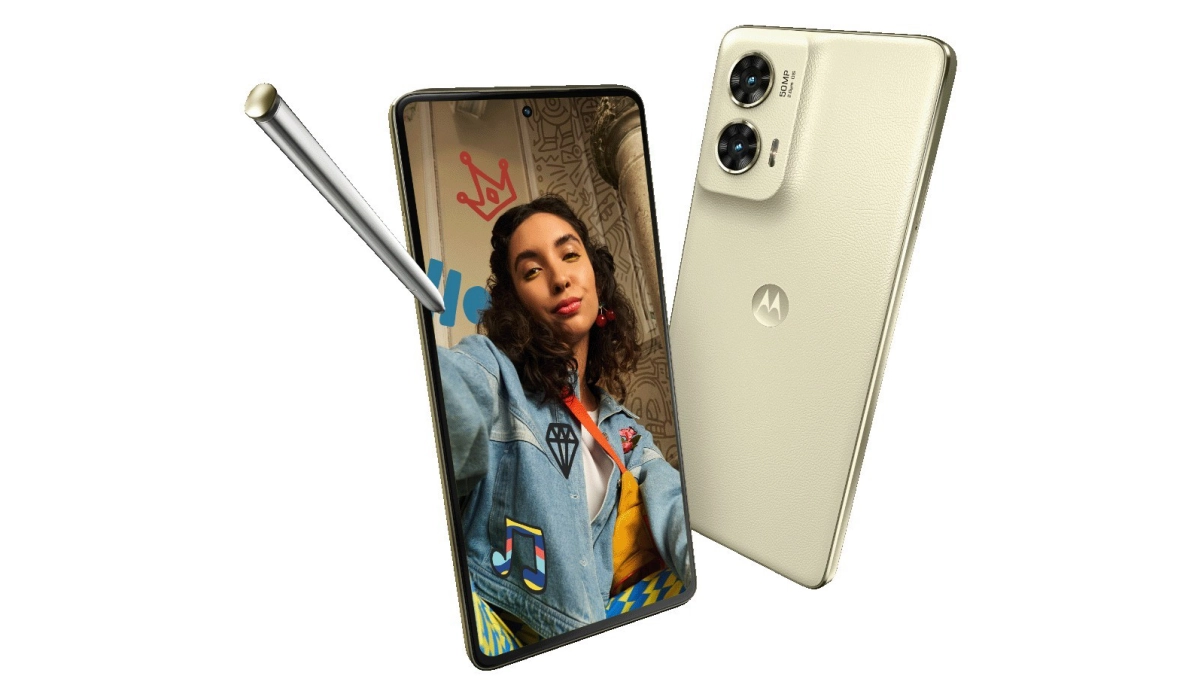
Last on the list is the much more affordable Motorola Moto G Stylus 5G 2024 . This is the 2024 smartphone with stylus support for budget spenders. You get a decent smartphone that you can be creative and extra productive with.
Use any of the provided links to grab one of these devices now at a discounted price. Whichever of these 2024 smartphones with stylus you choose to buy, you will be getting yourself a productivity smartphone at a good deal.
Author:Mister Mobility
Digital Skills and Communication Coach | Mobile Phone Connoisseur since 2001 | Tech Blogging since 2004
